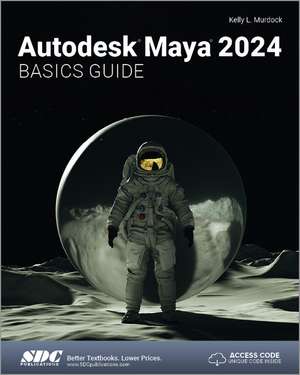
Autodesk Maya 2024 Basics Guide
Autor Kelly L. Murdocken Limba Engleză Paperback – 23 aug 2023
Subliniem faptul că Autodesk Maya 2024 Basics Guide nu este doar un suport de curs teoretic, ci un sistem hibrid de învățare, unde textul este dublat de tutoriale video pentru fiecare capitol. Această resursă video este esențială pentru a înțelege dinamica interfeței Maya, oferind claritatea pe care o descriere statică nu o poate atinge singură. Descoperim aici o structură riguroasă în 16 capitole, care ghidează utilizatorul de la primele obiecte primitive și editarea poligoanelor, până la concepte complexe de animație și randare.
Suntem de părere că progresia logică a volumului este punctul său forte. Autorul Kelly L. Murdock începe cu bazele navigării în scenă, dar nu se oprește la nivelul de începător, introducând cititorul în zone tehnice precum rigging-ul personajelor, cinematica inversă și automatizarea prin scripting MEL. Complementar volumului Introducing Autodesk Maya de Dariush Derakhshani, care pune accent pe exerciții din lumea reală, lucrarea de față acoperă mai detaliat aspectele tehnice de profunzime, precum deformatorii și gestionarea greutăților pielii (skin weights) pentru personaje.
Această ediție pentru versiunea 2024 se înscrie în bogata operă a autorului, fiind o continuare naturală a ghidurilor sale anterioare, precum Autodesk Maya 2023 Basics Guide. Față de lucrările sale dedicate altor platforme, cum este Autodesk 3ds Max 2025 Basics Guide, acest volum adaptează metodologia pedagogică specifică lui Murdock la fluxurile de lucru unice ale Maya, punând un accent deosebit pe Paint Effects și dinamica sistemelor de particule. Este un instrument tehnic precis, ideal pentru formarea unei baze solide în industria cinematografică sau a jocurilor video.
Preț: 523.05 lei
Preț vechi: 653.82 lei
-20%
Carte disponibilă
Livrare economică 07-21 noiembrie
Livrare express 27-31 octombrie pentru 62.43 lei
Specificații
ISBN-10: 1630575801
Pagini: 650
Dimensiuni: 210 x 280 x 33 mm
Greutate: 1.3 kg
Ediția:1
Editura: SDC Publications
Colecția SDC Publications
V-ar putea interesa
-
 Adobe Animate Classroom in a Book (2021 release)Russell Chun-20%Preț: 347.27 lei434.10 lei
 -
 -20%Preț: 372.01 lei465.00 lei
 -
 Preț: 454.93 lei
 -
 The Art of 3D Computer Animation and EffectsIsaac V Kerlow-20%Preț: 433.41 lei541.77 lei
 -
 -20%Preț: 410.46 lei513.06 lei
 -
 -20%Preț: 470.57 lei588.22 lei
 -
 An Essential Introduction to Maya Character RiggingCheryl Briggs-20%Preț: 353.86 lei442.32 lei
 -
 Blender All-in-One For DummiesJason van Gumster-20%Preț: 119.88 lei149.85 lei
 -
 Kelly L. Murdock's Autodesk 3ds Max 2021 Complete Reference GuideKelly L. Murdock-20%Preț: 471.22 lei589.02 lei
 -
 Autodesk Maya 2022 Basics GuideKelly L. Murdock-20%Preț: 459.78 lei574.72 lei
 -
 Autodesk Maya 2023 Basics GuideKelly L. Murdock-20%Preț: 541.68 lei677.10 lei
 -
 AutoCAD 2024 Tutorial Second Level 3D ModelingRandy H. Shih-20%Preț: 466.42 lei583.03 lei
 -
 Autodesk 3ds Max 2024 Basics GuideKelly L. Murdock-20%Preț: 521.28 lei651.60 lei
 -
 -20%Preț: 532.79 lei665.99 lei
 -
 SketchUp 2024 for Interior Designers: Studio CompanionMaria Delgado-20%Preț: 429.80 lei537.25 lei
 -
 Tutorial Guide to AutoCAD 2025: 2D Drawing, 3D ModelingShawna Lockhart-20%Preț: 509.29 lei636.62 lei
 -
 Autodesk 3ds Max 2025 Basics GuideKelly L. Murdock-20%Preț: 537.57 lei671.96 lei
 -
 AutoCAD 2019 3D ModelingMunir Hamad-20%Preț: 353.85 lei442.30 lei
 -
 Beginner's Guide to Creating Characters in BlenderPublishing 3dtotalPreț: 350.21 lei
Public țintă
Professional Practice & Development, Professional Training, and Undergraduate AdvancedDe ce să citești această carte
Recomandăm acest ghid celor care fac primii pași în universul 3D și doresc o metodă de învățare structurată, care îmbină lectura cu demonstrația vizuală. Cititorul câștigă competențe practice în întregul spectru al producției 3D, de la modelare la efecte speciale și randare. Este o investiție sigură pentru studenți sau profesioniști care migrează din alte aplicații CAD și au nevoie de o tranziție rapidă și logică către Autodesk Maya.
Despre autor
Kelly L. Murdock are o experiență de peste 15 ani în industria graficii pe calculator, acoperind domenii diverse, de la design de produs CAD de înaltă performanță și pre-vizualizare arhitecturală, până la realitate virtuală și jocuri video. Este recunoscut la nivel internațional pentru seria sa de manuale „Bible” dedicate software-urilor 3ds Max și Illustrator, precum și pentru volumul „Naked Maya”. În prezent, Kelly activează ca designer independent pentru Logical Paradox Design, aducând în textele sale o perspectivă practică, ancorată în cerințele actuale ale industriei de profil.
Descriere scurtă
Autodesk Maya 2024 Basics Guide makes no assumptions about your previous experience with Autodesk Maya. It begins by helping you get comfortable with the user interface and navigating scenes before moving into modeling, texturing, lighting, animating, rendering and more. Additionally, more advanced features such as character rigging, skinning, animating with dynamics and MEL scripting are also introduced.
Each chapter begins by examining the concept behind each task, the goal and the necessary features that are involved. Then you go in-depth with the objective of your task as you study examples and learn the steps necessary to complete it. Working your way through the comprehensive, step-by-step lessons, you'll develop the confidence you need to create incredible renderings and animations using Autodesk Maya.
Who this book is for
This text was created specifically for users with no prior 3D modeling or animation experience. If you want to work in a creative field or are just curious about how 3D animated movies are made this book is the perfect way to get started. Users who are migrating from another 3D application or upgrading from a previous version of Maya will also benefit greatly from this text.
What you'll learn
- How to create models using primitives, curves, NURBS, Polygons and more
- How to assign materials and textures to make realistic-looking models
- How to use Paint Effects to paint on and quickly create complex 3D Models
- How to use lights, cameras, and depth of field to render captivating scenes
- How to use keyframes, motion paths and the Graph Editor to create animations
- How to use character rigging, skinning, and inverse kinematics to animate realistic movements
- How to use various deformers to manipulate objects, animations and special effects
- How to add influence objects, skin weights and hair to a character for a more realistic look
- How to use dynamics to create fire, smoke, lightning, explosions, cloth and ocean effects
- How to enable raytracing, motion blur, and fog effects for increased realism
- How to render stills and animations using Maya Vector and Mental Ray for different looks
- How to use the Command Line and MEL Scripting to work faster
Maya is a program, created by Autodesk, used to model, animate, and render 3D scenes. 3D scenes created with Maya have appeared in movies, television, advertisements, games, product visualizations, and on the Web. With Maya, you can create and animate your own 3D scenes and render them as still images or as animation sequences.