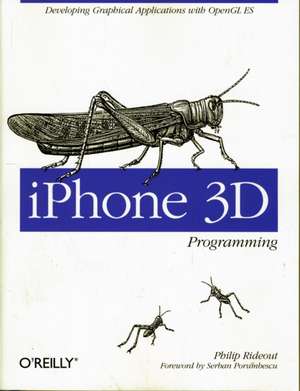
iPhone 3D Programming
Autor Philip Rideouten Limba Engleză Paperback – 22 iun 2010
You'll build several graphics programs -- progressing from simple to more complex examples -- that focus on lighting, textures, blending, augmented reality, optimization for performance and speed, and much more. All you need to get started is a solid understanding of C++ and a great idea for an app.
- Learn fundamental graphics concepts, including transformation matrices, quaternions, and more
- Get set up for iPhone development with the Xcode environment
- Become familiar with versions 1.1 and 2.0 of the OpenGL ES API, and learn to use vertex buffer objects, lighting, texturing, and shaders
- Use the iPhone's touch screen, compass, and accelerometer to build interactivity into graphics applications
- Build iPhone graphics applications such as a 3D wireframe viewer, a simple augmented reality application, a spring system simulation, and more
Preț: 209.25 lei
Preț vechi: 261.56 lei
-20%
Puncte Express: 314
Carte disponibilă
Livrare economică 18 noiembrie-02 decembrie
Livrare prin curier în România Termenul estimat este afișat lângă disponibilitate.
Transport gratuit de la 400.00 lei Plată online sau ramburs, în funcție de opțiunile comenzii.
Retur gratuit în 14 zile Comandă securizată și suport în română.
Specificații
ISBN-13: 9780596804824
ISBN-10: 0596804822
Pagini: 438
Dimensiuni: 179 x 237 x 27 mm
Greutate: 0.72 kg
Editura: O'Reilly
ISBN-10: 0596804822
Pagini: 438
Dimensiuni: 179 x 237 x 27 mm
Greutate: 0.72 kg
Editura: O'Reilly
V-ar putea interesa
-
 Cuda by ExampleJason Sanders-20%Preț: 286.47 lei358.09 lei
 -
 3D User InterfacesDoug Bowman-15%Preț: 408.38 lei480.44 lei
 -
![Adobe Flash Professional CS5 Classroom in a Book: The Official Training Workbook from Adobe Systems [With DVD ROM]](https://i0.books-express.ro/bt/9780321701800/adobe-flash-professional-cs5-classroom-in-a-book.jpg) -20%Preț: 263.23 lei329.03 lei
-20%Preț: 263.23 lei329.03 lei -
 iPhone Photography For DummiesMark HemmingsPreț: 161.35 lei
 -
 iPhone Portable GeniusPaul McFedries-20%Preț: 18.80 lei23.50 lei
 -
 iPhone For Dummies, 2024 EditionG Hart–DavisPreț: 167.99 lei
 -
 Apple Vision Pro For DummiesMarc Saltzman-20%Preț: 173.62 lei217.02 lei
 -
 Preț: 184.86 lei
 -
 iPhone for Dummies, 2025 EditionGuy Hart-Davis-20%Preț: 199.96 lei249.95 lei
 -
 iPad For Seniors For Dummies, 2025-2026 EditionDwight Spivey-20%Preț: 145.60 lei182.00 lei
 -
 iPhone For Seniors For Dummies, 2026 EditionDwight SpiveyPreț: 139.48 lei
 -
 iPhone For Dummies, 2026 EditionHart-DavisPreț: 138.25 lei
 -
 Beginning iPhone 3 DevelopmentDavid Mark-20%Preț: 257.73 lei322.17 lei
 -
 BEGINNING C++ THROUGH GAME-3EMichael Dawson-22%Preț: 379.53 lei484.04 lei
 -
 The Enthusiast's Guide to iPhone PhotographySeán Duggan-22%Preț: 152.96 lei195.52 lei
 -
 System Programming in Linux: A Hands-On IntroductionStewart Weiss-35%Preț: 481.65 lei739.15 lei
 -
 Python in Easy StepsMike Mcgrath-20%Preț: 74.68 lei93.35 lei
 -
 Introduction to Computer GraphicsKarsten Lehn-20%Preț: 340.34 lei425.42 lei
Notă biografică
Philip Rideout has been a fanatic of real-time graphics programming for over a decade. He has held positions at several pioneering graphics companies, including Intergraph, 3Dlabs, and NVIDIA. Philip currently works at Medical Simulation Corporation in Denver, where he develops new ways to visualize the inside of the human body.
Cuprins
Foreword; Preface; How to Read This Book; Conventions Used in This Book; Using Code Examples; Safari® Books Online; How to Contact Us; Acknowledgments; Chapter 1: Quick-Start Guide; 1.1 Transitioning to Apple Technology; 1.2 A Brief History of OpenGL ES; 1.3 Choosing the Appropriate Version of OpenGL ES; 1.4 Getting Started; 1.5 HelloArrow with Fixed Function; 1.6 HelloArrow with Shaders; 1.7 Wrapping Up; Chapter 2: Math and Metaphors; 2.1 The Assembly Line Metaphor; 2.2 Assembling Primitives from Vertices; 2.3 Associating Properties with Vertices; 2.4 The Life of a Vertex; 2.5 The Photography Metaphor; 2.6 Saving and Restoring Transforms with Matrix Stacks; 2.7 Animation; 2.8 Vector Beautification with C++; 2.9 HelloCone with Fixed Function; 2.10 HelloCone with Shaders; 2.11 Wrapping Up; Chapter 3: Vertices and Touch Points; 3.1 Reading the Touchscreen; 3.2 Saving Memory with Vertex Indexing; 3.3 Boosting Performance with Vertex Buffer Objects; 3.4 Creating a Wireframe Viewer; 3.5 Wrapping Up; Chapter 4: Adding Depth and Realism; 4.1 Examining the Depth Buffer; 4.2 Creating and Using the Depth Buffer; 4.3 Filling the Wireframe with Triangles; 4.4 Surface Normals; 4.5 Lighting Up; 4.6 Shaders Demystified; 4.7 Adding Shaders to ModelViewer; 4.8 Better Wireframes Using Polygon Offset; 4.9 Loading Geometry from OBJ Files; 4.10 Wrapping Up; Chapter 5: Textures and Image Capture; 5.1 Adding Textures to ModelViewer; 5.2 Texture Coordinates Revisited; 5.3 Fight Aliasing with Filtering; 5.4 Texture Formats and Types; 5.5 Texture Compression with PVRTC; 5.6 The PowerVR SDK and Low-Precision Textures; 5.7 Generating and Transforming OpenGL Textures with Quartz; 5.8 Dealing with Size Constraints; 5.9 Creating Textures with the Camera; 5.10 Wrapping Up; Chapter 6: Blending and Augmented Reality; 6.1 Blending Recipe; 6.2 Wrangle Premultiplied Alpha; 6.3 Blending Caveats; 6.4 Blending Extensions and Their Uses; 6.5 Shifting Texture Color with Per-Vertex Color; 6.6 Poor Man's Reflection with the Stencil Buffer; 6.7 Stencil Alternatives for Older iPhones; 6.8 Anti-Aliasing Tricks with Offscreen FBOs; 6.9 Rendering Anti-Aliased Lines with Textures; 6.10 Holodeck Sample; 6.11 Wrapping Up; Chapter 7: Sprites and Text; 7.1 Text Rendering 101: Drawing an FPS Counter; 7.2 Simplify with glDrawTexOES; 7.3 Crisper Text with Distance Fields; 7.4 Animation with Sprite Sheets; 7.5 Image Composition and a Taste of Multitexturing; 7.6 Mixing OpenGL ES and UIKit; 7.7 Rendering Confetti, Fireworks, and More: Point Sprites; 7.8 Chapter Finale: SpringyStars; 7.9 Wrapping Up; Chapter 8: Advanced Lighting and Texturing; 8.1 Texture Environments under OpenGL ES 1.1; 8.2 Bump Mapping and DOT3 Lighting; 8.3 Reflections with Cube Maps; 8.4 Anisotropic Filtering: Textures on Steroids; 8.5 Image-Processing Example: Bloom; 8.6 Wrapping Up; Chapter 9: Optimizing; 9.1 Instruments; 9.2 Understand the CPU/GPU Split; 9.3 Vertex Submission: Above and Beyond VBOs; 9.4 Lighting Optimizations; 9.5 Texturing Optimizations; 9.6 Culling and Clipping; 9.7 Shader Performance; 9.8 Optimizing Animation with Vertex Skinning; 9.9 Further Reading; C++ Vector Library; Disclaimer Regarding Performance; Vector.hpp; Matrix.hpp; Quaternion.hpp; Colophon;
Descriere
Offers a crash course on the OpenGL graphics library, with an overview of iPhone 3D development. This title helps you work step by step with OpenGL ES, a graphics library designed for embedded systems such as mobile phones, by progressing from simple to more complex programs.