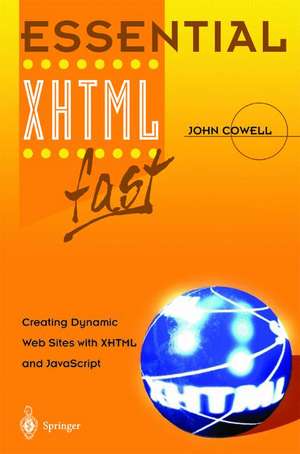
Essential XHTML fast: Essential Series
Autor John Cowellen Limba Engleză Paperback – 5 dec 2002
Din seria Essential Series
-
 Preț: 41.99 lei
 - 20%
 Preț: 320.59 lei
 - 20%
 Preț: 323.89 lei
 - 20%
 Preț: 318.89 lei
 - 20%
 Preț: 318.80 lei
 - 20%
 Preț: 296.61 lei
 - 20%
 Preț: 331.63 lei
 - 20%
 Preț: 319.96 lei
 - 20%
 Preț: 261.58 lei
 - 20%
 Preț: 191.49 lei
 - 20%
 Preț: 318.73 lei
 - 20%
 Preț: 292.72 lei
 - 20%
 Preț: 616.72 lei
 - 20%
 Preț: 314.67 lei
 - 20%
 Preț: 317.08 lei
 - 20%
 Preț: 320.76 lei
 - 20%
 Preț: 307.54 lei
 - 20%
 Preț: 237.92 lei
 - 20%
 Preț: 321.66 lei
 - 20%
 Preț: 614.03 lei
 - 20%
 Preț: 317.60 lei
 - 20%
 Preț: 324.41 lei
 - 20%
 Preț: 643.63 lei
 - 20%
 Preț: 318.00 lei
 - 20%
 Preț: 316.86 lei
 - 20%
 Preț: 319.36 lei
 - 20%
 Preț: 616.88 lei
Preț: 332.91 lei
Preț vechi: 416.14 lei
-20%
Puncte Express: 499
Carte tipărită la comandă
Livrare economică 28 noiembrie-12 decembrie
Livrare prin curier în România Termenul estimat este afișat lângă disponibilitate.
Transport gratuit de la 400.00 lei Plată online sau ramburs, în funcție de opțiunile comenzii.
Retur gratuit în 14 zile Comandă securizată și suport în română.
Specificații
ISBN-13: 9781852336844
ISBN-10: 1852336846
Pagini: 260
Ilustrații: X, 246 p.
Dimensiuni: 155 x 235 x 15 mm
Greutate: 0.4 kg
Ediția:Softcover reprint of the original 1st edition 2003
Editura: SPRINGER LONDON
Colecția Essential Series
Seria Essential Series
Locul publicării:London, United Kingdom
ISBN-10: 1852336846
Pagini: 260
Ilustrații: X, 246 p.
Dimensiuni: 155 x 235 x 15 mm
Greutate: 0.4 kg
Ediția:Softcover reprint of the original 1st edition 2003
Editura: SPRINGER LONDON
Colecția Essential Series
Seria Essential Series
Locul publicării:London, United Kingdom
V-ar putea interesa
-
 The C++ Programming LanguageBjarne Stroustrup-20%Preț: 507.21 lei634.02 lei
 -
 Python Programming for BiologyTim J. Stevens-20%Preț: 460.01 lei575.01 lei
 -
 Beginning Programming with C++ For DummiesStephen R. Davis-20%Preț: 173.62 lei217.02 lei
 -
 Pro ASP.NET Web API SecurityBadrinarayanan Lakshmiraghavan-20%Preț: 525.86 lei657.33 lei
 -
 -20%Preț: 230.97 lei288.71 lei
 -
 -20%Preț: 156.43 lei195.54 lei
 -
 Functional Programming in ScalaRunar Bjarnason-20%Preț: 340.60 lei425.75 lei
 -
 Python Programming for BeginnersJoseph Joyner-20%Preț: 53.61 lei67.02 lei
 -
 Essential Visual J++ 6.0 fastJohn Cowell-20%Preț: 318.89 lei398.61 lei
 -
 -20%Preț: 318.80 lei398.50 lei
 -
 Essential Visual Basic 6.0 fastJohn Cowell-20%Preț: 317.60 lei397.00 lei
 -
 Essential VB .Net fastJohn Cowell-20%Preț: 320.59 lei400.73 lei
 -
 Molecular Genetics of CancerJohn Cowell-18%Preț: 1478.13 lei1802.60 lei
 -
 Murachs C# 2012Joel Murach-28%Preț: 359.74 lei496.79 lei
 -
 -20%Preț: 401.15 lei501.44 lei
 -
 -20%Preț: 401.15 lei501.44 lei
 -
 Elementar-BASICKlaus Däßler-20%Preț: 452.34 lei565.42 lei
 -
 PASCAL-XSCRudi Klatte-20%Preț: 340.08 lei425.11 lei
 -
 -20%Preț: 342.96 lei428.69 lei
 -
 Data Structures and Algorithms: A First CourseIain T. Adamson-20%Preț: 328.94 lei411.17 lei
 -
 -20%Preț: 314.67 lei393.34 lei
 -
 Algebraic Specifications in Software EngineeringIvo Van Horebeek-20%Preț: 341.26 lei426.57 lei
Public țintă
Professional/practitionerCuprins
1. Why Do I Need XHTML?.- Why switch to XHTML?.- What do I need?.- Is this book for you?.- How to use this book.- Don’t type!.- 2. XML And XHTML.- HTML versions.- What is XML?.- What is XHTML?.- What is JavaScript?.- Getting started.- 3. Creating XHTML Documents.- Starting an XHTML document.- The html element.- White space.- The head element.- The title element.- The meta element.- The base element.- The body element.- Validating the document.- The p element.- Other paragraph types.- 4. Formatting Documents.- Headings.- Line breaks.- Inserting lines.- Colours and Fonts.- Lists.- 5. Creating Links.- What is a URL?.- The a element.- Absolute and relative URLs.- Links within a document.- Email links.- 6. Creating And Using Tables.- Creating tables.- Formatting tables.- Formatting cells.- Grouping table elements.- Style sheets.- 7. Working With Images.- Image Formats.- Which format should I use?.- Minimizing file size.- Displaying images.- Linking from an image.- Image maps.- Client and Server side maps.- 8. Cascading Style Sheets.- Types of style sheets.- Embedding a style sheet.- Linking to a style sheet.- In-line formatting.- Classes and IDs.- Creating a style sheet.- Changing the background.- Conflicting properties.- 9. Creating And Using Frames.- Types of frames.- Creating fixed frames.- Controlling frame size.- Creating more complex framesets.- Preventing frame resizing.- Formatting.- Navigation.- Browsers which do not support frames.- Legal problems.- In-line frames.- 10. CREATING FORMS.- Creating and using forms.- The form element.- What is sent to the server?.- Controls.- The input element.- The button element.- The textarea element.- List controls.- Grouping controls.- Disabling controls.- The PC buyer document.- Processing forms.- 11. Javascript and XHTML.-Java and JavaScript.- Using Java applets.- Using JavaScript.- The CDATA Section.- JavaScript data types.- Identifiers.- Numbers.- Arithmetic operators.- Shortcut operators.- Strings.- Booleans.- Functions.- write and writeln.- Scope of variables.- Declaring variables.- What’s next?.- 12. THe Javascript Language.- JavaScript errors.- Formatting JavaScript code.- Comments.- Case sensitivity.- Compound Statements.- The ifstatement.- The comparison operators.- The logical operators.- The switch construct.- Looping.- for..in and with statements.- Labels.- The break statement.- The continue statement.- 13. Javascript Core Objects.- The navigator object.- Important JavaScript objects.- 14. Handling Events.- The mouse events.- The keyboard events.- The document and window events.- The form events.- The focus events.- 15. Deprecated and Valid Elements.- Deprecated elements.- Current XHTML elements.- 16. INDEX.
Caracteristici
Covers all the key features of XHTML quickly and clearly Encourages program development as early as possible, so readers only have to read a few pages before being able to write programs for themselves Includes an introduction to scripting with JavaScript Contains plenty of step-by-step examples, which are downloadable from the Essential series web site Includes supplementary material: sn.pub/extras