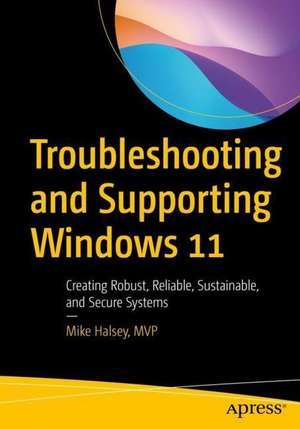
Troubleshooting and Supporting Windows 11
Autor Mike Halseyen Limba Engleză Paperback – 22 noi 2022
Problema critică pe care o adresează acest volum este menținerea stabilității sistemelor Windows 11 într-un ecosistem de lucru hibrid, unde administratorii IT trebuie să gestioneze de la distanță configurații hardware diverse și servicii cloud. Ne-a atras atenția abordarea pragmatică a lui Mike Halsey, care transformă procesul de depanare dintr-o serie de încercări și erori într-o metodologie structurată. Suntem de părere că forța acestei cărți rezidă în profunzimea cu care analizează structura de foldere și procesele de sistem, oferind soluții concrete pentru erori de startup, acces la fișiere sau conflicte de rețea.
Structura cărții facilitează o progresie logică: prima parte stabilește fundamentele și instrumentele necesare, a doua secțiune detaliază problemele specifice de integritate, conturi de utilizator și periferice, în timp ce partea finală introduce cititorul în tehnici complexe de criptare și utilizarea PowerShell pentru automatizarea reparațiilor. Complementar volumului Windows 11 Inside Out de Ed Bott, care se concentrează pe personalizarea experienței de utilizare și productivitate, lucrarea de față acoperă zona critică a mentenanței și a rezolvării incidentelor tehnice profunde, fiind un ghid de intervenție, nu doar unul de utilizare.
Această lucrare reprezintă o evoluție firească în opera autorului. Dacă în Windows Registry Troubleshooting sau Windows File System Troubleshooting Halsey analiza componente specifice ale sistemului, aici el integrează acele cunoștințe într-un flux de lucru complet pentru Windows 11. Tonul este tehnic și direct, axat pe utilizarea utilitarelor integrate și a instrumentelor de tip third-party pentru a crea un ecosistem PC robust și securizat, capabil să reziste în fața amenințărilor moderne precum ransomware-ul.
Preț: 252.80 lei
Preț vechi: 316.01 lei
-20%
Carte disponibilă
Livrare economică 19 octombrie-02 noiembrie
Specificații
ISBN-10: 1484287274
Pagini: 712
Ilustrații: XXI, 690 p. 445 illus.
Dimensiuni: 178 x 254 x 38 mm
Greutate: 1.22 kg
Ediția:First Edition
Editura: Apress
Locul publicării:Berkeley, CA, United States
De ce să citești această carte
Recomandăm această carte administratorilor de sistem și profesioniștilor IT care gestionează rețele de calculatoare în regim hibrid. Cititorul câștigă un set complet de competențe pentru diagnosticarea rapidă a erorilor de sistem și hardware, învățând să utilizeze scripting-ul PowerShell pentru reparații eficiente. Este resursa ideală pentru a minimiza timpul de inactivitate al utilizatorilor și pentru a securiza stațiile de lucru conform standardelor actuale Microsoft.
Despre autor
Mike Halsey este Microsoft MVP (Windows Expert) și un specialist recunoscut în industria IT, având o experiență vastă în suport tehnic și testare beta pentru Microsoft. Expertiza sa este fundamentată pe ani de practică directă, fiind autorul unor lucrări de referință precum „Troubleshooting Windows 7 Inside Out”. Stilul său pedagogic se concentrează pe transformarea conceptelor complexe de arhitectură Windows în pași de acțiune clari pentru depanare. În prezent, Halsey continuă să colaboreze strâns cu ecosistemul Microsoft pentru a oferi soluții de mentenanță adaptate noilor paradigme de lucru la distanță.
Descriere scurtă
This book provides a deep dive into the Windows OS, detailing what everything is, and how it works. You will learn about the in-built, additional, and third-party tools and utilities you can use to create reliable, robust and secure PC systems.
Further, you will learn how to configure Windows 11 so as to avoid problems occurring, and how to support every type of end user, working from home, or in any part of the world, speaking any language, and taking into account other factors such as ability or personal barriers.
You will discover the support tools and support ecosystem you can use to create and manage effective support tracking and remote access. Youwill discover how to get detailed events and reliability information, and how to manage update channels. You will deep dive into Windows 11 operating system and folder structure and learn app and software troubleshooting, process and service troubleshooting, network and internet troubleshooting and hardware and peripherals troubleshooting.
Finally, you will learn more advanced troubleshooting techniques like security and encryption troubleshooting and using PowerShell scripting to repair problems. Further, you will also learn how to manually remove malware and ransomware, registry troubleshooting and startup and repair troubleshooting. By the end, you will know how to troubleshoot complex problems and diagnose hardware problems in a PC. You will be able to troubleshoot and repair any type of problem on a Windows 11 PC.
What Will You Learn
- How to support home and hybrid-workers using their own PCs
- Using scripting and PowerShell to troubleshoot and repair systems
- Managing networking and internet access to minimize downtime
- Managing installation and troubleshoot for updates and patches
IT Pros and system administrators who have to maintain small or large networks of connected PCs locally at their organization, or with hybrid workers.
Cuprins
Notă biografică
He understands that some subjects can be intimidating, so he approaches each subject area in straightforward and easy-to-understand ways. Mike is originally from the UK, but now lives in France with his rescue border collies, Evan and Robbie.