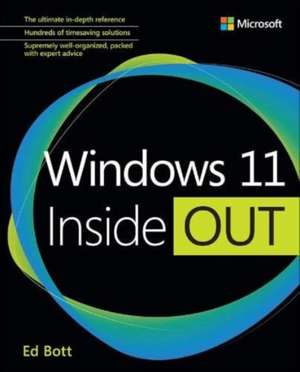
Windows 11 Inside Out: Inside Out
Autor Ed Botten Limba Engleză Paperback – 20 ian 2023
Structura progresivă: de la concept la implementare, ne ghidează prin noul ecosistem Microsoft într-un mod riguros și aplicat. Reținem că acest volum nu se limitează la o simplă prezentare a interfeței, ci pătrunde adânc în arhitectura sistemului de operare. Notăm cu interes organizarea în patru părți distincte: începem cu elementele esențiale și personalizarea spațiului de lucru, avansăm către gestionarea securității și a rețelelor, pentru ca în final să explorăm instrumente de administrare de nivel enterprise. Descoperim aici o abordare tehnică a funcțiilor inovatoare, precum integrarea widget-urilor, securitatea browserului Microsoft Edge și gestionarea stocării în cloud prin File Explorer. Pe linia practică a lui Exploring Windows 11, dar cu focus pe administrarea avansată și mediile profesionale, lucrarea de față se distinge prin profunzimea detaliilor despre PowerShell, Windows Terminal și virtualizare. Dacă titlurile menționate anterior se concentrează pe inițiere, Windows 11 Inside Out vizează atingerea unui nivel de expertiză necesar în configurarea sistemelor complexe. Poziționată ca o continuare firească a lucrării sale Windows 11 für Profis, această ediție din seria Inside Out rafinează temele recurente ale autorului: eficiența fluxului de lucru și securitatea datelor. Cuprinsul indică o acoperire exhaustivă, incluzând inclusiv utilizarea aplicațiilor Android sau rularea Linux pe Windows 11, transformând manualul într-o referință tehnică indispensabilă pentru cei care doresc să stăpânească sistemul dincolo de setările de bază.








Preț: 297.99 lei
Preț vechi: 372.48 lei
-20%
Carte disponibilă
Livrare economică 09-23 noiembrie
Livrare express 23-29 octombrie pentru 60.65 lei
Specificații
ISBN-10: 0137691335
Pagini: 816
Dimensiuni: 195 x 235 x 44 mm
Greutate: 1.09 kg
Editura: Pearson
Colecția InsideOut
Seria Inside Out
V-ar putea interesa
-
 Exam Ref MD-101 Managing Modern DesktopsAndrew Bettany-20%Preț: 236.49 lei295.60 lei
 -
 My Windows 11 Computer for SeniorsMichael Miller-20%Preț: 141.43 lei176.78 lei
 -
 -20%Preț: 120.75 lei150.93 lei
 -
 Microsoft Windows Operating System EssentialsT Carpenter-20%Preț: 189.88 lei237.34 lei
 -
 Windows 8.1 All-in-one For DummiesWoody Leonhard-20%Preț: 82.27 lei102.84 lei
 -
 Windows 10 Anniversary Update BibleRob Tidrow-20%Preț: 224.51 lei280.64 lei
 -
 Windows 10 for DummiesAndy Rathbone-20%Preț: 131.08 lei163.85 lei
 -
 Teach Yourself VISUALLY Windows 10, 3eP McFedriesPreț: 188.30 lei
 -
 Windows 10 Portable GeniusPaul McFedries-20%Preț: 18.98 lei23.72 lei
 -
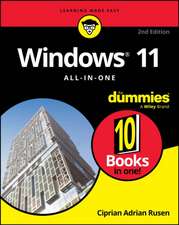 Windows 11 All-in-One For Dummies, 2nd EditionCiprian Adrian Rusen-20%Preț: 214.39 lei267.99 lei
 -
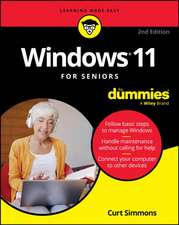 Windows 11 for Seniors for Dummies, 2nd EditionCurt Simmons-20%Preț: 118.48 lei148.10 lei
 -
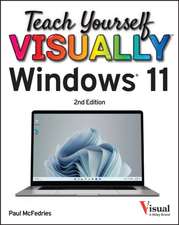 Teach Yourself VISUALLY Windows 11Paul McFedries-20%Preț: 165.76 lei207.19 lei
 -
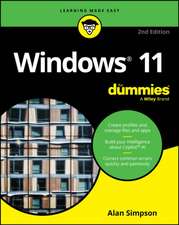 Windows 11 For DummiesAlan Simpson-20%Preț: 101.53 lei126.92 lei
 -
 Windows 10 Plain & SimpleMichael Miller-20%Preț: 126.80 lei158.50 lei
 -
 Windows 11 in easy stepsNick Vandome-20%Preț: 75.67 lei94.58 lei
 -
 Windows 11 for Seniors in Easy StepsNick Vandome-20%Preț: 100.48 lei125.60 lei
 -
 Windows 10 in Easy StepsNick Vandome-20%Preț: 74.70 lei93.38 lei
 -
 Windows 11 Tips, Tricks & Shortcuts in Easy StepsNick Vandome-20%Preț: 97.27 lei121.59 lei
De ce să citești această carte
Recomandăm această carte utilizatorilor avansați și administratorilor de sistem care au nevoie de o documentație solidă pentru Windows 11. Cititorul câștigă acces la tehnici de optimizare, strategii de securitate prin biometrie și metode de depanare expert. Este resursa ideală pentru a transforma un sistem de operare standard într-o stație de lucru profesională, securizată și eficientă, adaptată cerințelor actuale de productivitate.
Despre autor
Ed Bott este un jurnalist premiat, recunoscut la nivel internațional pentru expertiza sa de peste două decenii în industria tehnologică. A publicat mai mult de 25 de volume dedicate produselor Microsoft Office și Windows, fiind o voce de autoritate pentru milioane de cititori. În cadrul seriei Inside Out, el a semnat titluri de referință precum „Windows 7 Inside Out” și „Microsoft Office Inside Out: 2013 Edition”. Stilul său se caracterizează printr-o rigoare tehnică dublată de o capacitate remarcabilă de a extrage soluții practice din complexitatea software-ului, adaptându-le nevoilor reale ale utilizatorilor profesioniști.
Cuprins
Chapter 1 Everything you need to know about Windows 11
Chapter 2 Setting up a new Windows 11 PC
Chapter 3 Using Windows 11
Chapter 4 Personalizing Windows 11
Chapter 5 Installing and configuring apps
Chapter 6 Using and managing built-in Windows apps
Chapter 7 Using Microsoft Edge
Chapter 8 Managing local and cloud storage
Part II Managing Windows 11
Chapter 9 Using File Explorer
Chapter 10 Managing user accounts, passwords, and credentials
Chapter 11 Configuring Windows networks
Chapter 12 Windows security and privacy
Chapter 13 Managing hardware and devices
Chapter 14 Performance and power management
Chapter 15 Troubleshooting, backup, and recovery
Part III For IT professionals and Windows experts
Chapter 16 Windows Terminal, PowerShell, and other advanced management tools
Chapter 17 Running Windows 11 in a virtual machine or in the cloud
Chapter 18 Using Android and Linux on Windows 11
Chapter 19 Managing Windows PCs in the enterprise
Part IV Appendixes
Appendix A Windows 11 editions and licensing options
Appendix B The Windows Insider Program
Appendix C Help and support resources
Descriere scurtă
Dive into Windows 11 and really put your Windows expertise to work. Focusing on the most powerful and innovative features of Windows 11, this supremely well-organized reference packs hundreds of time-saving solutions, up-to-date tips, and workarounds. From personalizing your Windows user experience to maximizing security and privacy, youll discover how experts tackle todays essential tasks. Make the most of Microsofts latest Windows enhancements as you challenge yourself to new levels of mastery.
- Install, configure, and secure the latest versions of Windows 11 in any environment
- Use new Windows features to minimize distractions and maximize productivity
- Create an aesthetically pleasing workspace that syncs to all your Windows 11 devices
- Make the most of built-in apps and safely get more apps through the Microsoft Store
- Stay up-to-date with news, weather, and your personal commitments via the Widgets pane
- Leverage the Microsoft Edge browsers advanced security, privacy, and tracking prevention
- Protect your devices and data, and block malware and intruders
- Manage local and cloud storage, sync and share content, and make the most of File Explorer
- Fine-tune access controls with user accounts, passwords, and biometrics
- Reliably connect to and configure Windows networks
- Explore PowerShell and advanced administration tools, and manage Windows in the enterprise
- Run Windows 11 in a virtual machine or in the cloud
- Use Android apps from the Amazon Appstore
- Perform expert-level troubleshooting, optimization, and recovery
Notă biografică
You can catch up with Eds latest opinions and get hands-on advice in his newsletter, Ed Botts READ ME; for details, visit edbott.com/newsletter. You can also connect with him on Twitter (@edbott) and on the open source Mastodon network (mastodon.social/@edbott). Ed and his wife, Judy, live in Atlanta, Georgia. They are currently between dogs.