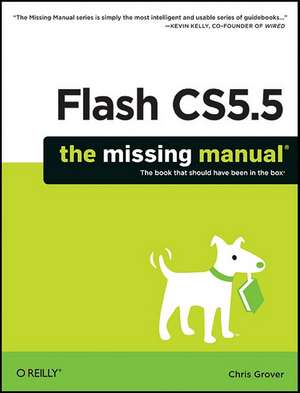
Flash Cs5.5: The Missing Manual
Autor Chris Groveren Limba Engleză Paperback – 26 iul 2011
Structura progresivă — de la concept la implementare — transformă Flash Cs5.5: The Missing Manual dintr-un simplu manual într-un instrument de lucru indispensabil pentru orice creator digital. Apreciem modul în care Chris Grover reușește să demistifice o platformă recunoscută pentru complexitatea sa, oferind un parcurs logic ce pornește de la bazele animației și culminează cu publicarea de aplicații pe dispozitive mobile. Descoperim aici o atenție deosebită acordată noilor funcționalități ale versiunii 5.5, cum ar fi optimizarea fluxului de lucru pentru ecrane tactile și integrarea profundă a multimedia. Putem afirma că acest volum reprezintă punctul de maturitate în seria autorului, consolidând conceptele prezentate anterior în Flash Cs5: The Missing Manual și Flash Cs3: The Missing Manual. Dacă în lucrările sale trecute focusul era predominant pe web, aici Chris Grover face saltul decisiv către ecosistemele iOS și Android. Complementar lui Adobe Flash Professional CS5 Classroom in a Book, care mizează pe lecții bazate pe proiecte punctuale, manualul de față acoperă zona explicativă a instrumentelor de putere, precum sistemul IK Bones pentru cinematică inversă și manipularea obiectelor în spațiu 3D, oferind contextul teoretic necesar înțelegerii mecanismelor din spatele interfeței. Pe parcursul celor peste 800 de pagini, autorul nu evită dificultățile programării, ci introduce ActionScript prin exemple accesibile, permițând utilizatorilor fără experiență tehnică să creeze interacțiuni bogate. Stilul este unul tehnic și aplicat, punând accent pe rezultate vizibile și pe eficiența fluxului de lucru în Adobe Flash Professional.
Preț: 255.20 lei
Preț vechi: 319.00 lei
-20%
Carte disponibilă
Livrare economică 09-23 noiembrie
Specificații
ISBN-10: 1449398251
Pagini: 862
Dimensiuni: 180 x 233 x 48 mm
Greutate: 1.35 kg
Ediția:Sixth Edition
Editura: O'Reilly
V-ar putea interesa
-
 The Work ConnectionStewart-15%Preț: 645.55 lei759.47 lei
 -
 Relational Database Systems - Why and HowRon Rogerson-20%Preț: 146.05 lei182.57 lei
 -
 -15%Preț: 441.66 lei519.59 lei
 -
 Preț: 405.22 lei
 -
 REMOTE / WEBCAM NOTARIZATIONJeannie Eunice Franks-20%Preț: 92.82 lei116.02 lei
 -
 -23%Preț: 837.43 lei1087.57 lei
 -
 Adobe Edge Preview 5: The Missing ManualChris Grover-20%Preț: 116.14 lei145.18 lei
 -
 Adobe Edge Animate Preview 7: The Missing ManualChris Grover-20%Preț: 151.60 lei189.51 lei
 -
 Adobe Edge Animate: The Missing ManualChris Grover-20%Preț: 176.21 lei220.27 lei
 -
 Heterogeneous ComputingMohamed ZahranPreț: 405.97 lei
 -
 Conversational UX DesignRobert J. Moore-15%Preț: 542.45 lei638.17 lei
 -
 Wandering Spirits IKim CoxPreț: 95.16 lei
 -
 Wandering Spirits IIKim CoxPreț: 94.76 lei
 -
 Hands-On Neural NetworksLeonardo de Marchi-20%Preț: 208.79 lei260.98 lei
 -
 Hands-On Generative Adversarial Networks with KerasRafael Valle-20%Preț: 237.15 lei296.44 lei
 -
 Unreal Engine 4 Shaders and Effects CookbookBrais Brenlla Ramos-20%Preț: 282.32 lei352.89 lei
 -
 Learn Kotlin ProgrammingStephen Samuel-20%Preț: 223.57 lei279.45 lei
 -
 Applied Unsupervised Learning with PythonAaron Jones-20%Preț: 293.10 lei366.37 lei
 -
 Effective PyCharmMatt Harrison-20%Preț: 223.03 lei278.79 lei
 -
 Machine Learning with Go Quick Start GuideMichael Bironneau-20%Preț: 152.92 lei191.15 lei
 -
 Applied Supervised Learning with RKarthik RamasubramanianPreț: 343.66 lei
 -
 Learn Penetration TestingRishalin Pillay-20%Preț: 246.71 lei308.39 lei
 -
 The Complete Kubernetes GuideJonathan BaierPreț: 406.03 lei
 -
 Training Systems using Python Statistical ModelingCurtis MillerPreț: 244.33 lei
 -
 Working with Legacy SystemsRobert AnnettPreț: 160.61 lei
 -
 Principles of Strategic Data SciencePeter Prevos-20%Preț: 129.39 lei161.74 lei
 -
 Business Process ChangeVarun Grover-11%Preț: 563.79 lei633.48 lei
 -
 Neo4j - A Graph Project StorySylvain Roussy-20%Preț: 231.88 lei289.85 lei
De ce să citești această carte
Recomandăm această carte celor care doresc să treacă de la animații simple la dezvoltarea de aplicații mobile funcționale. Cititorul câștigă control total asupra uneltelor de mișcare și interactivitate, învățând să utilizeze ActionScript și efecte 3D fără a fi intimidat de cod. Este resursa ideală pentru a transforma ideile creative în produse digitale gata de lansat pe piața smartphone-urilor.