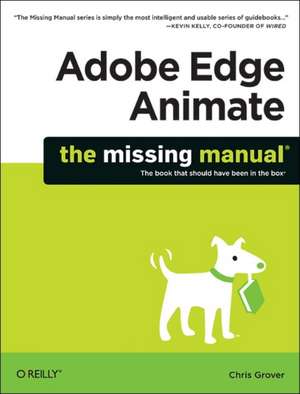
Adobe Edge Animate: The Missing Manual
Autor Chris Groveren Limba Engleză Paperback – 18 dec 2012
Preț: 176.21 lei
Preț vechi: 220.27 lei
-20%
Puncte Express: 264
Carte disponibilă
Livrare economică 06-20 noiembrie
Livrare prin curier în România Termenul estimat este afișat lângă disponibilitate.
Transport gratuit de la 400.00 lei Plată online sau ramburs, în funcție de opțiunile comenzii.
Retur gratuit în 14 zile Comandă securizată și suport în română.
Specificații
ISBN-13: 9781449342258
ISBN-10: 1449342256
Pagini: 302
Dimensiuni: 179 x 231 x 20 mm
Greutate: 0.47 kg
Editura: O'Reilly
ISBN-10: 1449342256
Pagini: 302
Dimensiuni: 179 x 231 x 20 mm
Greutate: 0.47 kg
Editura: O'Reilly
V-ar putea interesa
-
 The Work ConnectionStewart-15%Preț: 645.55 lei759.47 lei
 -
 -15%Preț: 441.66 lei519.59 lei
 -
 Preț: 405.22 lei
 -
 Beginning Drupal 8Todd Tomlinson-20%Preț: 60.63 lei75.78 lei
 -
 -23%Preț: 837.43 lei1087.57 lei
 -
 Adobe Edge Preview 5: The Missing ManualChris Grover-20%Preț: 116.14 lei145.18 lei
 -
 Adobe Edge Animate Preview 7: The Missing ManualChris Grover-20%Preț: 151.60 lei189.51 lei
 -
 Wandering Spirits IKim CoxPreț: 95.16 lei
 -
 Wandering Spirits IIKim CoxPreț: 94.76 lei
 -
 Beginning Ruby on Rails E-CommerceJarkko Laine-20%Preț: 179.80 lei224.74 lei
 -
 Rails SolutionsJustin Williams-20%Preț: 166.88 lei208.59 lei
 -
 Accelerated DOM Scripting with Ajax, APIs, and LibrariesAaron Gustafson-20%Preț: 219.17 lei273.96 lei
 -
 HTML MasteryPaul Haine-20%Preț: 177.41 lei221.77 lei
 -
 Beginning PHP and OracleW Jason Gilmore-20%Preț: 272.37 lei340.46 lei
 -
 -20%Preț: 192.10 lei240.13 lei
 -
 Practical Ruby GemsDavid Berube-20%Preț: 187.69 lei234.61 lei
 -
 MicroformatsJohn Allsopp-20%Preț: 172.74 lei215.92 lei
 -
 -20%Preț: 188.40 lei235.50 lei
 -
 Pro Web 2.0 MashupsRaymond Yee-20%Preț: 264.08 lei330.10 lei
 -
 Java EE 7 Web Application DevelopmentPeter Pilgrim-20%Preț: 362.88 lei453.60 lei
 -
 Mastering ServiceStackAndreas Niedermair-20%Preț: 258.01 lei322.51 lei
 -
 Meteor Design PatternsMarcelo Reyna-20%Preț: 202.75 lei253.45 lei
 -
 Learning Firefox OS Application DevelopmentTanay Pant-20%Preț: 172.33 lei215.41 lei
 -
 Java Hibernate CookbookYogesh Prajapati-20%Preț: 260.14 lei325.17 lei
 -
 Learning Underscore.jsAlex Pop-20%Preț: 258.53 lei323.17 lei
 -
 -20%Preț: 267.49 lei334.35 lei
 -
 Dart By ExampleDavy Mitchell-20%Preț: 260.14 lei325.17 lei
 -
 SignalR - Real-time Application Development - Second EditionEinar Ingebrigtsen-20%Preț: 234.00 lei292.50 lei
Cuprins
The Missing Credits; About the Author; About the Creative Team; Acknowledgements; The Missing Manual Series; Introduction; Why Use Adobe Edge Animate?; Where to Find Adobe Edge Animate; About This Book; The Very Basics; About the Online Resources; Safari® Books Online; Part 1: Working with the Stage; Chapter 1: Introducing Adobe Edge Animate; 1.1 Creating and Saving Edge Animate Projects; 1.2 A Tour of the Animate Workspace; 1.3 Building Your First Animation; Chapter 2: Creating and Animating Art; 2.1 Setting the Stage; 2.2 Viewing the Stage; 2.3 Creating Art in Animate; 2.4 Aligning, Distributing, and Arranging Elements; 2.5 A Rectangular Animation; 2.6 Rounded Rectangles: More than Meets the Eye; 2.7 Adding Drop Shadows to Graphics; 2.8 Clipping the Bits That Need Trimming; 2.9 Importing Art; 2.10 On/Off: Another Way to Show and Hide Elements; Chapter 3: Adding and Formatting Text; 3.1 Adding Text to Your Project; 3.2 Changing Text-Specific Properties; 3.3 Using Web Fonts; 3.4 Changing Other Text Properties; 3.5 Clipping Text Around the Edges; 3.6 Making That Headline Drop In; 3.7 Dealing with the Template; 3.8 Adding Some Bounce; 3.9 Adding Links to Text; 3.10 HTML Tags in Animate; Part 2: Animation with Edge Animate; Chapter 4: Learning Timeline and Transition Techniques; 4.1 Introducing the Timeline; 4.2 Understanding Elements' Timeline Controls; 4.3 Using Timeline Keyboard Shortcuts; 4.4 Creating Transitions; 4.5 Animating a Filmstrip; 4.6 Dealing with Timeline Claustrophobia; Chapter 5: Triggering Actions; 5.1 Elements, Triggers, and Actions; 5.2 Triggering Actions in Other Elements; 5.3 Triggers and Actions for the Stage and Timeline; 5.4 Timeline Triggers and Tricks; 5.5 Sliding Show Revisited; 5.6 Non-Linear Thinking and Design; 5.7 Timeline Button Controls; 5.8 Triggers for iPhones and Androids; Chapter 6: Working Smart with Symbols; 6.1 About Symbols; 6.2 Building with Symbols; 6.3 Nesting Symbols Within Symbols; 6.4 Working with Symbol Timelines; 6.5 Animating a Symbol on the Stage; 6.6 Create a Button Symbol with Rollover Action; 6.7 Moving Symbols Between Projects; 6.8 Building a Drop-Down Menu System; 6.9 Creating Text Callouts with Rollover Action; Part 3: Edge Animate with HTML5 and JavaScript; Chapter 7: Working with Basic HTML and CSS; 7.1 Reading HTML Documents; 7.2 Reading CSS Files; 7.3 Reading the HTML Animate Creates; 7.4 Opening an HTML Document in Animate; 7.5 Placing Your Composition in an HTML Document; 7.6 Centering an Animate Composition; 7.7 Placing Two Animate Compositions on the Same Page; Chapter 8: Controlling Your Animations with JavaScript and jQuery; 8.1 A Very Brief History of JavaScript and jQuery; 8.2 Sleuthing Through the JavaScript Animate Creates; 8.3 JavaScript and jQuery Basics; 8.4 Natural Selection the jQuery Way; 8.5 "this" and "sym" Are Special Words; Chapter 9: Helpful JavaScript Tricks; 9.1 More Showing and Hiding Tricks; 9.2 Swapping Images in Animate; 9.3 Identifying and Changing Elements and Symbols; 9.4 Identifying Elements Within Symbols; 9.5 Playing a Symbol's Timeline; 9.6 Using Conditional Statements; Part 4: Publishing Your Composition; Chapter 10: Publishing Responsive Web Pages; 10.1 Adding Background Images to Compositions and Elements; 10.2 Creating Responsive Designs; 10.3 Creating a Preloader for Your Composition; 10.4 Accommodating Older Web Browsers; 10.5 Publishing Your Composition as a Web Page; Part 5: Appendixes; Installation and Help; Edge Animate System Requirements; Installing Edge Animate; Uninstalling Edge Animate; Getting Help; Menu by Menu; File; Edit; View; Modify; Timeline; Window; Help;