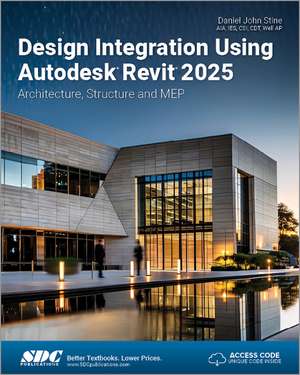
Design Integration Using Autodesk Revit 2025: Architecture, Structure and MEP
Autor Daniel John Stineen Limba Engleză Paperback – 15 iul 2024
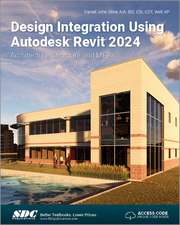
Throughout the book you develop a two story law office. The drawings start with the floor plans and develop all the way to photo-realistic renderings similar to the one on the cover of this book. Along the way the building’s structure, ductwork, plumbing and electrical (power and lighting) are modeled. By the end, you will have a thorough knowledge of many of the Revit basics needed to be productive in a classroom or office environment. Even if you will only be working with one component of Revit in your chosen profession, this book will give you important knowledge on how the other disciplines will be doing their work and valuable insight into the overall process.
The first four chapters cover many of the Revit basics needed to successfully and efficiently work with the software. Once the fundamentals are covered, the remaining chapters walk you through a building project which is started from scratch so nothing is taken for granted by you or the author.
About Bonus Material
Each book comes with access to the following:
- Extensive video instruction shows you how to use all the major tools in Autodesk Revit.
- Bonus chapters include an introduction to Revit Families, Rooms and Spaces, Lighting Design, Autodesk Showcase and much more.
- A bonus draft copy of the Roof Study Workbook which includes information on controlling the top surface of the roof in Revit
About the Videos
Access to 86 videos, almost seven hours of content, are also included with your purchase of this book. These videos break down each topic into several short videos so that you can easily navigate to a specific aspect of a tool or feature in Autodesk Revit. This makes the videos both a powerful learning tool and convenient video reference. The videos make it easy to see the menu selections and will make learning Revit straightforward and simple. It's like having the author by your side showing you exactly how to use all the major tools in Autodesk Revit.
Preț: 582.95 lei
Preț vechi: 728.68 lei
-20%
Puncte Express: 874
Carte disponibilă
Livrare economică 17-31 octombrie
Livrare express 03-09 octombrie pentru 70.11 lei
Livrare prin curier în România Termenul estimat este afișat lângă disponibilitate.
Transport gratuit pentru acest produs Plată online sau ramburs, în funcție de opțiunile comenzii.
Retur gratuit în 14 zile Comandă securizată și suport în română.
Specificații
ISBN-13: 9781630576684
ISBN-10: 1630576689
Pagini: 778
Dimensiuni: 210 x 280 x 38 mm
Greutate: 1.51 kg
Ediția:1
Editura: SDC Publications
Colecția SDC Publications
ISBN-10: 1630576689
Pagini: 778
Dimensiuni: 210 x 280 x 38 mm
Greutate: 1.51 kg
Ediția:1
Editura: SDC Publications
Colecția SDC Publications
V-ar putea interesa
-
 Design-Tech: Building Science for ArchitectsJason Alread-8%Preț: 465.32 lei505.78 leiRecomandat
 -
 Revit 2024 for ArchitectureEric Wing-20%Preț: 398.73 lei498.41 lei
 -
 Revit Architecture 2022 for DesignersDouglas R. Seidler-32%Preț: 396.10 lei584.42 lei
 -
 -20%Preț: 466.07 lei582.58 lei
 -
 -20%Preț: 505.49 lei631.87 lei
 -
 -20%Preț: 447.66 lei559.58 lei
 -
 Commercial Design Using Autodesk Revit 2023Daniel John Stine-20%Preț: 495.40 lei619.26 lei
 -
 Commercial Design Using Autodesk Revit 2024Daniel John Stine-20%Preț: 498.32 lei622.91 lei
 -
 -20%Preț: 561.96 lei702.45 lei
 -
 -20%Preț: 524.59 lei655.73 lei
 -
 -20%Preț: 606.64 lei758.30 lei
 -
 Residential Design Using Autodesk Revit 2025Daniel John Stine-20%Preț: 521.32 lei651.66 lei
 -
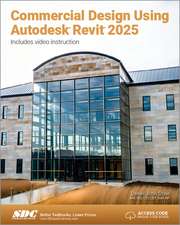 Commercial Design Using Autodesk Revit 2025Daniel John Stine-20%Preț: 512.31 lei640.38 lei
 -
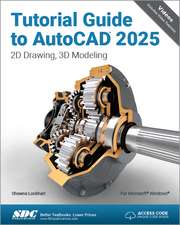 Tutorial Guide to AutoCAD 2025: 2D Drawing, 3D ModelingShawna Lockhart-20%Preț: 509.29 lei636.62 lei
 -
 -20%Preț: 520.57 lei650.70 lei
 -
 -20%Preț: 498.68 lei623.35 lei
 -
 -20%Preț: 371.28 lei464.10 lei
 -
 Revit Architecture 2024 for DesignersDouglas R. Seidler-28%Preț: 414.87 lei576.63 lei
 -
 Revit Architecture 2026 for DesignersDouglas R. Seidler-26%Preț: 414.67 lei558.45 lei
Public țintă
Professional Practice & Development and Undergraduate AdvancedCuprins
1. Getting Started with Autodesk Revit 2025 2. Quick Start: Small Office 3. Overview of Linework and Modify Tools 4. Drawing 2D Architectural Objects 5. Floor Plans 6. Roof, Floors and Ceilings 7. Vertical Circulation 8. Structural System 9. Annotation 10. Elevations, Sections and Details 11. Interior Design 12. Schedules 13. Mechanical System 14. Electrical System 15. Site and Renderings 16. Construction Documents Set Exclusive Bonus Chapters 17. Introduction to Phasing and Worksharing 18. Introduction to Revit Content Creation 19. Introduction to Computers for CAD/BIM Users Appendix A: Autodesk Revit Certification Exam Introduction Appendix B: Finding Missing Elements in Revit Appendix C: Roof Study Workbook Appendix D: Rooms and Spaces; Revit’s Unbuilt Elements Appendix E: Lighting Design in Revit using ElumTools Appendix F: Introduction to working with 3D PDF Appendix G: Building Performance Analysis in Revit 2025 and Insight 360 Appendix H: Introduction to Multi-Story Stairs
Descriere
Design Integration Using Autodesk Revit 2025 is designed to provide you with a well-rounded knowledge of Autodesk Revit tools and techniques. All three disciplines of the Revit platform are introduced in this textbook.