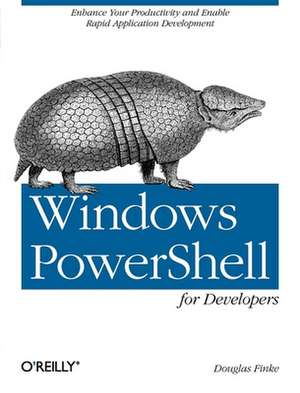
Windows Powershell for Developers
Autor Douglas Finkeen Limba Engleză Paperback – 21 aug 2012
Preț: 147.66 lei
Preț vechi: 184.58 lei
-20%
Puncte Express: 221
Carte tipărită la comandă
Livrare economică 28 noiembrie-12 decembrie
Livrare prin curier în România Termenul estimat este afișat lângă disponibilitate.
Transport gratuit de la 400.00 lei Plată online sau ramburs, în funcție de opțiunile comenzii.
Retur gratuit în 14 zile Comandă securizată și suport în română.
Specificații
ISBN-13: 9781449322700
ISBN-10: 1449322700
Pagini: 206
Ilustrații: Illustrations
Dimensiuni: 177 x 234 x 17 mm
Greutate: 0.36 kg
Editura: O'Reilly
ISBN-10: 1449322700
Pagini: 206
Ilustrații: Illustrations
Dimensiuni: 177 x 234 x 17 mm
Greutate: 0.36 kg
Editura: O'Reilly
V-ar putea interesa
-
 Eye Tracking in User Experience DesignJennifer Romano Bergstrom-29%Preț: 280.18 lei395.26 lei
 -
 -20%Preț: 504.22 lei630.27 lei
 -
 Conquering ComplexityMike Hinchey-20%Preț: 975.02 lei1218.78 lei
 -
 Behavior ComputingLongbing Cao-51%Preț: 522.41 lei1072.98 lei
 -
 -20%Preț: 414.80 lei518.49 lei
 -
 Natural Language Processing with PytorchDelip Rao-20%Preț: 454.83 lei568.54 lei
 -
 Machine Learning and SecurityClarence Chio-20%Preț: 345.85 lei432.32 lei
 -
 Designing Distributed SystemsBrendan Burns-20%Preț: 221.76 lei277.20 lei
 -
 Regulated Grammars and AutomataAlexander Meduna-46%Preț: 591.77 lei1095.45 lei
 -
 Learn Functional Programming with ElixirUlisses Almeida-20%Preț: 256.39 lei320.49 lei
 -
 Current Trends in Web EngineeringQuan Z. Sheng-20%Preț: 326.26 lei407.83 lei
 -
 How to Write a Better ThesisDavid Evans-20%Preț: 185.13 lei231.40 lei
 -
 -20%Preț: 342.50 lei428.13 lei
 -
 Advancing the Impact of Design Science: Moving from Theory to PracticeMonica Chiarini Tremblay-20%Preț: 331.16 lei413.95 lei
 -
 -20%Preț: 330.96 lei413.70 lei
 -
 AnalogrechnenWolfgang Giloi-20%Preț: 497.42 lei621.78 lei
 -
 Transactions on Computational Science XXIIMarina Gavrilova-20%Preț: 316.44 lei395.55 lei
 -
 -20%Preț: 330.76 lei413.45 lei
 -
 Parallel Processing and Applied MathematicsRoman Wyrzykowski-20%Preț: 361.87 lei452.34 lei
 -
 Diagnosis & Reliable Design of Digital SystemsMelvin A. Breuer-20%Preț: 323.42 lei404.27 lei
 -
 Simulation des Straßenverkehrs in der GroßstadtJörg Dallmeyer-20%Preț: 376.30 lei470.37 lei
 -
 Einführung in die Theorie der kognitiven KommunikationWerner Rupprecht-20%Preț: 720.33 lei900.42 lei
 -
 -20%Preț: 630.19 lei787.74 lei
Cuprins
Preface; Audience; Assumptions This Book Makes; Contents of This Book; Conventions Used in This Book; Using Code Examples; We'd Like to Hear from You; Safari® Books Online; Acknowledgments; Chapter 1: Introduction; 1.1 This Is Just the Beginning; 1.2 Why Use PowerShell; 1.3 There's a New Game in Town; 1.4 An Underutilized Development Tool; Chapter 2: Getting Started; 2.1 Installing PowerShell; 2.2 Interactivity, the Key to PowerShell; 2.3 Running a PowerShell Script; 2.4 PowerShell ISE; 2.5 Other PowerShell Editors; 2.6 PowerShell and Visual Studio; 2.7 The PowerShell Community; 2.8 The Future of PowerShell on Windows 8; 2.9 Summary; Chapter 3: The Dime Tour; 3.1 The Object Pipeline: The Game Changer; 3.2 Automation References; 3.3 Semicolons; 3.4 Return Statements; 3.5 Datatypes; 3.6 Exception Handling; 3.7 Quoting Rules; 3.8 PowerShell Subexpressions in Strings; 3.9 Here-Strings; 3.10 Closures, Functions, and Lambdas; 3.11 Arrays; 3.12 Parentheses and Commas; 3.13 Hash Tables; 3.14 Get-Member; 3.15 Inject a GUI into the PowerShell Command Line; 3.16 New-Object; 3.17 Add-Member; 3.18 Add-Type; 3.19 "What Does % Do?" and Other Aliases; 3.20 Modules; 3.21 Summary; Chapter 4: Accelerating Delivery; 4.1 Scanning for const Definitions; 4.2 Working with Template Engines; 4.3 Generating PowerShell Functions from C# Methods; 4.4 Calling PowerShell Functions from C#; 4.5 Overriding C# Methods with PowerShell Functions; 4.6 Summary; Chapter 5: Add PowerShell to Your GUI; 5.1 Embedding PowerShell in your C# Application; 5.2 Beaver Music Application; 5.3 Getting the PowerShell Console in Your App; 5.4 Summary; Chapter 6: PowerShell and the Internet; 6.1 Net.WebClient; 6.2 Wrapping Code in a PowerShell Function; 6.3 Reading XML-Formatted Data from the Web; 6.4 Invoke-RestMethod; 6.5 PowerShell and The New York Times Semantic API; 6.6 New-WebServiceProxy; 6.7 Invoke-WebRequest; 6.8 Summary; Chapter 7: Building GUI Applications in PowerShell; 7.1 Why a Chapter About GUIs?; 7.2 PowerShell and WinForms; 7.3 PowerShell, ShowUI, and the Twitter API; 7.4 A Twitter GUI Application; 7.5 ShowUI Video Player; 7.6 Summary; Chapter 8: DLLs, Types, Properties, Methods, and Microsoft Roslyn; 8.1 Sending Text to the Clipboard; 8.2 Transcoding C# to PowerShell; 8.3 Microsoft's Roslyn; 8.4 Using PowerShell to Display Visual Studio Detail; 8.5 Roslyn's Document Methods; 8.6 PowerShell Roslyn Class Viewer; 8.7 Summary; Chapter 9: Writing Little Languages in PowerShell; 9.1 Adding a New Construct to PowerShell; 9.2 PowerShell: A Better XML; 9.3 The Little Language in Action; 9.4 Graphviz; 9.5 Mix and Match PowerShell and GraphViz; 9.6 Summary; Chapter 10: PowerShell, COM, and More; 10.1 Opening a File in Excel Using Invoke-Item; 10.2 Calling an Excel Function; 10.3 Discovering Available Excel Functions; 10.4 Automating Excel from PowerShell; 10.5 Discovering Other COM Applications to Automate; 10.6 Summary; Chapter 11: PowerShell Version 3; 11.1 PowerShell Workflows; 11.2 Using PowerShell with Web Data: Converting to and from JSON; 11.3 Creating an Instance of a Microsoft .NET Framework Object; 11.4 Get-Content -Tail; 11.5 ISE v3; 11.6 Out-GridView and the -PassThru Parameter; 11.7 Scheduling Jobs; 11.8 Invoke-WebRequest and Invoke-RestMethod; 11.9 PowerShell v3 Items That Are a Must-See; 11.10 Summary; Productive PowerShell; Getting Automation Approved; Saving Time with Automation; Adding Aliases to Your PowerShell Profile; Adding Variables and Functions to Your PowerShell Profile; Remote Desktop Connection; Starting Another PowerShell Session; Using PowerShell's Tokenizer; PowerShell and Older Tools; Faster, Faster-The Light Is Turning Red; Summary; Running PowerShell with the .NET 4.0 Runtime;