
Windows Performance Analysis Field Guide
Autor Clint Huffmanen Limba Engleză Paperback – 13 aug 2014
Ne-a atras atenția Windows Performance Analysis Field Guide prin abordarea sa extrem de pragmatică asupra ecosistemului Windows, concentrându-se pe versiunile Windows 8.1 și Windows Server 2012 R2, dar rămânând relevant și pentru mediile care rulează Windows 7 sau Server 2008 R2. Importanța acestui volum rezidă în perspectiva de tip „insider” oferită de Clint Huffman, a cărui experiență de peste un deceniu în cadrul Microsoft transformă textul într-un manual de proceduri simular celor utilizate de echipele de suport oficiale ale gigantului din Redmond.
Notăm cu interes organizarea riguroasă a conținutului, care ghidează cititorul prin straturile fundamentale ale sistemului: de la managementul memoriei (procese, kernel, memorie fizică) până la subsistemele de stocare și rețea. Volumul nu se limitează la teorie, ci oferă soluții aplicate pentru diagnosticarea blocajelor folosind instrumente accesibile, precum suita Sysinternals sau utilitarul PAL. Complementar lucrării Troubleshooting with the Windows Sysinternals Tools de Mark Russinovich, care este o enciclopedie a utilitarelor, volumul de față acoperă metodologia de diagnosticare și fluxul de lucru necesar pentru a interpreta datele colectate, oferind contextul decizional pe care o simplă descriere a uneltelor nu îl poate furniza.
Structura progresivă a cărții, care culminează cu analize complexe ale performanței la boot și colectarea de „memory dumps”, este punctată de resurse practice valoroase, precum șabloanele pentru contoarele de performanță. Aceasta este o resursă tehnică ce pune accent pe eficiența costurilor, învățând administratorii de sistem cum să optimizeze resursele hardware existente înainte de a investi în infrastructură nouă.
Preț: 233.79 lei
Preț vechi: 377.78 lei
-38%
Carte tipărită la comandă
Livrare economică 24 noiembrie-08 decembrie
Specificații
ISBN-10: 0124167012
Pagini: 380
Ilustrații: 50 illustrations
Dimensiuni: 191 x 235 x 20 mm
Greutate: 0.79 kg
Editura: ELSEVIER SCIENCE
V-ar putea interesa
-
 Windows Server Inside OutOrin Thomas-20%Preț: 400.94 lei501.18 lei
 -
 Microsoft Copilot Pro Step by StepLisa Crosbie-20%Preț: 256.32 lei320.40 lei
 -
 BPF Performance ToolsBrendan Gregg-20%Preț: 398.39 lei497.99 lei
 -
 Systems PerformanceBrendan Gregg-20%Preț: 394.13 lei492.66 lei
 -
 Understanding Software DynamicsRichard Sites-20%Preț: 310.88 lei388.60 lei
 -
 Windows 8 for the Over 50s In Simple StepsJoli Ballew-20%Preț: 79.37 lei99.20 lei
 -
 Troubleshooting with the Windows Sysinternals ToolsMark Russinovich-20%Preț: 292.26 lei365.32 lei
 -
 Microsoft Windows Operating System EssentialsT Carpenter-20%Preț: 189.88 lei237.34 lei
 -
 -20%Preț: 272.60 lei340.76 lei
 -
 Windows 11 All-in-One For Dummies, 2nd EditionCiprian Adrian Rusen-20%Preț: 214.39 lei267.99 lei
 -
 Windows 11 for Seniors for Dummies, 2nd EditionCurt Simmons-20%Preț: 118.48 lei148.10 lei
 -
 Teach Yourself VISUALLY Windows 11Paul McFedries-20%Preț: 165.76 lei207.19 lei
 -
 Microsoft 365 Office All-In-One for DummiesPaul McFedries-20%Preț: 175.66 lei219.57 lei
 -
 Microsoft 365 Word For Dummies, 2nd EditionDan Gookin-20%Preț: 141.41 lei176.77 lei
 -
 -20%Preț: 176.07 lei220.08 lei
 -
 Microsoft Excel 365 BibleDick Kusleika-20%Preț: 289.14 lei361.43 lei
 -
 Teach Yourself VISUALLY Microsoft 365Paul McFedries-20%Preț: 170.73 lei213.41 lei
 -
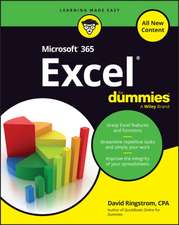 Microsoft 365 Excel For DummiesDavid H. Ringstrom-20%Preț: 143.21 lei179.02 lei
 -
 -20%Preț: 140.94 lei176.17 lei
 -
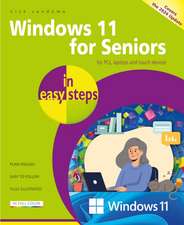 Windows 11 for Seniors in Easy StepsNick Vandome-20%Preț: 100.48 lei125.60 lei
De ce să citești această carte
Recomandăm acest ghid administratorilor de sistem și inginerilor de suport care au nevoie de o metodologie clară pentru rezolvarea problemelor de performanță în Windows. Prin parcurgerea acestui volum, veți învăța să identificați rapid gâtuirile de sistem folosind instrumente gratuite și veți câștiga încrederea de a aplica soluții de nivel Enterprise, bazate pe bunele practici de suport Microsoft.
Descriere scurtă
Author Clint Huffman, a Microsoft veteran of over fifteen years, shows you how to identify and alleviate problems with the computer resources of disk, memory, processor, and network. You will learn to use performance counters as the initial indicators, then use various tools to "dig in" to the problem, as well as how to capture and analyze boot performance problems.
- This field guide gives you the tools and answers you need to improve Microsoft Windows performance
- Save money on optimizing Windows performance with deep technical troubleshooting that tells you "What would Microsoft do to solve this?"
- Includes performance counter templates so you can collect the right data the first time.
- Learn how to solve performance problems using free tools from Microsoft such as the Windows Sysinternals tools and more.
- In a rush? Chapter 1 Start Here gets you on the quick path to solving the problem.
- Also covers earlier versions such as Windows 7 and Windows Server 2008 R2.
Cuprins
2. Performance Monitor
3. Storage
4. Process Memory
5. Kernal Memory
6. System Committed Memory
7. Page Files
8. Physical Memory
9. Network
10. Processor
11. Boot Performance
12. Performance Analysis of Logs (PAL) Tool
Appendix A: Tools
Appendix B: Collecting Process Memory Dumps
Appendix C: Debug Symbols