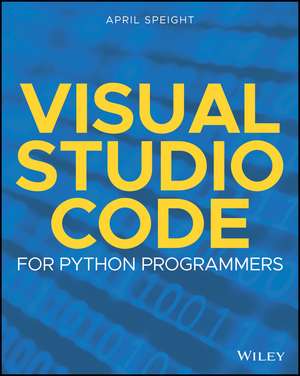
Visual Studio Code for Python Programmers
Autor April Speighten Limba Engleză Paperback – 18 iun 2021
În domeniul dezvoltării software, alegerea și optimizarea editorului de cod reprezintă un factor critic pentru productivitate, iar volumul de față explorează în profunzime ecosistemul Visual Studio Code (VS Code) pentru programatorii Python. Observăm o abordare extrem de structurată, care pornește de la fundamentul tehnic al mediului de lucru — instalarea pe diverse sisteme de operare și configurarea interfeței — până la fluxuri de lucru avansate. Subliniem faptul că textul nu se limitează la simpla editare de text, ci detaliază integrarea esențială cu instrumente de versionare precum Git, gestionarea interpretorului Python și utilizarea extensiilor specifice pentru linting și refactorizare. Ca și Sufyan bin Uzayr în Optimizing Visual Studio Code for Python Development, autoarea distilează experiență reală în principii acționabile, oferind soluții concrete pentru scenarii complexe care implică framework-uri precum Django și Flask. Progresia materialului este logică: după familiarizarea cu panourile și paleta de comenzi, cititorul este ghidat prin procesul de depanare și testare unitară, elemente vitale pentru orice aplicație robustă. Ne-a atras atenția capitolul dedicat proiectelor din lumea reală, unde teoria este aplicată în containere Docker și medii cloud Azure, demonstrând versatilitatea VS Code în mediile de producție moderne. April Speight, cunoscută și pentru lucrarea Bite-Size Python, face tranziția de la conceptele de bază ale limbajului la un ghid tehnic riguros despre mediul de dezvoltare. Spre deosebire de manualele generale despre VS Code, această resursă este calibrată strict pe nevoile dezvoltatorului Python, oferind o perspectivă aplicată asupra modului în care suportul pentru Jupyter Notebook și analiza statică a codului pot fi integrate organic în workflow-ul zilnic.
Preț: 245.94 lei
Preț vechi: 307.43 lei
-20%
Carte disponibilă
Livrare economică 11-25 noiembrie
Livrare express 27-31 octombrie pentru 35.43 lei
Specificații
ISBN-10: 1119773369
Pagini: 256
Dimensiuni: 186 x 231 x 14 mm
Greutate: 0.43 kg
Editura: Wiley
Locul publicării:Hoboken, United States
V-ar putea interesa
-
 Exam Ref Ai-900 Microsoft Azure AI FundamentalsJulian Sharp-20%Preț: 191.75 lei239.69 lei
 -
 Modern App Deployment with Azure KubernetesDawid Borycki-20%Preț: 326.88 lei408.60 lei
 -
 Captain CodeBen Forta-20%Preț: 145.63 lei182.04 lei
 -
 -20%Preț: 249.68 lei312.11 lei
 -
 -15%Preț: 107.59 lei127.12 lei
 -
 -20%Preț: 272.37 lei340.47 lei
 -
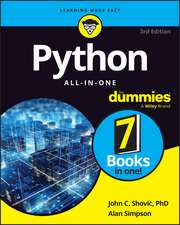 Python All-in-One For DummiesJohn C. Shovic-20%Preț: 235.56 lei294.46 lei
 -
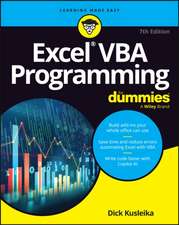 -20%Preț: 176.97 lei221.21 lei
 -
 -20%Preț: 366.89 lei458.61 lei
 -
 Github Copilot Certification Study GuideTom Taulli-20%Preț: 330.54 lei413.16 lei
 -
 Coding For Dummies, All New EditionPaul McFedries-20%Preț: 116.94 lei146.18 lei
 -
 The Quick Python Book, Fourth EditionNaomi Ceder-20%Preț: 350.74 lei438.43 lei
 -
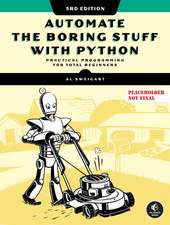 -35%Preț: 289.10 lei444.24 lei
 -
 Python for Excel Users: Know Excel? You Can Learn PythonTracy Stephens-35%Preț: 238.55 lei369.12 lei
 -
 -36%Preț: 236.32 lei367.47 lei
 -
 -37%Preț: 186.40 lei295.65 lei
 -
 .NET 10 RevealedKajetan Duszy¿ski-20%Preț: 240.60 lei300.75 lei
 -
 Mastering ASP.NET Core 10Mabrouk Mahdhi-20%Preț: 250.42 lei313.02 lei
De ce să citești această carte
Recomandăm această carte programatorilor Python care doresc să își transforme editorul de cod într-un IDE complet și eficient. Cititorul câștigă control total asupra mediului de dezvoltare, învățând să configureze depanarea, testarea și integrarea cu Docker sau Azure. Este un ghid practic esențial pentru cei care vor să treacă de la simpla scriere a codului la gestionarea profesionistă a proiectelor software complexe.
Despre autor
April Speight este un autor și dezvoltator cu experiență în ecosistemul Python, dedicată educării comunității tehnice prin materiale accesibile și aplicate. În portofoliul său se regăsește volumul Bite-Size Python, unde a demonstrat o capacitate deosebită de a descompune concepte programatice dificile pe înțelesul tuturor. În prezentul volum publicat de Wiley, ea își folosește expertiza tehnică pentru a ghida dezvoltatorii prin complexitățile Visual Studio Code, punând accent pe integrarea cu tehnologii moderne de cloud și virtualizare.