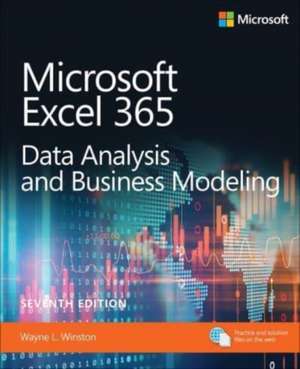
MS EXCEL DATA ANALYSIS & BUSIN: Pearson
Autor Wayne Winstonen Limba Engleză Paperback – 16 dec 2021
Începem prin a utiliza instrumentul Solver pentru a optimiza mixul de produse sau schemele de lucru ale angajaților, un exercițiu practic care transformă constrângerile logistice în soluții matematice clare. În această a șaptea ediție a Microsoft Excel Data Analysis and Business Modeling (Office 2021 and Microsoft 365), Wayne Winston rafinează metodologia de predare bazată pe scenarii, oferind peste 800 de probleme care oglindesc provocările reale ale unui analist. Notăm cu interes integrarea noilor funcții dinamice din Microsoft 365, precum LAMBDA și LET, care permit definirea unor variabile și funcții personalizate direct în celule, eliminând necesitatea codului VBA complex în multe situații. Subliniem structura tehnică și progresivă a lucrării: de la modelarea de bază a foilor de calcul, la funcții avansate de căutare precum XLOOKUP și până la analiza de senzitivitate prin tabele de date și Goal Seek. Abordarea diferă de Microsoft Excel Formulas and Functions (Office 2021 and Microsoft 365) de Paul McFedries prin accentul pus pe modelarea decizională — este mai puțin orientată spre sintaxa pură și mai mult spre aplicabilitatea în business intelligence. Descoperim aici un volum care extinde temele explorate în Microsoft Excel 2019 Data Analysis and Business Modeling, aducând în prim-plan instrumente de procesare masivă a datelor precum Power Query și Power Pivot, esențiale pentru construirea modelelor relaționale. Fiecare capitol este construit în jurul unei întrebări de afaceri concrete, oferind soluții prin tehnici de regresie multiplă, netezire exponențială sau simulări Monte Carlo pentru prețurile acțiunilor. Această ediție publicată de Pearson Education rămâne un standard tehnic pentru utilizatorii care doresc să depășească stadiul de simplă introducere a datelor, vizând optimizarea proceselor decizionale prin analiză cantitativă riguroasă.
Din seria Pearson
-
 Preț: 324.09 lei
 -
 Preț: 68.82 lei
 -
 Preț: 291.45 lei
 - 8%
 Preț: 458.86 lei
 -
 Preț: 463.31 lei
 - 20%
 Preț: 120.29 lei
 - 15%
 Preț: 810.60 lei
 -
 Preț: 253.66 lei
 - 20%
 Preț: 417.92 lei
 - 20%
 Preț: 442.90 lei
 -
 Preț: 461.92 lei
 - 20%
 Preț: 291.85 lei
 - 19%
 Preț: 461.02 lei
 - 23%
 Preț: 936.32 lei
 -
 Preț: 416.07 lei
 - 11%
 Preț: 1460.97 lei
 -
 Preț: 427.25 lei
 -
 Preț: 279.50 lei
 -
 Preț: 401.10 lei
 - 20%
 Preț: 191.83 lei
Preț: 295.79 lei
Preț vechi: 369.74 lei
-20%
Carte disponibilă
Livrare economică 18 septembrie-02 octombrie
Livrare express 03-09 septembrie pentru 92.93 lei
Specificații
ISBN-10: 0137613660
Pagini: 1170
Dimensiuni: 195 x 235 x 62 mm
Greutate: 1.88 kg
Ediția:7. Auflage
Editura: Pearson Education Inc (Cs)
Colecția Pearson
Seria Pearson
V-ar putea interesa
-
 -20%Preț: 225.00 lei281.25 lei
 -
 -20%Preț: 223.38 lei279.22 lei
 -
 -20%Preț: 294.92 lei368.64 lei
 -
 -20%Preț: 222.01 lei277.51 lei
 -
 Excel 2016 in DepthBill Jelen-20%Preț: 207.50 lei259.37 lei
 -
 Marketing AnalyticsWayne L. Winston-20%Preț: 277.86 lei347.32 lei
 -
 Excel 2019 All-In-One for DummiesGreg Harvey-20%Preț: 218.25 lei272.82 lei
 -
 Excel All-In-One for DummiesPaul McFedries-20%Preț: 241.60 lei302.01 lei
 -
 Excel Data Analysis For Dummies, 5th EditionPaul McFedries-20%Preț: 210.98 lei263.72 lei
 -
 Statistical Analysis with Excel For DummiesJoseph Schmuller-20%Preț: 203.45 lei254.31 lei
 -
 -15%Preț: 636.77 lei749.15 lei
 -
 -26%Preț: 624.02 lei840.70 lei
 -
 Microsoft 365 Excel Formulas & Functions For DummiesKen Bluttman-20%Preț: 172.47 lei215.60 lei
 -
 Microsoft Excel 365 BibleDick Kusleika-20%Preț: 284.17 lei355.21 lei
 -
 Microsoft Excel 2019 Data Analysis and Business ModelingWayne Winston-20%Preț: 287.86 lei359.82 lei
 -
 Microsoft Excel 2019 Formulas and FunctionsPaul McFedries-20%Preț: 210.32 lei262.90 lei
 -
 Microsoft Excel 2019 Inside OutBill Jelen-20%Preț: 273.22 lei341.52 lei
 -
 -20%Preț: 293.14 lei366.42 lei
 -
 Preț: 325.86 lei
De ce să citești această carte
Recomandăm această carte analiștilor financiari și managerilor care au nevoie de soluții concrete pentru probleme de optimizare și prognoză. Veți câștiga o stăpânire tehnică asupra Excel-ului, trecând de la funcții de bază la simulări complexe și modelare de business. Cele 800 de exerciții practice fac din acest volum un instrument de lucru indispensabil pentru oricine dorește să transforme datele brute în decizii strategice fundamentate.
Despre autor
Wayne Winston este profesor emerit de tehnologii decizionale la Kelley School of Business, Indiana University, unde predă din 1975. Cu o licență în matematică de la MIT și un doctorat în cercetare operațională de la Yale, Winston este recunoscut la nivel mondial pentru expertiza sa în modelare matematică și analiză de date. A publicat numeroase manuale de referință în domeniul cercetării operaționale și al științei managementului, fiind un specialist în utilizarea aplicației Excel pentru optimizarea proceselor de afaceri și simulări financiare complexe.
Notă biografică
Cuprins
CHAPTER 2 Range names
CHAPTER 3 Lookup functions
CHAPTER 4 The INDEX function
CHAPTER 5 The MATCH function
CHAPTER 6 Text functions and Flash Fill
CHAPTER 7 Dates and date functions
CHAPTER 8 The net present value functions: NPV and XNPV
CHAPTER 9 The internal rate of return: IRR, XIRR, and MIRR functions
CHAPTER 10 More Excel financial functions
CHAPTER 11 Circular references
CHAPTER 12 IF, IFERROR, IFS, CHOOSE, SWITCH, and the IS functions
CHAPTER 13 Time and time functions
CHAPTER 14 The Paste Special command
CHAPTER 15 Three-dimensional formulas and hyperlinks
CHAPTER 16 The auditing tool and the Inquire add-in
CHAPTER 17 Sensitivity analysis with data tables
CHAPTER 18 The Goal Seek command
CHAPTER 19 Using the Scenario Manager for sensitivity analysis
CHAPTER 20 The COUNTIF, COUNTIFS, COUNT, COUNTA, and COUNTBLANK functions
CHAPTER 21 The SUMIF, AVERAGEIF, SUMIFS, AVERAGEIFS, MAXIFS, and MINIFS functions
CHAPTER 22 The OFFSET function
CHAPTER 23 The INDIRECT function
CHAPTER 24 Conditional formatting
CHAPTER 25 Excel tables and table slicers
CHAPTER 26 Spin buttons, scrollbars, option buttons, check boxes, combo boxes, and group list boxes
CHAPTER 27 Importing data from a text file or document
CHAPTER 28 The Power Query Editor
CHAPTER 29 Excels new data types
CHAPTER 30 Summarizing data with histograms and Pareto charts
CHAPTER 31 Summarizing data with descriptive statistics
CHAPTER 32 Sorting in Excel
CHAPTER 33 Filtering data and removing duplicates
CHAPTER 34 Summarizing data with database statistical functions
CHAPTER 35 Array formulas and functions
CHAPTER 36 Excels new dynamic array functions
CHAPTER 37 Validating data
CHAPTER 38 Using PivotTables and slicers to describe data
CHAPTER 39 The Data Model
CHAPTER 40 Power Pivot
CHAPTER 41 Consolidating data
CHAPTER 42 Creating subtotals
CHAPTER 43 Basic charting
CHAPTER 44 Advanced charting
CHAPTER 45 Filled and 3D Maps
CHAPTER 46 Sparklines
CHAPTER 47 Estimating straight-line relationships
CHAPTER 48 Modeling exponential growth
CHAPTER 49 The power curve
CHAPTER 50 Using correlations to summarize relationships
CHAPTER 51 Introduction to multiple regression
CHAPTER 52 Incorporating qualitative factors into multiple regression
CHAPTER 53 Modeling nonlinearities and interactions
CHAPTER 54 Analysis of variance: One-way ANOVA
CHAPTER 55 Randomized blocks and two-way ANOVA
CHAPTER 56 Using moving averages to understand time series
CHAPTER 57 Ratio-to-moving-average forecast method
CHAPTER 58 An introduction to probability
CHAPTER 59 An introduction to random variables
CHAPTER 60 The binomial, hypergeometric, and negative binomial random variables
CHAPTER 61 The Poisson and exponential random variable
CHAPTER 62 The normal random variable and Z-scores
CHAPTER 63 Making probability statements from forecasts
CHAPTER 64 Using the lognormal random variable to model stock prices
CHAPTER 65 Importing past stock prices, exchange rates, and cryptocurrency prices with the STOCKHISTORY function
CHAPTER 66 An introduction to optimization with Excel Solver
CHAPTER 67 Using Solver to determine the optimal product mix
CHAPTER 68 Using Solver to schedule your workforce
CHAPTER 69 Using Solver to solve transportation or distribution problems
CHAPTER 70 Using Solver for capital budgeting
CHAPTER 71 Using Solver for financial planning
CHAPTER 72 Using Solver to rate sports teams
CHAPTER 73 The Winters method and the Forecast Sheet tool
CHAPTER 74 Forecasting in the presence of special events
CHAPTER 75 Warehouse location and the GRG Multistart and Evolutionary Solver engines
CHAPTER 76 Penalties and the Evolutionary Solver
CHAPTER 77 The traveling salesperson problem
CHAPTER 78 Weibull and beta distributions: Modeling machine life and duration of a project
CHAPTER 79 Introduction to Monte Carlo simulation
CHAPTER 80 Calculating an optimal bid
CHAPTER 81 Simulating stock prices and asset-allocation modeling
CHAPTER 82 Fun and games: Simulating gambling and sporting-event probabilities
CHAPTER 83 Using resampling to analyze data
CHAPTER 84 Pricing stock options
CHAPTER 85 Determining customer value
CHAPTER 86 The economic order quantity inventory model
CHAPTER 87 Inventory modeling with uncertain demand
CHAPTER 88 Queuing theory: The mathematics of waiting in line
CHAPTER 89 Estimating a demand curve
CHAPTER 90 Pricing products by using tie-ins
CHAPTER 91 Pricing products by using subjectively determined demand
CHAPTER 92 Nonlinear pricing
CHAPTER 93 Use Analyze Data to find patterns in your data
CHAPTER 94 Recording macros
CHAPTER 95 The LET and LAMBDA functions and the LAMBDA helper functions
CHAPTER 96 Advanced sensitivity analysis
Descriere scurtă
Practice with more than 800 problems, many based on actual challenges faced by working analysts. Solve real business problems with ExcelGÇöand build your competitive advantage:
- Quickly transition from Excel basics to sophisticated analytics
- Use PowerQuery or Get & Transform to connect, combine, and refine data sources
- Leverage Office 365's new Geography and Stock data types and six new functions
- Illuminate insights from geographic and temporal data with 3D Maps
- Summarize data with pivot tables, descriptive statistics, histograms, and Pareto charts
- Use Excel trend curves, multiple regression, and exponential smoothing
- Delve into key financial, statistical, and time functions
- Master all of Excel's great charts
- Quickly create forecasts from historical time-based data
- Use Solver to optimize product mix, logistics, work schedules, and investmentsGÇöand even rate sports teams
- Run Monte Carlo simulations on stock prices and bidding models
- Learn about basic probability and Bayes' Theorem
- Use the Data Model and Power Pivot to effectively build and use relational data sources inside an Excel workbook
- Automate repetitive analytics tasks by using macros