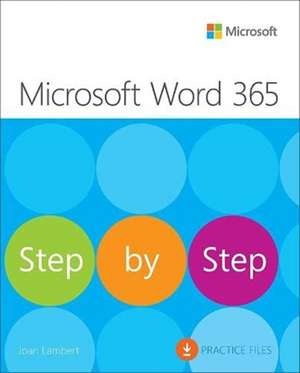
Microsoft Word Step by Step (Office 2021 and Microsoft 365): Step by Step
Autor Joan Lamberten Limba Engleză Paperback – iun 2023
Începem prin a sublinia expertiza autoarei Joan Lambert, a cărei vastă experiență în instruirea Microsoft Office se reflectă în abordarea pragmatică a acestui volum. Microsoft Word Step by Step (Office 2021 and Microsoft 365) nu este doar un manual, ci un instrument de lucru care prioritizează eficiența imediată prin lecții concise. Ca și LA Bucki în Word 2013 Bible, autoarea distilează experiența reală în principii acționabile, însă cu un accent sporit pe noile funcții de colaborare în cloud și accesibilitate specifice ecosistemului modern Microsoft 365. Ne-a atras atenția structura riguros organizată în cinci părți, care ghidează utilizatorul de la configurarea interfeței și editarea textului până la tehnici sofisticate de formatare și management al documentelor lungi. Reținem progresia logică a conținutului: capitolele de început consolidează bazele, în timp ce secțiunile mediane explorează inserarea modelelor 3D și a diagramelor complexe. Partea finală a cărții este deosebit de valoroasă pentru mediul profesional, abordând securitatea documentelor electronice, generarea automată a bibliografiilor și personalizarea interfeței de utilizator. Subliniem că volumul pune un accent deosebit pe integrarea elementelor grafice și pe automatizarea sarcinilor repetitive prin stiluri, teme și blocuri de conținut reutilizabile. Față de alte resurse, precum Microsoft 365 Word Tips and Tricks de Heather Ackmann, care se concentrează pe soluții punctuale, lucrarea de față oferă o metodologie completă, susținută de capturi de ecran care elimină orice ambiguitate în execuția comenzilor.



Preț: 200.89 lei
Preț vechi: 251.12 lei
-20%
Carte disponibilă
Livrare economică 13-27 noiembrie
Livrare express 29 octombrie-04 noiembrie pentru 59.82 lei
Specificații
ISBN-10: 013752272X
Pagini: 656
Dimensiuni: 188 x 231 x 35 mm
Greutate: 1.09 kg
Ediția:1
Editura: Pearson Education (US)
Colecția Step by step
Seria Step by Step
V-ar putea interesa
-
 Microsoft Copilot Pro Step by StepLisa Crosbie-20%Preț: 256.32 lei320.40 lei
 -
 -20%Preț: 300.65 lei375.82 lei
 -
 -27%Preț: 531.43 lei729.41 lei
 -
 Microsoft Word Made EasyRob Hawkins-26%Preț: 59.96 lei80.63 lei
 -
 Word 2013 BibleLA Bucki-20%Preț: 186.41 lei233.02 lei
 -
 Word 2019 for DummiesDan Gookin-20%Preț: 154.94 lei193.68 lei
 -
 -20%Preț: 114.40 lei142.99 lei
 -
 Teach Yourself VISUALLY Word 2019G. Hart-Davis-20%Preț: 141.89 lei177.37 lei
 -
 Microsoft 365 Portable GeniusLisa A. Bucki-20%Preț: 72.42 lei90.52 lei
 -
 Office 2021 All-in-One For DummiesPeter Weverka-20%Preț: 207.29 lei259.12 lei
 -
 Office For Seniors For DummiesFaithe Wempen-20%Preț: 138.92 lei173.65 lei
 -
 -20%Preț: 141.41 lei176.77 lei
 -
 Microsoft 365 Office All-In-One for DummiesPaul McFedries-20%Preț: 174.95 lei218.68 lei
 -
 Microsoft 365 Word For Dummies, 2nd EditionDan Gookin-20%Preț: 141.41 lei176.77 lei
 -
 -20%Preț: 175.98 lei219.97 lei
 -
 Teach Yourself VISUALLY Microsoft 365Paul McFedries-20%Preț: 170.73 lei213.41 lei
 -
 Microsoft 365 Excel For DummiesDavid H. Ringstrom-20%Preț: 143.21 lei179.02 lei
 -
 -20%Preț: 140.94 lei176.17 lei
 -
 Microsoft Word in easy stepsScott Basham-20%Preț: 74.39 lei93.00 lei
De ce să citești această carte
Această carte este esențială pentru utilizatorii care doresc să treacă de la simpla procesare de text la crearea de documente profesionale, securizate și accesibile. Veți câștiga control total asupra instrumentelor de colaborare în timp real și veți învăța să automatizați sarcini complexe, precum generarea de cataloage sau gestionarea referințelor bibliografice, economisind timp prețios în activitatea zilnică de birou sau academică.
Despre autor
Joan Lambert este o figură centrală în ecosistemul de instruire Microsoft, având o experiență de peste două decenii în domeniu. Este autoarea a numeroase ghiduri din seria „Step by Step” și deține certificări de cel mai înalt nivel, inclusiv Microsoft Certified Professional și Microsoft Office Specialist Master. Expertiza sa nu se rezumă doar la scrierea de manuale, ci include și dezvoltarea de curriculum pentru certificări oficiale, fiind recunoscută pentru capacitatea de a traduce funcționalități tehnice complexe în fluxuri de lucru accesibile pentru utilizatorii de toate nivelurile.
Cuprins
Notă biografică
As a member of the Pearson VUE Accessibility team since 2022, Joan has gained a new perspective on computer interactions and the importance of providing equitable access to technology and content. Through her books, Joan enjoys helping people gain confidence and increase their productivity. She has written more than 50 books about Windows, Office, and SharePoint technologies, including dozens of Step by Step books and five generations of Microsoft Office Specialist certification study guides. Students who use the GO! with Microsoft Office textbook products from Pearson may overhear her cheerfully demonstrating Office features in the videos that accompany the series.
A native of the Pacific Northwest, Joan has had the good fortune to live in many parts of the worldincluding Germany, New Zealand, Sweden, and Denmarkand many of our United States. She currently resides with her familyone daughter, two dogs, two cats, and five chickens in the Beehive State, where she enjoys the majestic mountain views, mostly blue skies, and occasional snowstorm.