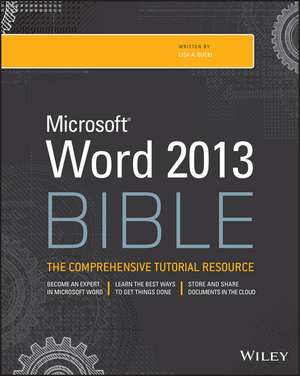
Word 2013 Bible
Autor LA Buckien Limba Engleză Paperback – 8 apr 2013
Metodologia pe care se bazează Word 2013 Bible transformă procesarea de text dintr-o activitate de rutină într-un flux de lucru optimizat prin arhitecturi de documente complexe și automatizări. Suntem de părere că această lucrare nu este doar un manual de utilizare, ci un ghid de inginerie a documentului, punând accent pe design patterns specifice stilurilor și pe securitatea informației în fluxurile de colaborare. Structura cărții urmărește o progresie logică: începe cu bazele creării documentelor, trece prin formatarea avansată a paragrafelor și caracterelor, și culminează cu tehnici de productivitate precum utilizarea Building Blocks sau integrarea datelor în tabele și grafice SmartArt.
Merită menționat că, spre deosebire de abordarea introductivă din Word 2013 For Dummies de Dan Gookin, care se concentrează pe simplificarea experienței de învățare, volumul de față adoptă un ton tehnic, oferind detalii exhaustive despre personalizarea tastaturii și gestionarea surselor de date. Pe linia practică a volumului Word Beyond the Basics, dar cu un focus mult mai pronunțat pe specificațiile tehnice ale ediției 2013, LA Bucki analizează „de ce-ul” din spatele fiecărei funcții, nu doar „cum-ul”.
În contextul operei autorului, această „biblie” completează viziunea din Microsoft 365 Portable Genius, unde accentul era pus pe portabilitate și rapiditate. Aici, LA Bucki aprofundează mecanismele interne ale Word, oferind soluții pentru eliminarea erorilor comune de formatare și implementarea unor metode de lucru colaborativ în Cloud, esențiale pentru mediile profesionale moderne. Cele peste 1000 de pagini reprezintă un depozit de soluții tehnice pentru orice provocare legată de structura și integritatea documentelor digitale.
Preț: 186.41 lei
Preț vechi: 233.02 lei
-20%
Carte în stoc
Livrare din stoc 28 aprilie
Specificații
ISBN-10: 1118488121
Pagini: 1056
Ilustrații: illustrations
Dimensiuni: 187 x 235 x 56 mm
Greutate: 1.71 kg
Ediția:0004
Editura: JOHN WILEY & SONS INC
Locul publicării:Hoboken, United States
V-ar putea interesa
-
 -20%Preț: 206.24 lei257.80 lei
 -
 -20%Preț: 286.62 lei358.29 lei
 -
 Illustrated Microsoft 365 Word Comprehensive, First EditionJennifer Duffy-29%Preț: 475.75 lei665.60 lei
 -
 Microsoft Word Made EasyRob Hawkins-28%Preț: 55.59 lei76.77 lei
 -
 Microsoft Excel 2013 Power Programming with VBAJohn Walkenbach-20%Preț: 291.69 lei364.60 lei
 -
 Office 2016 All-In-One for DummiesPeter Weverka-20%Preț: 198.29 lei247.86 lei
 -
 Office 2019 All-In-One for DummiesPeter Weverka-20%Preț: 208.57 lei260.72 lei
 -
 Word 2019 for DummiesDan Gookin-20%Preț: 144.99 lei181.23 lei
 -
 Microsoft 365 Portable GeniusLisa A. Bucki-20%Preț: 70.21 lei87.76 lei
 -
 Office 2021 All-In-One for DummiesPeter Weverka-20%Preț: 165.23 lei206.54 lei
 -
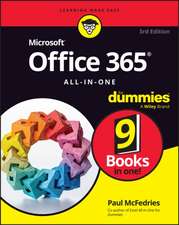 Microsoft 365 Office All-In-One for DummiesPaul McFedries-20%Preț: 167.34 lei209.18 lei
 -
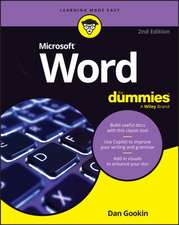 Microsoft 365 Word For DummiesDan Gookin-20%Preț: 112.95 lei141.19 lei
 -
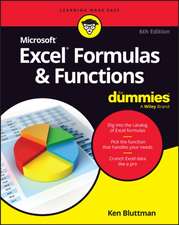 Microsoft 365 Excel Formulas & Functions for DummiesKen Bluttman-20%Preț: 139.64 lei174.55 lei
 -
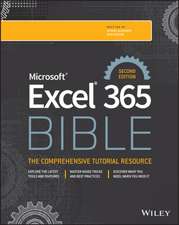 Microsoft Excel 365 BibleDick Kusleika-20%Preț: 276.65 lei345.81 lei
 -
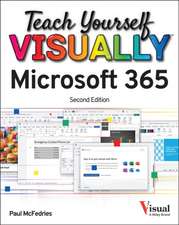 Teach Yourself Visually Microsoft 365Paul McFedries-20%Preț: 162.84 lei203.55 lei
 -
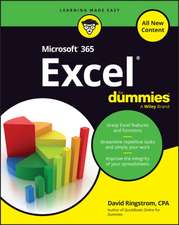 Microsoft 365 Excel for DummiesDavid H Ringstrom-20%Preț: 113.82 lei142.27 lei
 -
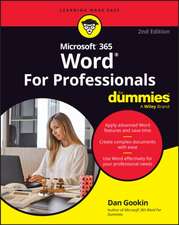 -20%Preț: 111.73 lei139.66 lei
 -
 Microsoft 365 Excel All-in-One For DummiesDavid H Ringstrom-20%Preț: 194.13 lei242.66 lei
 -
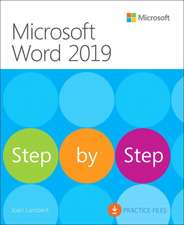 Microsoft Word 2019 Step by StepJoan Lambert-20%Preț: 205.27 lei256.59 lei
 -
 Microsoft Word in Easy StepsScott BashamPreț: 90.99 lei
Public țintă
Primary audience: Word users who don′t have corporate trainingSecondary audience: Word wannabe gurus and any Word user who needs to do more with Word than creating simple, short text documents. This book is traditionally especially popular in training and education settings
De ce să citești această carte
Putem afirma că această carte este esențială pentru utilizatorii care vor să stăpânească Microsoft Word la un nivel avansat. Cititorul câștigă control total asupra formatării complexe, securității și automatizării sarcinilor repetitive. O recomandăm celor care lucrează cu documente lungi, rapoarte tehnice sau formulare, oferind instrumentele necesare pentru a transforma o simplă aplicație de scris într-un sistem de management al documentelor profesionist.
Despre autor
LA Bucki este un autor cu experiență în literatura tehnică dedicată productivității și aplicațiilor de afaceri. Portofoliul său include lucrări de referință precum Microsoft 365 Portable Genius, demonstrând o capacitate de a sintetiza ecosistemul Microsoft pentru diverse niveluri de utilizatori. Expertiza sa se concentrează pe eficientizarea fluxurilor de lucru în pachetul Office, fiind un specialist recunoscut în transformarea funcțiilor software în soluții practice pentru mediul educațional și corporativ. Abordarea sa în Word 2013 Bible reflectă un echilibru între detaliul tehnic riguros și aplicabilitatea imediată.