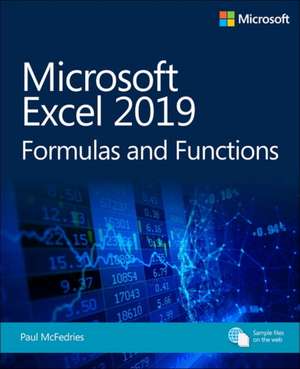
Microsoft Excel 2019 Formulas and Functions
Autor Paul McFedriesen Limba Engleză Paperback – 20 feb 2019
Recomandăm acest ghid tehnic utilizatorilor intermediari și analiștilor care doresc să transforme Excel dintr-un simplu tabel într-un motor de calcul performant. Microsoft Excel 2019 Formulas and Functions nu se rezumă la o simplă enumerare a funcțiilor, ci pune accent pe aplicabilitatea lor imediată în scenarii de business reale. Ne-a atras atenția rigoarea cu care Paul McFedries tratează validarea datelor și depanarea formulelor, aspecte critice pentru orice spreadsheet care fundamentează decizii financiare. Ca și Wayne Winston în Microsoft Excel 2019 Data Analysis and Business Modeling, autorul distilează experiență reală în principii acționabile, însă McFedries se concentrează mai specific pe mecanica internă a formulelor și pe optimizarea sarcinilor zilnice, cum ar fi generarea numerelor de cont sau proiecția impactului inflației. Structura cărții este progresivă: începe cu bazele referințelor, trece prin funcții de text, logice și de căutare (lookup), culminând cu modele complexe de statistică inferențială și regresie. Această lucrare completează portofoliul autorului, care include și Excel Data Analysis for Dummies, oferind de data aceasta o abordare mai tehnică, sub egida Microsoft Press. Parcurgând cele 512 pagini, veți descoperi cum să utilizați tabelele Pivot și instrumentele de modelare pentru a identifica anomalii sau oportunități, totul într-un limbaj precis și orientat spre eficiență.
Preț: 211.11 lei
Preț vechi: 263.89 lei
-20%
Carte disponibilă
Livrare economică 17 noiembrie-01 decembrie
Livrare express 31 octombrie-06 noiembrie pentru 50.37 lei
Specificații
ISBN-10: 1509306196
Pagini: 512
Dimensiuni: 195 x 235 x 28 mm
Greutate: 0.97 kg
Ediția:1. Auflage
Editura: Microsoft Press
V-ar putea interesa
-
 -20%Preț: 228.50 lei285.63 lei
 -
 -20%Preț: 223.58 lei279.46 lei
 -
 -20%Preț: 299.63 lei374.54 lei
 -
 -20%Preț: 225.89 lei282.35 lei
 -
 -20%Preț: 300.98 lei376.22 lei
 -
 Excel 2019 BibleMichael Alexander-20%Preț: 327.03 lei408.79 lei
 -
 Excel 2019 All-In-One for DummiesGreg Harvey-20%Preț: 225.75 lei282.18 lei
 -
 Excel All-In-One for DummiesPaul McFedries-20%Preț: 249.75 lei312.19 lei
 -
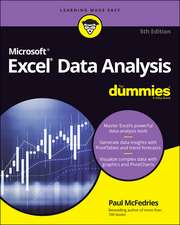 Excel Data Analysis For Dummies, 5th EditionPaul McFedries-20%Preț: 210.98 lei263.72 lei
 -
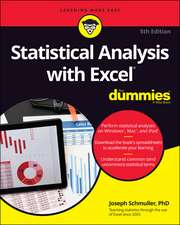 Statistical Analysis with Excel For Dummies, 5th E ditionJoseph Schmuller-20%Preț: 207.06 lei258.83 lei
 -
 Graphic Design Essentials: With Adobe SoftwareProfessor Joyce Walsh-22%Preț: 213.21 lei274.77 lei
 -
 -20%Preț: 176.07 lei220.08 lei
 -
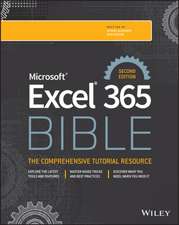 Microsoft Excel 365 BibleMichael Alexander-20%Preț: 290.19 lei362.74 lei
 -
 Microsoft 365 Excel All-in-One For DummiesDavid H Ringstrom-20%Preț: 237.38 lei296.73 lei
 -
 Microsoft Excel 2019 Data Analysis and Business ModelingWayne Winston-20%Preț: 297.58 lei371.97 lei
 -
 Microsoft Excel 2019 Step by StepCurtis Frye-20%Preț: 212.31 lei265.39 lei
 -
 Microsoft Excel 2019 Inside OutBill Jelen-20%Preț: 277.51 lei346.89 lei
 -
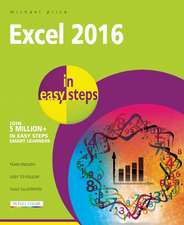 Excel 2016Michael Price-20%Preț: 59.02 lei73.77 lei
De ce să citești această carte
Considerăm această carte esențială pentru profesioniștii care lucrează cu volume mari de date și au nevoie de precizie matematică. Cititorul câștigă competențe avansate în automatizarea calculelor și construirea de modele financiare robuste. Este un instrument de lucru care transformă procesele manuale în fluxuri de date automatizate și sigure, ideale pentru mediul corporate.
Despre autor
Paul McFedries este un autor prolific de literatură tehnică, specializat în ecosistemul software Microsoft. Cu o carieră ce cuprinde zeci de titluri despre Windows și suita Office, el a ghidat milioane de utilizatori prin complexitățile tehnice ale sistemelor de operare, de la Windows 95 până la versiunile actuale. Expertiza sa în analiza datelor este reflectată în lucrări precum Excel Workbook for Dummies și Excel All-In-One for Dummies. În prezent, se concentrează pe optimizarea productivității prin instrumente de colaborare și analiză, fiind o voce autorizată în formarea competențelor digitale profesionale.
Descriere scurtă
- Use conditional formatting to instantly reveal anomalies, problems, or opportunities
- Analyze your data with standard tables and PivotTables
- Use complex criteria to filter data in lists
- Understand correlations between data
- Perform sophisticated what-if analyses
- Use regression to track trends and make forecasts
- Build loan, investment, and discount formulas
- Validate data, troubleshoot problems, and build more accurate, trustworthy spreadsheets
Notă biografică
computer books since 1991 and has more than 95 books to his credit, which combined
have sold more than 4 million copies worldwide. His titles include the Que Publishing
books My Office 2016, Windows 10 In Depth (with coauthor Brian Knittel), and PCs for
Grownups, as well as the Sams Publishing book Windows 7 Unleashed. Paul is also the
proprietor of Word Spy (www.wordspy.com), a website devoted to lexpionage, the
sleuthing of new words and phrases that have entered the English language. Please drop
by Paul's personal website at mcfedries.com or follow Paul on Twitter, at twitter.com/
paulmcf and twitter.com/wordspy.
Cuprins
Chapter 1-Building basic formulas
Chapter 2-Creating advanced formulas
Chapter 3-Troubleshooting formulas
Part II-Harnessing the power of functions
Chapter 4-Understanding functions
Chapter 5-Working with text functions
Chapter 6-Working with logical and information functions
Chapter 7-Working with lookup functions
Chapter 8-Working with date and time functions
Chapter 9-Working with math functions
Part III-Building business formulas
Chapter 10-Implementing basic business formulas
Chapter 11-Building descriptive statistical formulas
Chapter 12-Building inferential statistical formulas
Chapter 13-Applying regression to track trends and make forecasts
Chapter 14-Building loan formulas
Chapter 15-Working with investment formulas
Chapter 16-Building discount formulas
Part IV-Building business models
Chapter 17-Analyzing data with tables
Chapter 18-Analyzing data with PivotTables
Chapter 19-Using Excel's business modeling tools
Chapter 20-Solving complex problems with Solver