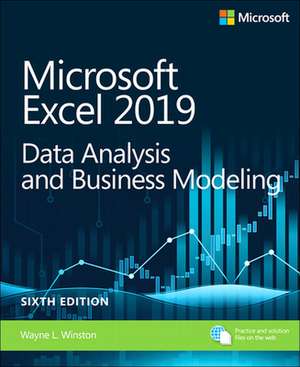
Microsoft Excel 2019 Data Analysis and Business Modeling
Autor Wayne Winstonen Limba Engleză Paperback – 15 apr 2019
Prin parcurgerea acestui volum, cititorul va reuși să implementeze modele de business complexe și să transforme seturi de date brute în rezultate financiare concrete, utilizând tehnici avansate de analiză în Microsoft Excel 2019 Data Analysis and Business Modeling. Recomandăm această lucrare pentru abordarea sa pragmatică, axată pe scenarii, care facilitează integrarea datelor din tabele multiple prin construirea unor surse de date relaționale direct în Excel. Structura progresivă a cărții ghidează utilizatorul de la elementele de bază ale modelării tabelare și utilizarea funcțiilor esențiale precum INDEX, MATCH sau OFFSET, până la tehnici sofisticate de analiză de senzitivitate prin „Goal Seek” și „Scenario Manager”. Putem afirma că rigoarea academică a lui Wayne Winston se traduce într-un parcurs logic, unde fiecare capitol adaugă un strat nou de competență tehnică, culminând cu evaluarea investițiilor prin criterii de valoare actualizată netă (NPV) și rată internă de rentabilitate (IRR). Pe linia practică a volumului Microsoft Excel 2019 Formulas and Functions de Paul McFedries, dar cu un focus mult mai accentuat pe modelarea decizională și cercetarea operațională, lucrarea de față se distinge prin profunzimea analizei financiare. Față de ediția ulterioară, Microsoft Excel Data Analysis and Business Modeling (Office 2021 and Microsoft 365), acest titlu rămâne pilonul central pentru utilizatorii care operează într-un mediu standardizat pe versiunea 2019, păstrând continuitatea metodologică pentru care autorul este recunoscut în mediul universitar și de business.
Preț: 297.58 lei
Preț vechi: 371.97 lei
-20%
Carte disponibilă
Livrare economică 17 noiembrie-01 decembrie
Specificații
ISBN-10: 1509305882
Pagini: 880
Dimensiuni: 195 x 235 x 47 mm
Greutate: 1.43 kg
Ediția:6th edition
Editura: Pearson Education
V-ar putea interesa
-
 -27%Preț: 764.51 lei1047.27 lei
 -
 Workouts in Intermediate MicroeconomicsHal R VarianPreț: 350.25 lei
 -
 Professional English in Use FinanceIan MacKenziePreț: 129.00 lei
 -
 Export & Import - Winning in the Global MarketplaceLeif HolmvallPreț: 283.77 lei
 -
 Global PaymentsCarol Coye BensonPreț: 222.65 lei
 -
 Supply Chain Metrics That MatterLora M CecerePreț: 423.40 lei
 -
 DeFi and the Future of FinanceAshwin RamachandranPreț: 152.48 lei
 -
 IFRS For DummiesS CollingsPreț: 167.63 lei
 -
 Technology and Innovation for MarketingEleonora PantanoPreț: 444.59 lei
 -
 The Global Business Culture GuideLothar KatzPreț: 180.79 lei
 -
 Microsoft Excel 2019 Inside OutBill Jelen-20%Preț: 277.51 lei346.89 lei
 -
 Preț: 80.06 lei
 -
 -8%Preț: 617.09 lei670.75 lei
 -
 Sustainable InnovationAnshu Saxena Arora-15%Preț: 408.90 lei481.06 lei
De ce să citești această carte
Recomandăm această carte analiștilor financiari și managerilor care doresc să depășească nivelul de bază al utilizării Excel. Veți câștiga capacitatea de a construi modele de prognoză robuste și de a interpreta rapid impactul variabilelor economice asupra profitabilității. Este un instrument esențial pentru oricine trebuie să fundamenteze decizii de business pe date riguroase, nu pe intuiție.
Despre autor
Wayne Winston este profesor emerit de Tehnologii Decizionale și Operaționale la Kelley School of Business, Universitatea Indiana, unde predă din 1975. Cu o licență în matematică de la MIT și un doctorat în cercetare operațională la Yale, Winston a publicat numeroase lucrări de referință, inclusiv Spreadsheet Modeling and Applications. Expertiza sa în optimizare și simulare se reflectă în capacitatea de a explica algoritmi complecși într-un limbaj accesibil profesioniștilor din afaceri, fiind unul dintre cei mai respectați educatori în domeniul analizei datelor asistate de calculator.
Notă biografică
Cuprins
- Chapter 1 Basic spreadsheet modeling
- Chapter 2 Range names
- Chapter 3 Lookup functions
- Chapter 4 The INDEX function
- Chapter 5 The MATCH function
- Chapter 6 Text functions
- Chapter 7 Dates and date functions
- Chapter 8 Evaluating investment by using net present value criteria
- Chapter 9 Internal rate of return
- Chapter 10 More Excel financial functions
- Chapter 11 Circular references
- Chapter 12 IF statements
- Chapter 13 Time and time functions
- Chapter 14 The Paste Special command
- Chapter 15 Three-dimensional formulas and hyperlinks
- Chapter 16 The auditing tool
- Chapter 17 Sensitivity analysis with data tables
- Chapter 18 The Goal Seek command
- Chapter 19 Using the Scenario Manager for sensitivity analysis
- Chapter 20 The COUNTIF, COUNTIFS, COUNT, COUNTA, and COUNTBLANK functions
- Chapter 21 The SUMIF, AVERAGEIF, SUMIFS, and AVERAGEIFS functions
- Chapter 22 The OFFSET function
- Chapter 23 The INDIRECT function
- Chapter 24 Conditional formatting
- Chapter 25 Sorting in Excel
- Chapter 26 Tables
- Chapter 27 Spin buttons, scroll bars, option buttons, check boxes, combo boxes, and group list boxes
- Chapter 28 The analytics revolution
- Chapter 29 An introduction to optimization with Excel Solver
- Chapter 30 Using Solver to determine the optimal product mix
- Chapter 31 Using Solver to schedule your workforce
- Chapter 32 Using Solver to solve transportation or distribution problems
- Chapter 33 Using Solver for capital budgeting
- Chapter 34 Using Solver for financial planning
- Chapter 35 Using Solver to rate sports teams
- Chapter 36 Warehouse location and the GRG Multistart and Evolutionary Solver engines
- Chapter 37 Penalties and the Evolutionary Solver
- Chapter 38 The traveling salesperson problem
- Chapter 39 Importing data from a text file or document
- Chapter 40 Validating data
- Chapter 41 Summarizing data by using histograms and Pareto charts
- Chapter 42 Summarizing data by using descriptive statistics
- Chapter 43 Using PivotTables and slicers to describe data
- Chapter 44 The Data Model
- Chapter 45 Power Pivot
- Chapter 46 Power View and 3D Maps
- Chapter 47 Sparklines
- Chapter 48 Summarizing data with database statistical functions
- Chapter 49 Filtering data and removing duplicates
- Chapter 50 Consolidating data
- Chapter 51 Creating subtotals
- Chapter 52 Charting tricks
- Chapter 53 Estimating straight-line relationships
- Chapter 54 Modeling exponential growth
- Chapter 55 The power curve
- Chapter 56 Using correlations to summarize relationships
- Chapter 57 Introduction to multiple regression
- Chapter 58 Incorporating qualitative factors into multiple regression
- Chapter 59 Modeling nonlinearities and interactions
- Chapter 60 Analysis of variance: One-way ANOVA
- Chapter 61 Randomized blocks and two-way ANOVA
- Chapter 62 Using moving averages to understand time series
- Chapter 63 Winters method
- Chapter 64 Ratio-to-moving-average forecast method
- Chapter 65 Forecasting in the presence of special events
- Chapter 66 An introduction to probability
- Chapter 67 An introduction to random variables
- Chap