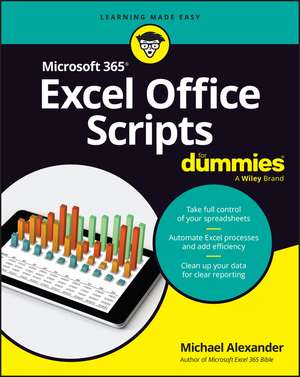
Microsoft 365 Excel Office Scripts for Dummies
Autor Michael Alexanderen Limba Engleză Paperback – 21 iul 2026
Microsoft 365 Excel Office Scripts For Dummies, by experienced Microsoft MVP Michael Alexander, explains how to use Office Scripts to unlock VBA-like capabilities in the online version of Excel. Alexander demonstrates exactly how to automate repetitive tasks, streamline workflows, and customize your spreadsheet experience with the same power previously available only to users of Excel's desktop version.
This comprehensive guide walks you through the practical application of Office Scripts using TypeScript. It walks you through basic automation scripts before moving on to advanced integration features you can access with Power Automate. The author's hands-on approach helps you master the techniques you need to transform your Excel online experience from repetitive drudgery to automated efficiency, showing you how to maximize your productivity in a huge variety of settings.
Learn how to:
- Master TypeScript fundamentals specifically tailored for Excel automation and scripting
- Automate table formatting, data cleaning, and sorting processes to eliminate repetitive manual work
- Create dynamic charts and enhance PivotTables with custom scripts for professional reporting
- Integrate Power Automate features to build sophisticated workflows across Microsoft 365 applications
- Apply range definitions and advanced scripting techniques for complex data manipulation tasks
Preț: 175.39 lei
Preț vechi: 219.24 lei
-20%
Puncte Express: 263
Carte disponibilă
Livrare economică 28 noiembrie-12 decembrie
Livrare express 17-21 noiembrie pentru 30.03 lei
Livrare prin curier în România Termenul estimat este afișat lângă disponibilitate.
Transport gratuit de la 400.00 lei Plată online sau ramburs, în funcție de opțiunile comenzii.
Retur gratuit în 14 zile Comandă securizată și suport în română.
Specificații
ISBN-13: 9781394412693
ISBN-10: 139441269X
Pagini: 336
Dimensiuni: 186 x 232 x 23 mm
Greutate: 0.47 kg
Editura: Wiley
ISBN-10: 139441269X
Pagini: 336
Dimensiuni: 186 x 232 x 23 mm
Greutate: 0.47 kg
Editura: Wiley
Notă biografică
Michael Alexander is a senior consultant at Slalom Consulting and former Microsoft MVP. He is a recognized Excel trainer and the author of multiple Excel books, including Microsoft Excel 365 Bible and Excel Dashboards & Reports For Dummies. You can find Michael at Exceltopia.com, where he shares articles and training on Excel development.
Cuprins
Introduction 1
Part 1: The Fundamentals of Excel Office Scripts 5
CHAPTER 1: Introducing Office Scripts for Excel 7
CHAPTER 2: Exploring the Office Scripts Environment 15
Part 2: Basic Programming Concepts in Office Scripts 33
CHAPTER 3: Understanding Scripting Fundamentals 35
CHAPTER 4: Handling Errors with Style 63
CHAPTER 5: Controlling Program Flow and Conditions 81
Part 3: Scripting Common Excel Objects 103
CHAPTER 6: Starting with Worksheets 105
CHAPTER 7: Working with Ranges and Tables 131
CHAPTER 8: Pivoting with Pivot Tables 163
CHAPTER 9: Scripting Visual Elements 185
Part 4: Going Beyond Excel with Power Automate 221
CHAPTER 10: Introducing Power Automate 223
CHAPTER 11: Integrating Excel with Email 247
CHAPTER 12: Integrating Excel with SharePoint 267
Part 5: The Part of Tens 283
CHAPTER 13: Ten Best Practices When Writing Scripts 285
CHAPTER 14: Ten Tips for Improving Script Performance 299
Index 309
Part 1: The Fundamentals of Excel Office Scripts 5
CHAPTER 1: Introducing Office Scripts for Excel 7
CHAPTER 2: Exploring the Office Scripts Environment 15
Part 2: Basic Programming Concepts in Office Scripts 33
CHAPTER 3: Understanding Scripting Fundamentals 35
CHAPTER 4: Handling Errors with Style 63
CHAPTER 5: Controlling Program Flow and Conditions 81
Part 3: Scripting Common Excel Objects 103
CHAPTER 6: Starting with Worksheets 105
CHAPTER 7: Working with Ranges and Tables 131
CHAPTER 8: Pivoting with Pivot Tables 163
CHAPTER 9: Scripting Visual Elements 185
Part 4: Going Beyond Excel with Power Automate 221
CHAPTER 10: Introducing Power Automate 223
CHAPTER 11: Integrating Excel with Email 247
CHAPTER 12: Integrating Excel with SharePoint 267
Part 5: The Part of Tens 283
CHAPTER 13: Ten Best Practices When Writing Scripts 285
CHAPTER 14: Ten Tips for Improving Script Performance 299
Index 309