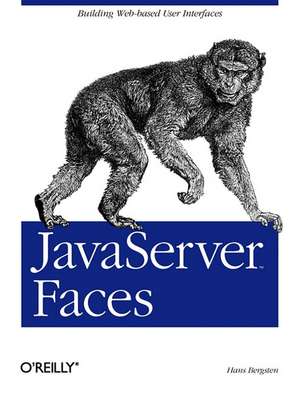
JavaServer Faces
Autor Hans Bergstenen Limba Engleză Paperback – iun 2004
- The JSF environment
- Creating and rendering components
- Validating input
- Handling user-generated events
- Controlling page navigation
- Working with tabular data
- Internationalization
- Integration between JSF and Struts
- Developing custom renderers and custom components
Preț: 267.19 lei
Preț vechi: 333.99 lei
-20%
Puncte Express: 401
Carte disponibilă
Livrare economică 06-20 noiembrie
Livrare prin curier în România Termenul estimat este afișat lângă disponibilitate.
Transport gratuit de la 400.00 lei Plată online sau ramburs, în funcție de opțiunile comenzii.
Retur gratuit în 14 zile Comandă securizată și suport în română.
Specificații
ISBN-13: 9780596005399
ISBN-10: 0596005393
Pagini: 606
Dimensiuni: 177 x 233 x 30 mm
Greutate: 0.93 kg
Editura: O'Reilly
ISBN-10: 0596005393
Pagini: 606
Dimensiuni: 177 x 233 x 30 mm
Greutate: 0.93 kg
Editura: O'Reilly
V-ar putea interesa
-
 JavaServer Pages Pocket ReferenceHans Bergsten-20%Preț: 45.63 lei57.04 lei
 -
 Beginning Rails 3Rida Al Barazi-20%Preț: 195.74 lei244.68 lei
 -
 Practical Load BalancingPeter Membrey-20%Preț: 308.01 lei385.01 lei
 -
 The Essential Guide to HTML5 and CSS3 Web DesignCraig Grannell-20%Preț: 301.72 lei377.14 lei
 -
 -20%Preț: 187.96 lei234.94 lei
 -
 Pro HTML5 ProgrammingPeter Lubbers-20%Preț: 343.37 lei429.20 lei
 -
 Foundation HTML5 with CSS3Craig Cook-20%Preț: 236.72 lei295.90 lei
 -
 Beginning PhonegapRohit Ghatol-20%Preț: 283.07 lei353.85 lei
 -
 Pro jQuery MobileBrad Broulik-20%Preț: 278.12 lei347.65 lei
 -
 Pro Website Development and OperationsMatthew Sacks-20%Preț: 177.63 lei222.04 lei
 -
 Foundation Version Control for Web DevelopersChris Kemper-20%Preț: 296.57 lei370.72 lei
 -
 Beginning Webgl for HTML5Brian Danchilla-20%Preț: 283.77 lei354.71 lei
 -
 Practical HTML5 ProjectsAdrian W West-20%Preț: 207.36 lei259.20 lei
 -
 -20%Preț: 215.27 lei269.10 lei
 -
 Pro JavaScript for Web AppsAdam Freeman-20%Preț: 226.00 lei282.50 lei
 -
 Pro HTML5 PerformanceJay Bryant-20%Preț: 319.60 lei399.50 lei
 -
 Pro JavaScript PerformanceTom Barker-20%Preț: 209.69 lei262.12 lei
 -
 JSON at WorkTom Marrs-20%Preț: 263.43 lei329.28 lei
 -
 Knockout.JsJamie Munro-20%Preț: 118.26 lei147.82 lei
 -
 ASP.NET MVC 5 with Bootstrap and Knockout.JsJamie Munro-20%Preț: 152.45 lei190.56 lei
 -
 Docker CookbookGoasguen Sã&-20%Preț: 267.38 lei334.22 lei
 -
 Foundations for Analytics with PythonClinton W Brownley-20%Preț: 278.95 lei348.70 lei
 -
 Learning PHPDavid Sklar-20%Preț: 220.96 lei276.20 lei
 -
 Web Development RecipesBrian Hogan-20%Preț: 237.50 lei296.87 lei
 -
 Ruby Performance OptimizationAlexander Dymo-20%Preț: 213.80 lei267.24 lei
Cuprins
Preface; In This Book; Audience; Organization; About the Examples; Conventions Used in This Book; How to Contact Us; Acknowledgments; Chapter 1: Introducing JavaServer Faces; 1.1 What Is JavaServer Faces?; 1.2 How Does JSF Compare to Traditional Technologies?; 1.3 Where Does JSF Fit in the Big Picture?; 1.4 What You Need to Get Started; Chapter 2: JSF Development Process Overview; 2.1 Developing an Application with a JSF-Based User Interface; 2.2 Developing the Application Backend; 2.3 Developing Components and Integration Code; 2.4 Developing the User Interface Pages; Chapter 3: Setting Up the JSF Environment; 3.1 Installing the Java Software Development Kit; 3.2 Installing the Tomcat Server; 3.3 Testing Tomcat; 3.4 Installing the Book Examples; 3.5 Example Web Application Overview; Chapter 4: Servlet and JavaServer Pages Basics; 4.1 HTTP; 4.2 Web Application Deployment and Runtime Environment; 4.3 Servlets, Filters, and Listeners; 4.4 JavaServer Pages; 4.5 Accessing Application Data; Chapter 5: Developing the Business Logic and Setting Up Authentication; 5.1 Sample Application Overview; 5.2 Implementing the Business Logic Classes; 5.3 Authentication and Authorization; Chapter 6: Creating and Rendering Components; 6.1 The Basics; 6.2 Binding Components to Model Properties; 6.3 Conditionally Render Components; Chapter 7: Validating Input; 7.1 Dealing with Syntax Errors in User Input; 7.2 Using the Standard Validators; 7.3 Defining Custom Error Messages; 7.4 Using a Custom Validator; 7.5 Other Ways to Validate Input; Chapter 8: Handling Events; 8.1 Understanding the JSF Event Model; 8.2 Handling Application Backend Events; 8.3 Handling User Interface Events; Chapter 9: Controlling Navigation; 9.1 Moving Between JSF Views; 9.2 Returning a Non-JSF View Response; 9.3 Returning a JSF View Response to a Non-JSF Request; Chapter 10: Working with Tabular Data; 10.1 Displaying a Read-Only Table; 10.2 Processing Row-Specific Events; 10.3 Dealing with Large Tables; 10.4 Editing Tabular Data; Chapter 11: Internationalization; 11.1 Localizing Application Output; 11.2 Handling Localized Application Input; 11.3 Dealing with Non-Western Languages; Chapter 12: Odds and Ends; 12.1 Building a View from Many JSP Files; 12.2 Combining JSF Views with Other Content; 12.3 Dealing with Struts Applications and JSF; 12.4 Programmatically Modifying Components; 12.5 Using a PhaseListener; 12.6 Debugging and Error Handling Ideas; Chapter 13: Developing Custom Renderers and Other Pluggable Classes; 13.1 Developing Custom Renderers; 13.2 Using Other Custom Classes; 13.3 Packaging Custom Classes; Chapter 14: Developing Custom Components; 14.1 Extending an Existing Component; 14.2 Developing a New Component from Scratch; Chapter 15: Developing a Custom Presentation Layer; 15.1 The ViewHandler Class; 15.2 Using Java Classes as Views; 15.3 Using Pure HTML Templates with XML View Definition Files; Appendix A: Standard JSF Tag Libraries; A.1 JSF Tag Libraries URIs and Default Prefixes; A.2 HTML Tag Library Actions; A.3 Core Library Actions; Appendix B: JSF Expression Language Reference; B.1 Syntax; B.2 Variables; B.3 Data Types; B.4 Expressions and Operators; Appendix C: Standard JSF Components and Render Kits; C.1 Component Class Categories; C.2 Render-Independent Components; C.3 HTML Render Kit Classes; C.4 HTML-Specific Component Classes; C.5 Request Processing Lifecycle; Appendix D: Infrastructure API Reference; D.1 Package javax.faces; D.2 Package javax.faces.application; D.3 Package javax.faces.context; D.4 Package javax.faces.convert; D.5 Package javax.faces.el; D.6 Package javax.faces.event; D.7 Package javax.faces.lifecycle; D.8 Package javax.faces.render; D.9 Package javax.faces.validator; D.10 Package javax.faces.webapp; D.11 Identifiers for Standard JSF Messages; Appendix E: JSF Configuration File Reference; Appendix F: Web Application Structure and Deployment Descriptor Reference; F.1 Web Application File Structure; F.2 Web Application Deployment Descriptor; F.3 Creating a WAR File; Colophon;
Descriere
Showing how to use the JavaServer Faces framework to build real-world web applications, this text shows how: to construct the HTML on the front end; to create user interface components that connect the front end to business objects; to write a back-end that's JSF-friendly; and to create the deployment descriptors to tie everything together.