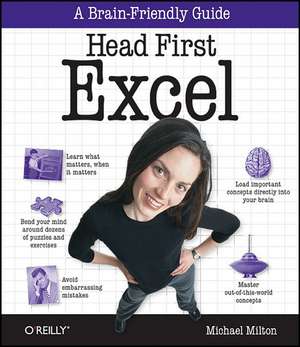
Head First Excel
Autor Michael Miltonen Limba Engleză Paperback – 27 apr 2010
Preț: 185.27 lei
Preț vechi: 231.59 lei
-20%
Puncte Express: 278
Carte disponibilă
Livrare economică 17 noiembrie-01 decembrie
Livrare prin curier în România Termenul estimat este afișat lângă disponibilitate.
Transport gratuit de la 400.00 lei Plată online sau ramburs, în funcție de opțiunile comenzii.
Retur gratuit în 14 zile Comandă securizată și suport în română.
Specificații
ISBN-13: 9780596807696
ISBN-10: 0596807694
Pagini: 438
Ilustrații: Illustrations
Dimensiuni: 205 x 234 x 28 mm
Greutate: 0.68 kg
Editura: O'Reilly
ISBN-10: 0596807694
Pagini: 438
Ilustrații: Illustrations
Dimensiuni: 205 x 234 x 28 mm
Greutate: 0.68 kg
Editura: O'Reilly
V-ar putea interesa
-
 -20%Preț: 228.50 lei285.63 lei
 -
 -20%Preț: 299.63 lei374.54 lei
 -
 -20%Preț: 225.89 lei282.35 lei
 -
 Teach Yourself Visually Excel 2016Paul McFedries-20%Preț: 153.28 lei191.60 lei
 -
 Excel 2019 All-In-One for DummiesGreg Harvey-20%Preț: 225.75 lei282.18 lei
 -
 Data Visualization with Excel Dashboards and ReportsDick KusleikaPreț: 255.33 lei
 -
 Excel Portable GeniusLisa A. Bucki-20%Preț: 93.12 lei116.39 lei
 -
 Excel Workbook For Dummies, 2nd EditionGreg Harvey-20%Preț: 148.58 lei185.74 lei
 -
 Excel Data Analysis For Dummies, 5th EditionPaul McFedries-20%Preț: 210.98 lei263.72 lei
 -
 -20%Preț: 176.97 lei221.21 lei
 -
 -20%Preț: 175.98 lei219.97 lei
 -
 Microsoft Excel 365 BibleMichael Alexander-20%Preț: 290.19 lei362.74 lei
 -
 Microsoft 365 Excel For DummiesDavid H. Ringstrom-20%Preț: 143.21 lei179.02 lei
 -
 Microsoft 365 Excel All-in-One For DummiesDavid H Ringstrom-20%Preț: 241.78 lei302.23 lei
 -
 Excel Quick and EasyDick Kusleika-20%Preț: 81.87 lei102.34 lei
 -
 Microsoft Excel 2019 Step by StepCurtis Frye-20%Preț: 212.31 lei265.39 lei
 -
 Python for Excel Users: Know Excel? You Can Learn PythonTracy Stephens-35%Preț: 238.55 lei369.12 lei
 -
 Excel 2016Michael Price-20%Preț: 59.02 lei73.77 lei
Notă biografică
Michael Milton is the author of Head First Data Analysis. He has spent most of his career helping nonprofit organizations improve their fundraising by interpreting and acting on the data they collect from their donors.
He has a degree in philosophy from New College of Florida and one in religious ethics from Yale University. He found reading Head First to be a revelation after spending years reading boring books filled with terribly important stuff and is grateful to have the opportunity to write an exciting book filled with terribly important stuff.
When he's not in the library or the bookstore, you can find him running, taking pictures, and brewing beer.
He has a degree in philosophy from New College of Florida and one in religious ethics from Yale University. He found reading Head First to be a revelation after spending years reading boring books filled with terribly important stuff and is grateful to have the opportunity to write an exciting book filled with terribly important stuff.
When he's not in the library or the bookstore, you can find him running, taking pictures, and brewing beer.
Cuprins
- Advance Praise for Head First Excel
- Praise for other Head First books
- Author of Head First Excel
- How to Use This Book: Intro
- Chapter 1: Introduction to Formulas: Excel's real power
- Chapter 2: Visual Design: Spreadsheets as art
- Chapter 3: References: Point in the right direction
- Chapter 4: Change your Point of View: Sort, zoom, and filter
- Chapter 5: Data Types: Make Excel value your values
- Chapter 6: Dates and Times: Stay on time
- Chapter 7: Finding Functions: Mine Excel's features on your own
- Chapter 8: Formula Auditing: Visualize your formulas
- Chapter 9: Charts: Graph your data
- Chapter 10: What if Analysis: Alternate realities
- Chapter 11: Text Functions: Letters as data
- Chapter 12: Pivot Tables: Hardcore grouping
- Chapter 13: Booleans: TRUE and FALSE
- Chapter 14: Segmentation: Slice and dice
- Leftovers: The Top Ten Things (we didn't cover)
- Install Excel's Solver: The Solver