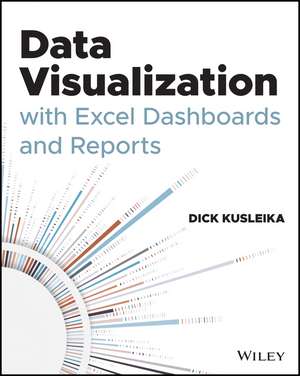
Data Visualization with Excel Dashboards and Reports
Autor Dick Kusleikaen Limba Engleză Paperback – 17 feb 2021
Observăm că relevanța acestui volum pornește de la o temă adesea neglijată în manualele tehnice: transformarea datelor brute într-o narațiune vizuală coerentă. În loc să se limiteze la mecanica tabelelor pivot, Data Visualization with Excel Dashboards and Reports propune o metodologie de analiză care prioritizează contextul și impactul decizional. Structura cărții ghidează cititorul prin procesul complex de a alege cea mai potrivită metodă de reprezentare pentru variații, tendințe sau relații între seturi de date, oferind răspunsuri concrete la întrebări despre gestionarea valorilor aberante sau despre modul în care putem prezenta volume mari de informații fără a copleși audiența. Merită menționat că autorul, Dick Kusleika, își folosește experiența vastă în programare, vizibilă și în lucrarea sa anterioară Excel 2019 Power Programming with VBA, pentru a propune soluții de automatizare a rapoartelor redundante. Totuși, spre deosebire de manualele axate strict pe cod sau pe funcții individuale, acest titlu funcționează ca un hibrid între un manual tehnic și un ghid de strategie analitică. Cititorii familiarizați cu Excel Dashboards and Reports, 2nd Edition de Michael Alexander vor aprecia aici accentul pus pe sinteza datelor și pe crearea unor tablouri de bord (dashboards) care nu sunt doar corecte din punct de vedere matematic, ci și optimizate vizual pentru nivelul executiv. Această ediție publicată de Wiley este esențială pentru analiștii care doresc să depășească etapa tabelelor plictisitoare. Cartea demonstrează cum instrumentele de Business Intelligence integrate în Excel pot egala soluțiile costisitoare folosite de marile corporații, oferind flexibilitate prin utilizarea segmentatoarelor (slicers) și a analizelor interactive de tip „What-If”.
Preț: 255.33 lei
Carte disponibilă
Livrare economică 09-23 noiembrie
Livrare express 23-29 octombrie pentru 47.29 lei
Specificații
ISBN-10: 1119698723
Pagini: 352
Dimensiuni: 185 x 231 x 19 mm
Greutate: 0.58 kg
Editura: Wiley
Locul publicării:Hoboken, United States
V-ar putea interesa
-
 Microsoft Power BI Visual CalculationsJeroen Ter Heerdt-20%Preț: 282.41 lei353.01 lei
 -
 -20%Preț: 224.59 lei280.73 lei
 -
 -20%Preț: 225.89 lei282.35 lei
 -
 -17%Preț: 284.74 lei344.46 lei
 -
 Excel Dashboards and ReportsMichael Alexander-20%Preț: 205.96 lei257.45 lei
 -
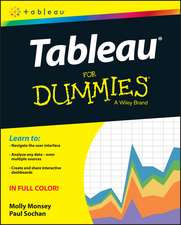 Tableau For DummiesM MonseyPreț: 132.43 lei
 -
 Preț: 314.46 lei
 -
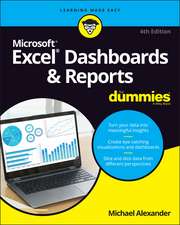 Excel Dashboards & Reports for DummiesMichael Alexander-20%Preț: 220.65 lei275.80 lei
 -
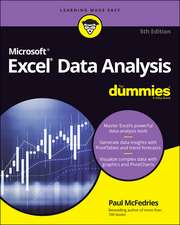 Excel Data Analysis For Dummies, 5th EditionPaul McFedries-20%Preț: 210.98 lei263.72 lei
 -
 Excel Power Pivot and Power Query For Dummies, 2nd EditionMichael Alexander-20%Preț: 205.59 lei256.99 lei
 -
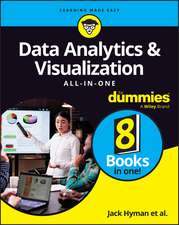 Data Analytics & Visualization All-in-One For DummiesJack A. HymanPreț: 307.59 lei
 -
 Dashboards That DeliverAndy CotgreavePreț: 213.30 lei
 -
 Storytelling with DataCole Nussbaumer KnaflicPreț: 250.36 lei
 -
 Analyzing Data with Power BI and Power Pivot for ExcelAlberto FerrariPreț: 222.89 lei
 -
 -20%Preț: 206.39 lei257.99 lei
 -
 Microsoft Power BI Dashboards Step by StepErrin O'Connor-20%Preț: 238.18 lei297.74 lei
 -
 Effective Data VisualizationStephanie EvergreenPreț: 446.13 lei
 -
 Python for Excel Users: Know Excel? You Can Learn PythonTracy Stephens-35%Preț: 238.55 lei369.12 lei
 -
 -33%Preț: 207.09 lei309.40 lei
 -
 Visual Analytics for DashboardsArshad Khan-20%Preț: 156.50 lei195.63 lei
De ce să citești această carte
Această carte se adresează analiștilor de date și managerilor care doresc să transforme Excel-ul dintr-un simplu instrument de calcul într-o platformă puternică de Business Intelligence. Cititorul câștigă abilitatea de a construi tablouri de bord interactive și de a comunica perspective complexe prin vizualizări clare. Este un ghid practic pentru oricine trebuie să prezinte rapoarte de impact în fața unei conduceri care are nevoie de concluzii rapide, nu de șiruri infinite de cifre.
Despre autor
Dick Kusleika este un expert recunoscut în ecosistemul Microsoft Office, cu o experiență de peste două decenii în dezvoltarea de soluții bazate pe Excel și Access. Este autorul mai multor volume de referință, printre care se numără și Excel 2019 Power Programming with VBA, demonstrând o stăpânire completă a automatizării proceselor prin Visual Basic for Applications. Contribuțiile sale în comunitatea tehnică se concentrează pe transformarea instrumentelor standard de birou în aplicații robuste de analiză, Kusleika fiind o voce autorizată în ceea ce privește bunele practici în vizualizarea datelor și arhitectura rapoartelor de business.