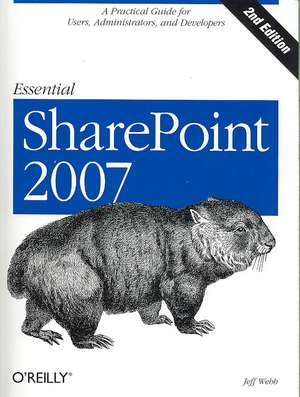
Essential SharePoint 2007
Autor Jeff Webben Limba Engleză Paperback – 16 oct 2007
Preț: 206.53 lei
Preț vechi: 258.16 lei
-20%
Puncte Express: 310
Carte disponibilă
Livrare economică 28 noiembrie-12 decembrie
Livrare prin curier în România Termenul estimat este afișat lângă disponibilitate.
Transport gratuit de la 400.00 lei Plată online sau ramburs, în funcție de opțiunile comenzii.
Retur gratuit în 14 zile Comandă securizată și suport în română.
Specificații
ISBN-13: 9780596514075
ISBN-10: 0596514077
Pagini: 446
Dimensiuni: 178 x 234 x 35 mm
Greutate: 0.63 kg
Ediția:2nd 2007 edition
Editura: O'Reilly
Locul publicării:United States
ISBN-10: 0596514077
Pagini: 446
Dimensiuni: 178 x 234 x 35 mm
Greutate: 0.63 kg
Ediția:2nd 2007 edition
Editura: O'Reilly
Locul publicării:United States
V-ar putea interesa
-
 Microsoft Copilot Pro Step by StepLisa Crosbie-20%Preț: 256.32 lei320.40 lei
 -
 Walkenbach, J: Excel 2010 BibleJohn Walkenbach-20%Preț: 282.07 lei352.59 lei
 -
 -20%Preț: 82.16 lei102.71 lei
 -
 Adobe Creative Suite 2 WorkflowJennifer Alspach-20%Preț: 213.13 lei266.41 lei
 -
 Word 2013 BibleLA Bucki-20%Preț: 186.41 lei233.02 lei
 -
 Microsoft 365 For DummiesJennifer Reed-20%Preț: 145.00 lei181.25 lei
 -
 Microsoft 365 Office All-In-One for DummiesPaul McFedries-20%Preț: 209.51 lei261.89 lei
 -
 Microsoft Teams for DummiesRosemarie Withee-20%Preț: 140.99 lei176.23 lei
 -
 SharePoint For DummiesKen Withee-20%Preț: 142.67 lei178.33 lei
 -
 Microsoft Excel 365 BibleMichael Alexander-20%Preț: 289.14 lei361.43 lei
 -
 Teach Yourself VISUALLY Microsoft 365Paul McFedries-20%Preț: 170.73 lei213.41 lei
 -
 Microsoft Copilot For DummiesChris Minnick-20%Preț: 116.63 lei145.79 lei
 -
 Microsoft 365 Excel For DummiesDavid H. Ringstrom-20%Preț: 143.21 lei179.02 lei
 -
 -20%Preț: 144.71 lei180.89 lei
 -
 Microsoft 365 Excel All-in-One For DummiesDavid H Ringstrom-20%Preț: 237.38 lei296.73 lei
 -
 Excel Quick and EasyDick Kusleika-20%Preț: 97.48 lei121.84 lei
 -
 Python for Excel Users: Know Excel? You Can Learn PythonTracy Stephens-35%Preț: 241.34 lei368.95 lei
 -
 SharePoint Online Administrator PlaybookDeviprasad Panda-20%Preț: 238.96 lei298.70 lei
 -
 Microsoft Lists EssentialsNaveed Ahmed-20%Preț: 285.97 lei357.46 lei
Descriere
Written by an expert consultant, this concise and practical guide teaches SharePoint power users, site administrators, and developers how to get the most from the latest version of Microsofts popular information-sharing and collaboration platform.
Cuprins
Preface; Who This Book Is For; How This Book Is Organized; What's New?; Conventions Used in This Book; Using Code Examples; Samples, Comments, and Questions; Safari® Books Online; Acknowledgments; Chapter 1: Using SharePoint; 1.1 How Does This Help Me Do My Job?; 1.2 What Types of Sites Can I Create?; 1.3 What Software Do I Need?; 1.4 Parts of a Page; 1.5 Creating Sites; 1.6 Putting SharePoint to Work; 1.7 Best Practices; Chapter 2: Word, Excel, and Outlook; 2.1 Setting Client Security; 2.2 Editing, Saving, and Sharing Documents; 2.3 Editing Lists in Excel; 2.4 Viewing SharePoint Calendars from Outlook; 2.5 Organizing Meetings from Outlook; 2.6 Sharing Contacts with Outlook; 2.7 Best Practices; Chapter 3: Creating Sites; 3.1 Choosing a Location and Template; 3.2 Customizing Site Navigation; 3.3 Summarizing Content with Web Parts; 3.4 Adding Other Pages; 3.5 Setting Security (Controlling Access); 3.6 Changing the General Appearance; 3.7 Creating Custom Themes; 3.8 Applying Stylesheets; 3.9 Creating and Using Site Templates; 3.10 Best Practices; Chapter 4: Creating Lists; 4.1 Using Built-in List Templates; 4.2 Adding Columns; 4.3 Adding Site Columns; 4.4 Creating Views; 4.5 Renaming a List and Changing Other Settings; 4.6 Controlling Access to Lists; 4.7 Editing List Pages; 4.8 Saving the List As a Template; 4.9 Deploying List Templates; 4.10 Best Practices; Chapter 5: Creating Libraries; 5.1 Using the Built-in Library Templates; 5.2 Changing Library Settings; 5.3 Adding Content Types; 5.4 Organizing Libraries; 5.5 Saving a Library As a Template; 5.6 Creating Library Applications; 5.7 Best Practices; Chapter 6: Building Pages; 6.1 Using the Built-in Web Parts; 6.2 Customizing List View Web Parts; 6.3 Creating Client-Side Web Parts; 6.4 Filtering Lists and Libraries in MOSS; 6.5 Connecting to Data with WSRP in MOSS; 6.6 Modifying Master Pages; 6.7 Best Practices; Chapter 7: Creating My Sites, Blogs, and Wikis; 7.1 Creating My Sites in MOSS; 7.2 Creating Blogs; 7.3 Creating Wikis; 7.4 Best Practices; Chapter 8: Enabling Email and Workflow; 8.1 Receiving Alerts; 8.2 Emailing Task Assignments; 8.3 Changing the From Address; 8.4 Time-Driven Alerts; 8.5 Emailing from Libraries; 8.6 Emailing to Libraries; 8.7 Creating Workflows; 8.8 Creating Workflows in MOSS; 8.9 Best Practices; Chapter 9: RSS, Rollups, and Site Maps; 9.1 RSS at a Glance; 9.2 Using Rollups; 9.3 Rollups Without MOSS; 9.4 Providing Site Maps; 9.5 Best Practices; Chapter 10: Gathering Data with InfoPath; 10.1 What Software Do You Need?; 10.2 Using Form Libraries; 10.3 Customizing Forms; 10.4 Making a Form Read-Only; 10.5 Populate a Control from a List; 10.6 Validating Data; 10.7 Preventing Changes to Form Templates; 10.8 Using InfoPath Forms Services; 10.9 Programming InfoPath; 10.10 Setting Trust; 10.11 Best Practices; Chapter 11: Programming Web Parts; 11.1 What to Build When . . .; 11.2 What to Download; 11.3 Creating Hosted Web Parts; 11.4 Preparing to Develop Rendered Web Parts; 11.5 Converting Existing Projects; 11.6 Programming Rendered Web Parts; 11.7 Creating Web Part Appearance; 11.8 Adding Child Controls; 11.9 Working on the Client Side; 11.10 Understanding Event Order; 11.11 Adding Properties; 11.12 Exporting Web Parts; 11.13 Adding Menus; 11.14 Customizing the Property Task Pane; 11.15 Connecting Parts; 11.16 Deploying Web Parts; 11.17 Best Practices; Chapter 12: Consuming SharePoint Services; 12.1 Choosing an Approach; 12.2 Using the Office Object Model; 12.3 Using Web Services; 12.4 Using URL Commands; 12.5 Using RPC; 12.6 Best Practices; Chapter 13: Administering SharePoint; 13.1 Installing SharePoint; 13.2 Enabling Internet Access; 13.3 Enabling Anonymous Access; 13.4 Enabling Forms-Based Authentication; 13.5 Using Zones; 13.6 Enabling Self-Service Site Creation; 13.7 Scheduling Backups; 13.8 Restoring; 13.9 Auditing Activity; 13.10 Enabling PDFs and Other File Types; 13.11 Best Practices; Upgrading; Before You Upgrade; Performing an In-Place Upgrade; Performing a Side-by-Side Upgrade; Performing a Database Migration; Completing the Upgrade Process; Upgrading 2007 Editions; Reference Tables; Office Versions; StsAdm Commands; PSConfig Commands; PreScan Commands; Server Files and Locations; Content Not Stored in Database; CSS Styles; Glossary; Colophon;