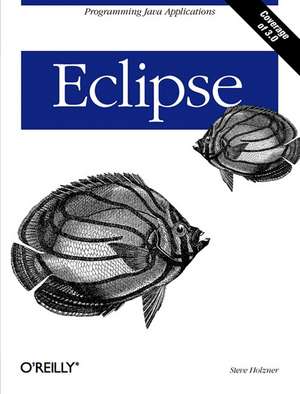
Eclipse
Autor Steve Holzneren Limba Engleză Paperback – iun 2004
Preț: 228.42 lei
Preț vechi: 285.53 lei
-20%
Puncte Express: 343
Carte disponibilă
Livrare economică 27 noiembrie-11 decembrie
Livrare prin curier în România Termenul estimat este afișat lângă disponibilitate.
Transport gratuit de la 400.00 lei Plată online sau ramburs, în funcție de opțiunile comenzii.
Retur gratuit în 14 zile Comandă securizată și suport în română.
Specificații
ISBN-13: 9780596006419
ISBN-10: 0596006411
Pagini: 334
Dimensiuni: 177 x 236 x 27 mm
Greutate: 0.55 kg
Editura: O'Reilly
Locul publicării:United States
ISBN-10: 0596006411
Pagini: 334
Dimensiuni: 177 x 236 x 27 mm
Greutate: 0.55 kg
Editura: O'Reilly
Locul publicării:United States
V-ar putea interesa
-
 Ajax for DummiesSteve Holzner-20%Preț: 180.77 lei225.97 lei
 -
 Learning the Korn ShellBill Rosenblatt-20%Preț: 209.93 lei262.42 lei
 -
 Learning GNU EmacsDebra Cameron-20%Preț: 241.29 lei301.61 lei
 -
 Tomcat: The Definitive GuideJason Brittain-20%Preț: 213.97 lei267.47 lei
 -
 XSLTDoug Tidwell-20%Preț: 299.18 lei373.97 lei
 -
 High Performance Web SitesSteve Souders-20%Preț: 137.46 lei171.83 lei
 -
 Programming Collective IntelligenceToby Segaran-20%Preț: 255.44 lei319.30 lei
 -
 -20%Preț: 1322.21 lei1652.76 lei
 -
 Java RMIWilliam Grosso-20%Preț: 341.95 lei427.44 lei
 -
 Logic and Algebra of SpecificationFriedrich L. Bauer-20%Preț: 1032.69 lei1290.86 lei
 -
 -20%Preț: 432.54 lei540.68 lei
 -
 Computer Simulation and Computer Algebra: Lectures for BeginnersDietrich Stauffer-20%Preț: 620.69 lei775.87 lei
 -
 -20%Preț: 318.97 lei398.71 lei
 -
 Computer Science LogicEgon Börger-20%Preț: 343.33 lei429.17 lei
 -
 -20%Preț: 327.48 lei409.36 lei
 -
 Distributed AlgorithmsAndre Schiper-20%Preț: 337.17 lei421.47 lei
 -
 -20%Preț: 326.42 lei408.02 lei
 -
 Performance Evaluation of Computer and Communication SystemsLorenzo Donatiello-20%Preț: 643.97 lei804.96 lei
Notă biografică
Steve Holzner is an award-winning author who has been writing about Java topics since Java first appeared. He's a former PC Magazine contributing editor, and his many books have been translated into 18 languages around the world. His books sold more than 1.5 million copies, and many of his bestsellers have been on Java.Steve graduated from MIT and got his PhD at Cornell; he's been a very popular member of the faculty at both MIT and Cornell, teaching thousands of students over the years and earning an average student evaluation over 4.9 out of 5.0. He also runs his own software company and teaches week-long classes to corporate programmers on Java around the country.
Cuprins
Preface; What's Inside; Conventions Used in This Book; What You'll Need; Using Code Examples; We'd Like to Hear from You; Chapter 1: Essential Eclipse; 1.1 Eclipse and Java; 1.2 Getting Eclipse; 1.3 Understanding Eclipse; 1.4 Views and Perspectives; 1.5 Working with Eclipse; 1.6 Using Quick Fix; 1.7 A Word About Project Management; Chapter 2: Java Development; 2.1 Developing Java Code; 2.2 Building and Running Code; 2.3 Creating Javadoc; 2.4 Refactoring; 2.5 Some Essential Skills; 2.6 Customizing the Development Environment; Chapter 3: Testing and Debugging; 3.1 Testing with JUnit; 3.2 Debugging; Chapter 4: Working in Teams; 4.1 How Source Control Works; 4.2 Understanding CVS; 4.3 Finding a CVS Server; 4.4 Adding a Project to the CVS Repository; Chapter 5: Building Eclipse Projects Using Ant; 5.1 Working with Ant; 5.2 JARing Your Output; 5.3 Configuring Ant in Eclipse; 5.4 Catching Errors in Build Files; Chapter 6: GUI Programming: From Appletsto Swing; 6.1 Creating AWT Applications; 6.2 Creating Swing Applications; 6.3 Using Eclipse Plug-ins; 6.4 Using the V4ALL Plug-in; Chapter 7: SWT: Buttons, Text, Labels, Lists, Layouts, and Events; 7.1 Java Graphics; 7.2 An SWT Example; 7.3 Working with Buttons; 7.4 Working with Composites and Layouts; 7.5 Working with Lists; 7.6 Using V4ALL with SWT; Chapter 8: SWT: Menus, Toolbars, Sliders, Trees, and Dialogs; 8.1 Working with Menus; 8.2 Working with Toolbars; 8.3 Working with Sliders; 8.4 Working with Trees; 8.5 Working with Dialogs; 8.6 Opening Internet Explorer in anSWT Window; Chapter 9: Web Development; 9.1 Installing and Testing Tomcat; 9.2 Creating a JSP; 9.3 Creating a Servlet; 9.4 Creating a Servlet in Place; 9.5 Connecting to a JavaBean; 9.6 Using the Sysdeo Tomcat Plug-in; 9.7 Deploying Web Applications; Chapter 10: Developing Struts Applicationswith Eclipse; 10.1 Struts and Eclipse; 10.2 Creating the View; 10.3 Creating the Controller; 10.4 Creating the Model; 10.5 Using the Easy Struts Plug-in; Chapter 11: Developing a Plug-in: The Plug-in Development Environment, Manifests, and Extension Points; 11.1 All You Really Need Is plugin.xml; 11.2 Using the Plug-in Development Environment; 11.3 Using the Run-time Workbench; 11.4 Creating a Standard Plug-in; Chapter 12: Developing a Plug-in: Creating Editors and Views; 12.1 Creating a Multi-Page Editor; 12.2 Creating a View; 12.3 Deploying a Plug-in; Chapter 13: Eclipse 3.0; 13.1 A Look at Eclipse 3.0; 13.2 Creating a Java Project; 13.3 Changes to the Eclipse Platform; 13.4 Changes to the Java Development Tools; 13.5 Other Changes; Colophon;