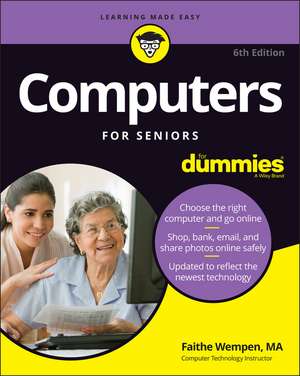
Computers For Seniors For Dummies, 6th Edition
Autor F Wempenen Limba Engleză Paperback – 6 mar 2022
Resursele vizuale și instrucțiunile pas cu pas care însoțesc volumul Computers For Seniors For Dummies, 6th Edition transformă un echipament intimidant într-un instrument de lucru accesibil. Remarcăm o structură tehnică riguroasă, organizată în 19 capitole, care acoperă întregul ciclu de utilizare al unui PC. Dacă Computer Basics Absolute Beginner's Guide, Windows 11 Edition v-a oferit cadrul teoretic pentru noul sistem de operare, această carte oferă instrumentele practice necesare pentru gestionarea oricărui computer, indiferent de vechime, cu un accent deosebit pe ediția a 6-a a ghidului.
Considerăm că progresia conținutului este logică și adaptată ritmului de învățare individual. Partea întâi se concentrează pe hardware — de la achiziție la configurarea imprimantei — în timp ce părțile următoare trec spre software și mediul online. Un element distinctiv al acestui manual publicat de Wiley este capitolul dedicat securității (Windows Toolkit), unde autorul F Wempen detaliază metodele de protecție împotriva atacurilor informatice și gestionarea rețelelor.
Spre deosebire de PCs for Dummies, care abordează tehnologia în termeni generali, acest volum este optimizat pentru lizibilitate, folosind un font mai mare și diagrame clare. Analizând cuprinsul, observăm integrarea unor sarcini practice esențiale: gestionarea fișierelor personale, utilizarea aplicațiilor native Windows și comunicarea prin e-mail sau rețele sociale. Este un ghid tehnic care nu omite mentenanța sistemului, oferind soluții pentru păstrarea computerului în stare optimă de funcționare pe termen lung.
Preț: 161.46 lei
Preț vechi: 201.83 lei
-20%
Carte disponibilă
Livrare economică 21 mai-04 iunie
Specificații
ISBN-10: 1119849608
Pagini: 416
Dimensiuni: 204 x 241 x 24 mm
Greutate: 0.64 kg
Ediția:6th Edition
Editura: Wiley
Locul publicării:Hoboken, United States
V-ar putea interesa
-
 My Windows 10 Computer for SeniorsMichael Miller-20%Preț: 147.51 lei184.38 lei
 -
 -20%Preț: 127.87 lei159.84 lei
 -
 Brilliant Laptops for the Over 50s WindowsJoli Ballew-20%Preț: 95.93 lei119.91 lei
 -
 -20%Preț: 71.43 lei89.29 lei
 -
 Windows 8 for the Over 50s In Simple StepsJoli Ballew-20%Preț: 76.80 lei96.00 lei
 -
 PCs for DummiesDan Gookin-20%Preț: 107.71 lei134.64 lei
 -
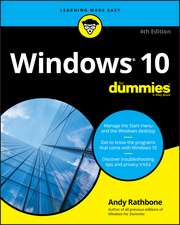 Windows 10 for DummiesAndy Rathbone-20%Preț: 130.05 lei162.56 lei
 -
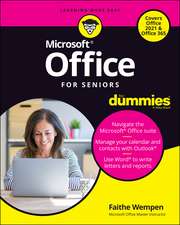 Office For Seniors For DummiesFaithe Wempen-20%Preț: 112.19 lei140.24 lei
 -
 Laptops For Seniors For DummiesFaithe Wempen-20%Preț: 97.08 lei121.36 lei
 -
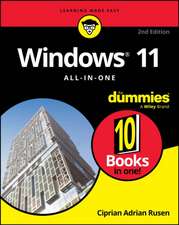 Windows 11 All-In-One for Dummies, 2nd EditionCiprian Adrian Rusen-20%Preț: 204.44 lei255.54 lei
 -
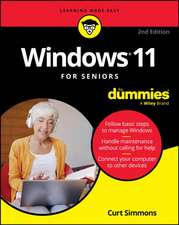 Windows 11 for Seniors for Dummies, 2nd EditionCurt Simmons-20%Preț: 93.51 lei116.88 lei
 -
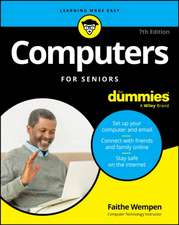 Computers for Seniors for DummiesFaithe Wempen-20%Preț: 94.51 lei118.14 lei
 -
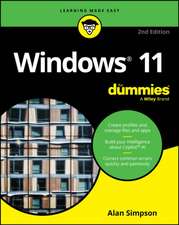 Windows 11 For DummiesAlan Simpson-20%Preț: 96.73 lei120.91 lei
 -
 iPad For Seniors For Dummies, 2025 - 2026 EditionDwight Spivey-20%Preț: 116.67 lei145.84 lei
 -
 Macs For Seniors For DummiesMark L. Chambers-20%Preț: 113.75 lei142.19 lei
 -
 iPhone For Seniors For Dummies, 2026 EditionDwight SpiveyPreț: 135.03 lei
 -
 -26%Preț: 56.44 lei76.48 lei
 -
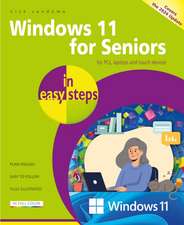 Windows 11 for Seniors in Easy StepsNick Vandome-20%Preț: 97.06 lei121.32 lei
 -
 Laptops for Seniors in Easy Steps, 9th EditionNick Vandome-20%Preț: 94.93 lei118.66 lei
 -
 Computing for Seniors in Easy StepsSue Price-20%Preț: 72.09 lei90.12 lei
De ce să citești această carte
Recomandăm această carte seniorilor care doresc să stăpânească tehnologia fără asistență externă constantă. Cititorul câștigă independență digitală, învățând nu doar să utilizeze Windows sau internetul, ci și cum să își protejeze datele bancare și personale. Este un manual practic care elimină jargonul tehnic inutil, oferind în schimb proceduri clare pentru activități cotidiene precum apelurile video sau cumpărăturile online.
Despre autor
F Wempen este un autor experimentat în domeniul tehnologiei, specializat în crearea de materiale educaționale accesibile pentru publicul larg. Cu o expertiză consolidată în ecosistemul Microsoft și hardware PC, Wempen a contribuit semnificativ la seria „For Dummies”, adaptând concepte complexe de calcul pentru utilizatorii aflați la început de drum. Stilul său se remarcă prin claritate didactică și accentul pus pe rezolvarea problemelor practice întâlnite de utilizatorii casnici.