Cantitate/Preț
Produs

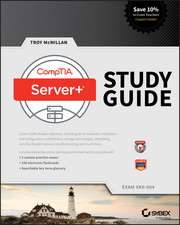
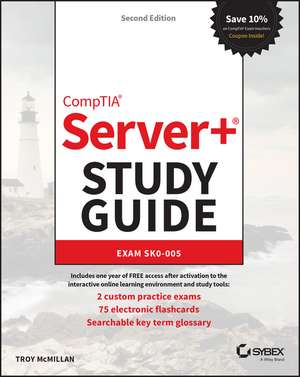
Comptia Server+ Study Guide

Autor Troy Mcmillan
en Limba Engleză Paperback – 27 sep 2022

Dacă CompTIA A+ Complete Study Guide v-a oferit cadrul teoretic necesar pentru suportul tehnic general, această carte oferă instrumentele practice specifice administrării infrastructurii de servere moderne. Recomandăm acest volum ca pe un manual tehnic riguros, adaptat cerințelor actuale ale examenului SK0-005, care face tranziția de la simpla mentenanță de PC-uri la gestionarea complexă a centrelor de date. Considerăm că forța acestui ghid rezidă în abordarea hibridă, acoperind atât hardware-ul fizic, cât și integrarea cu sistemele de stocare în cloud.

Structura progresivă a cărții facilitează o învățare logică: începe cu elementele fundamentale de infrastructură fizică, precum unitățile de rack, cablarea redundantă și tipurile de șasiuri, pentru ca ulterior să treacă la configurarea sistemelor de operare și virtualizare. Menționăm că autorul Troy McMillan pune un accent deosebit pe detaliile de execuție, de la tipurile de conectori de alimentare la interfețele administrative și migrarea datelor. Fiecare capitol este riguros segmentat, oferind secțiuni de „Exam Essentials” care sintetizează conceptele critice pentru certificare.

Spre deosebire de ediția anterioară, CompTIA Server+ Study Guide Exam SK0–004, acest volum actualizat de la Wiley integrează noile realități ale securității și recuperării în caz de dezastru, reflectând evoluția tehnologiilor de rețea precum SFP+ și QSFP. Tonul este unul tehnic și pragmatic, orientat spre rezolvarea problemelor (troubleshooting) și performanța în condiții reale de lucru, nu doar spre memorarea unor definiții pentru examen.

Citește tot Restrânge

Preț: 28840 lei

Preț vechi: 36049 lei
-20%

Puncte Express: 433

Carte disponibilă

Livrare economică 02-16 mai
Livrare express 21-25 aprilie pentru 6076 lei


Specificații

ISBN-13: 9781119891437
ISBN-10: 1119891434
Pagini: 608
Dimensiuni: 193 x 238 x 40 mm
Greutate: 0.88 kg
Ediția:2nd edition
Editura: Wiley
Locul publicării:Hoboken, United States

De ce să citești această carte

Recomandăm această carte profesioniștilor IT care vizează roluri de administratori de servere sau specialiști în stocarea datelor. Cititorul câștigă nu doar o certificare recunoscută global, ci și competențe practice pentru gestionarea mediilor hibride. Este un instrument esențial pentru cei care doresc să stăpânească instalarea hardware, securitatea infrastructurii și procedurile de disaster recovery, beneficiind de resursele digitale incluse pentru o pregătire completă.


Despre autor

Troy McMillan este un educator tehnologic veteran și autor de materiale de studiu pentru certificări IT de renume. Cu o vastă experiență în instruirea profesioniștilor pentru examenele CompTIA, Microsoft și Cisco, McMillan este recunoscut pentru capacitatea sa de a traduce specificațiile tehnice complexe în ghiduri de învățare accesibile. Expertiza sa se reflectă în modul în care structurează informația în CompTIA Server+ Study Guide, punând accent pe scenarii reale și pe eficiența procesului de examinare.


Notă biografică

ABOUT THE AUTHOR TROY MCMILLAN has earned over 30 IT certifications, including Server+, A+, and Network+. He is a Product Developer and Technical Editor for CyberVista and helps individuals and organizations train on technology and prepare for certification exams. He specializes in teaching CompTIA, Cisco, Microsoft, and Wireless certifications.

Cuprins

Introduction xxiii Assessment Test liv Answers to Assessment Test lxi Chapter 1 Server Hardware 1 Racking 3 Enclosure Sizes 3 Unit Sizes 3 Rack Layout 5 Power Cabling 14 Voltage 15 Redundant Power 18 Power Connector Types 23 Cable Management 25 Network Cabling 26 Redundant Networking 26 Twisted Pair 27 Fiber 30 Gigabit 31 10 GigE 31 Small Form-Factor Pluggable (SFP) 32 SFP+ 32 Quad Small Form-Factor Pluggable (QSFP) 33 Cable Management 33 Server Chassis Types 35 Server Components 42 NICs 55 Summary 57 Exam Essentials 57 Review Questions 59 Chapter 2 Installing and Configuring Servers 63 Installing Server Operating Systems 67 Minimum Operating System (OS) Requirements 67 Hardware Compatibility List (HCL) 68 Installations 68 Partition and Volume Types 73 File System Types 75 Configuring and Maintaining Server Functions and Features 76 Server Roles Requirements 77 Data Migration and Transfer 96 Administrative Interfaces 97 The Purpose and Operation of Virtualization 98 Host vs. Guest 98 Virtual Networking 99 Resource Allocation and Provisioning 103 Management Interfaces for Virtual Machines 108 Cloud Models 110 Summary 111 Exam Essentials 111 Review Questions 112 Chapter 3 Server Maintenance 115 Given a Scenario, Perform Server Hardware Maintenance 117 Out-of-Band Management 117 Local Hardware Administration 122 Components 125 Drives 126 Hot-Swappable Hardware 129 Basic Input/Output System (BIOS)/Unified Extensible Firmware Interface (UEFI) 131 Explain Licensing Concepts 132 Models 132 Open Source 134 Subscription 135 License vs. Maintenance and Support 135 Volume Licensing 136 License Count Validation 136 Version Compatibility 136 Summary 137 Exam Essentials 137 Review Questions 138 Chapter 4 Storage Technologies and Asset Management 143 Given a Scenario, Deploy and Manage Storage 146 RAID Levels and Types 146 Capacity Planning 151 Hard Drive Media Types 153 Interface Types 157 Shared Storage 161 Explain the Importance of Asset Management and Documentation 165 Asset Management 166 Documentation Management 169 Document Availability 175 Secure Storage of Sensitive Documentation 175 Summary 175 Exam Essentials 176 Review Questions 177 Chapter 5 Identifying Fault Tolerance Requirements 181 Clustering 182 Active-Active 182 Active-Passive 183 Failover/Failback 183 Proper Patching Procedures 184 Heartbeat 184 Fault Tolerance 184 Server-Level Redundancy vs. Component Redundancy 185 Redundant Server Network Infrastructure 185 Load Balancing 185 Network Interface Card (NIC) Teaming and Redundancy 186 Summary 191 Exam Essentials 191 Review Questions 192 Chapter 6 Securing the Server 197 Summarize Physical Security Concepts 200 Physical Access Controls 200 Environmental Controls 206 Explain Data Security Risks and Mitigation Strategies 210 Security Risks 210 Mitigation Strategies 223 Given a Scenario, Apply Server Hardening Methods 226 OS Hardening 226 Application Hardening 228 Host Security 228 Hardware Hardening 230 Summary 238 Exam Essentials 238 Review Questions 239 Chapter 7 Securing Server Data and Network Access 243 Summarize Data Security Concepts 246 Encryption Paradigms 246 VPN 248 IPsec 248 Retention Policies 249 Data Storage 249 UEFI/BIOS Passwords 250 Bootloader Passwords 251 Business Impact 251 Explain Important Concepts Pertaining to Identity and Access Management for Server Administration 252 User Accounts 252 Permissions and Access Controls 256 Auditing 261 Multifactor Authentication (MFA) 264 Single Sign-on (SSO) 265 Summarize Proper Server Decommissioning Concepts 265 Proper Removal Procedures 265 Media Destruction 266 Media Retention Requirements 268 Cable Remediation 268 Electronics Recycling 268 Summary 269 Exam Essentials 269 Review Questions 270 Chapter 8 Networking and Scripting 275 Given a Scenario, Configure Servers to Use Network Infrastructure Services 277 IP Configuration 277 Virtual Local Area Network (VLAN) 277 Default Gateways 279 Name Resolution 279 Addressing Protocols 285 Firewall 287 Static vs. Dynamic 293 MAC Addresses 296 Summarize Scripting Basics for Server Administration 297 Script Types 297 Environment Variables 299 Comment Syntax 299 Basic Script Constructs 299 Basic Data Types 301 Common Server Administration Scripting Tasks 301 Summary 302 Exam Essentials 303 Review Questions 304 Chapter 9 Disaster Recovery 309 Explain the Importance of Backups and Restores 311 Backup Methods 311 Backup Frequency 313 Media Rotation 313 Backup Media Types 315 File-Level vs. System-State Backup 317 Restore Methods 317 Backup Validation 318 Media Inventory Before Restoration 319 Explain the Importance of Disaster Recovery 319 Site Types 319 Replication 320 Testing 323 Summary 323 Exam Essentials 324 Review Questions 325 Chapter 10 Troubleshooting Hardware and Software Issues 329 Explain the Troubleshooting Theory and Methodology 334 Identify the Problem and Determine the Scope 334 Establish a Theory of Probable Cause (Question the Obvious) 336 Test the Theory to Determine the Cause 337 Establish a Plan of Action to Resolve the Problem 337 Implement the Solution or Escalate 338 Verify Full System Functionality and, if Applicable, Implement Preventive Measures 338 Perform a Root Cause Analysis 338 Document Findings, Actions, and Outcomes Throughout the Process 339 Given a Scenario, Troubleshoot Common Hardware Failures 339 Common Problems 339 Causes of Common Problems 351 Tools and Techniques 359 Given a Scenario, Troubleshoot Common OS and Software Problems 363 Common Problems 363 Causes of Common Problems 369 OS and Software Tools and Techniques 374 Summary 387 Exam Essentials 387 Review Questions 389 Chapter 11 Troubleshooting Network Connectivity and Security Issues 393 Given a Scenario, Troubleshoot Network Connectivity Issues 396 Common Problems 396 Causes of Common Problems 402 Tools and Techniques 411 Given a Scenario, Troubleshoot Security Problems 419 Common Problems 420 Causes of Common Problems 421 Security Tools 433 Summary 439 Exam Essentials 440 Review Questions 441 Chapter 12 Troubleshooting Storage Issues 445 Given a Scenario, Troubleshoot Storage Problems 447 Common Problems 447 Causes of Common Problems 458 Tools and Techniques 467 Summary 489 Exam Essentials 489 Review Questions 490 Appendix Answers to Review Questions 495 Chapter 1: Server Hardware 496 Chapter 2: Installing and Configuring Servers 497 Chapter 3: Server Maintenance 499 Chapter 4: Storage Technologies and Asset Management 501 Chapter 5: Identifying Fault Tolerance Requirements 502 Chapter 6: Securing the Server 504 Chapter 7: Securing Server Data and Network Access 506 Chapter 8: Networking and Scripting 508 Chapter 9: Disaster Recovery 509 Chapter 10: Troubleshooting Hardware and Software Issues 511 Chapter 11: Troubleshooting Network Connectivity and Security Issues 513 Chapter 12: Troubleshooting Storage Issues 515 Index 517

Descriere

Prepare for the Server+ exam—and an exciting new career in tech—with this hands-on guide In the newly updated Second Edition of the CompTIA Server+ Study Guide: Exam SK0-005, veteran technology educator Troy McMillan delivers a comprehensive, hands-on blueprint for success on the Server+ SK0-005 exam. Learn about essential hardware and software technologies used in on-premise and hybrid server environments and prepare yourself for the exam and real-world, on-the-job challenges. This Study Guide provides you with a solid understanding of how network and cloud storage systems work by helping you learn how to store, protect, and access the data that’s ever more crucial to modern businesses. Find coverage of every objective tested by the exam, including server hardware installation and management, server administration, security and disaster recovery, and troubleshooting. You also learn: Expert guidance on acing a certification exam is increasing demand amongst high-paying employers Critical performance tips for professionals who want to hit the ground running on their first day on the job Complimentary access to the Sybex interactive online learning environment and test bank, complete with hundreds of practice questions and answers, bonus exams, electronic flashcards, and a searchable glossary of key termsA can’t-miss resource for anyone preparing for a new role as a server administrator, data storage specialist, or related IT specialty, the CompTIA Server+ Study Guide: Exam SK0-005, Second Edition, will earn a place in the libraries of anyone looking for an efficient and effective way to prep for this challenging and rewarding technical certification.