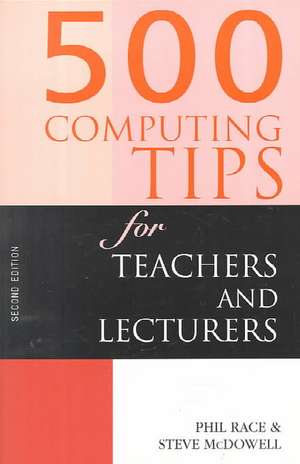
500 Computing Tips for Teachers and Lecturers: 500 Tips
Autor Steven McDowell, Phil Race, Steve McDowellen Limba Engleză Paperback – dec 1999
Din seria 500 Tips
- 5%
 Preț: 410.92 lei
 -
 Preț: 233.18 lei
 -
 Preț: 440.66 lei
 - 15%
 Preț: 413.93 lei
 -
 Preț: 334.29 lei
 -
 Preț: 420.66 lei
 - 15%
 Preț: 608.62 lei
 - 15%
 Preț: 470.58 lei
 -
 Preț: 382.34 lei
 -
 Preț: 413.44 lei
 -
 Preț: 380.43 lei
 -
 Preț: 382.34 lei
 -
 Preț: 231.18 lei
 -
 Preț: 256.53 lei
 -
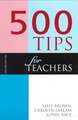 Preț: 252.97 lei
 - 15%
 Preț: 543.61 lei
 - 18%
 Preț: 1307.85 lei
 - 15%
 Preț: 530.47 lei
 -
 Preț: 454.61 lei
 - 32%
 Preț: 1130.05 lei
 - 26%
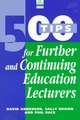 Preț: 217.64 lei
 - 15%
 Preț: 276.69 lei
 - 25%
 Preț: 1848.26 lei
 - 20%
 Preț: 500.38 lei
 - 21%
 Preț: 358.16 lei
 - 19%
 Preț: 366.13 lei
Preț: 266.67 lei
Puncte Express: 400
Carte tipărită la comandă
Livrare economică 08-22 decembrie
Livrare prin curier în România Termenul estimat este afișat lângă disponibilitate.
Transport gratuit de la 400.00 lei Plată online sau ramburs, în funcție de opțiunile comenzii.
Retur gratuit în 14 zile Comandă securizată și suport în română.
Specificații
ISBN-13: 9780749431501
ISBN-10: 0749431504
Pagini: 146
Dimensiuni: 156 x 234 x 8 mm
Greutate: 0.27 kg
Ediția:Revizuită
Editura: Taylor & Francis
Colecția Routledge
Seria 500 Tips
Locul publicării:Oxford, United Kingdom
ISBN-10: 0749431504
Pagini: 146
Dimensiuni: 156 x 234 x 8 mm
Greutate: 0.27 kg
Ediția:Revizuită
Editura: Taylor & Francis
Colecția Routledge
Seria 500 Tips
Locul publicării:Oxford, United Kingdom
V-ar putea interesa
-
 Experiencing Reggio EmiliaLesley Abbott-29%Preț: 161.28 lei226.16 lei
 -
 Playwork: Theory and PracticeFraser Brown-28%Preț: 170.46 lei235.50 lei
 -
 WE DON'T PLAY WITH GUNS HEREPenny Holland-26%Preț: 197.34 lei267.81 lei
 -
 -29%Preț: 171.88 lei242.55 lei
 -
 Preț: 430.39 lei
 -
 A Guide to Early Years PracticeSandra SmidtPreț: 331.08 lei
 -
 Preț: 428.02 lei
 -
 Preț: 422.48 lei
 -
 Learning Together in the Early Years: Exploring Relational PedagogyTheodora PapatheodorouPreț: 489.09 lei
 -
 Preț: 210.41 lei
Public țintă
Academic and Professional Practice & DevelopmentCuprins
Introduction to the Second Edition; Part 1 Getting Started with Computers; Chapter 1 Choosing a computer; Chapter 2 Making the purchase; Chapter 3 Cheap or free items; Chapter 4 Organizing your workspace; Chapter 5 Health and safety; Chapter 6 ‘Green’ issues; Chapter 7 Panic page (technophobia); Part 2 Getting Started with Software; Chapter 8 Learning to use a new program; Chapter 9 Where to find help; Chapter 10 First steps with word processors; Chapter 11 Where to go next with word processors; Chapter 12 First steps with spreadsheets; Chapter 13 Where to go next with spreadsheets; Chapter 14 First steps with databases; Chapter 15 Where to go next with databases; Chapter 16 Desktop publishing; Chapter 17 Specialist software; Chapter 18 Computer graphics; Chapter 19 Data communications; Chapter 20 Networking; Chapter 21 First steps with the Internet; Part 3 IT and Teaching and Learning; Chapter 22 IT and how students learn; Chapter 23 Using IT in the classroom; Chapter 24 Using IT in presentations and lectures; Chapter 25 Using the Internet for teaching and learning; Chapter 26 IT assessment methods; Chapter 27 Finding, choosing and using computer-based teaching materials; Chapter 28 Designing computer-based teaching materials; Chapter 29 IT in science teaching; Chapter 30 IT in music teaching; Chapter 31 IT in other subjects; Chapter 32 IT and groupwork; Chapter 33 Using IT for simulations; Chapter 34 IT and surveys; Chapter 35 IT and student records; Part 4 More Bits and Pieces; Chapter 36 Multimedia; Chapter 37 Printing; Chapter 38 Maintenance; Chapter 39 Computing on the move; Chapter 40 Writing on the move; Chapter 41 Monitors, keyboards, mice and speakers; Chapter 42 Space junk; Chapter 43 Computing and the law; Chapter 44 Security; Chapter 45 Viruses; Chapter 46 Putting pictures on your computer; Chapter 47 Scanners; Chapter 48 Using your computer as a complete communications centre;