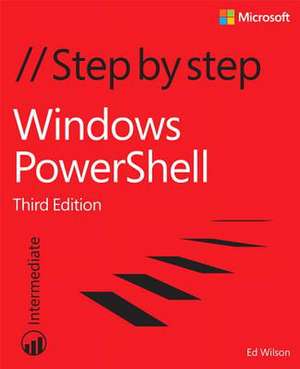
Windows Powershell Step by Step
Autor Ed Wilsonen Limba Engleză Paperback – 12 oct 2015
Preț: 294.53 lei
Preț vechi: 368.16 lei
-20%
Puncte Express: 442
Preț estimativ în valută:
52.14€ • 60.72$ • 45.30£
52.14€ • 60.72$ • 45.30£
Carte disponibilă
Livrare economică 02-16 februarie
Preluare comenzi: 021 569.72.76
Specificații
ISBN-13: 9780735675117
ISBN-10: 0735675112
Pagini: 656
Dimensiuni: 187 x 228 x 43 mm
Greutate: 1.07 kg
Ediția:3rd Revised edition
Editura: Pearson Education
ISBN-10: 0735675112
Pagini: 656
Dimensiuni: 187 x 228 x 43 mm
Greutate: 1.07 kg
Ediția:3rd Revised edition
Editura: Pearson Education
V-ar putea interesa
-
 Exam Ref 70-741 Networking with Windows Server 2016Andrew Warren-20%Preț: 175.58 lei219.48 lei
 -
 Exam Ref 70-743 Upgrading Your Skills to MCSACharles Pluta-20%Preț: 195.79 lei244.74 lei
 -
 Exam Ref 70-742 Identity with Windows Server 2016Andrew Warren-20%Preț: 196.26 lei245.32 lei
 -
 -35%Preț: 160.49 lei248.21 lei
 -
 -20%Preț: 240.63 lei300.78 lei
 -
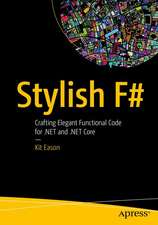 -20%Preț: 333.91 lei417.38 lei
 -
 -20%Preț: 221.42 lei276.78 lei
 -
 -20%Preț: 294.16 lei367.70 lei
 -
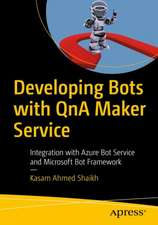 -20%Preț: 147.30 lei184.12 lei
 -
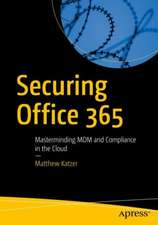 Securing Office 365Matthew Katzer-20%Preț: 383.31 lei479.13 lei
 -
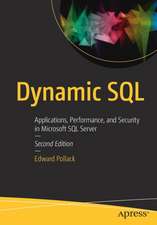 -20%Preț: 308.18 lei385.23 lei
 -
 -20%Preț: 295.63 lei369.53 lei
 -
 Learn Microsoft Visual Studio App Center: With Xamarin FormsSunny Mukherjee-20%Preț: 276.40 lei345.50 lei
 -
 Exam Ref 70-744 Securing Windows Server 2016Craig Zacker-20%Preț: 196.09 lei245.12 lei
 -
 -20%Preț: 564.37 lei705.46 lei
 -
 Windows Kernel ProgrammingPavel Yosifovich-20%Preț: 201.38 lei251.73 lei
Notă biografică
Ed Wilson is the Microsoft Scripting Guy and a well-known scripting expert. He writes the daily Hey Scripting Guy! Blog--the most popular blog on TechNet. He has also spoken at TechEd and at the Microsoft internal TechReady conferences. He has written more than a dozen books, including nine on Windows scripting that were published by Microsoft Press. His books include Windows PowerShell Best Practices and Microsoft VBScript Step by Step.
Cuprins
- Introduction
- Chapter 1: Overview of Windows PowerShell 5.0
- Chapter 2: Using Windows PowerShell cmdlets
- Chapter 3: Understanding and using Windows PowerShell providers
- Chapter 4: Using Windows PowerShell remoting and jobs
- Chapter 5: Using Windows PowerShell scripts
- Chapter 6: Working with functions
- Chapter 7: Creating advanced functions and modules
- Chapter 8: Using the Windows PowerShell ISE
- Chapter 9: Working with Windows PowerShell profiles
- Chapter 10: Using WMI
- Chapter 11: Querying WMI
- Chapter 12: Remoting WMI
- Chapter 13: Calling WMI methods on WMI classes
- Chapter 14: Using the CIM cmdlets
- Chapter 15: Working with Active Directory
- Chapter 16: Working with the AD DS module
- Chapter 17: Deploying Active Directory by using Windows PowerShell
- Chapter 18: Debugging scripts
- Chapter 19: Handling errors
- Chapter 20: Using the Windows PowerShell workflow
- Chapter 21: Managing Windows PowerShell DSC
- Chapter 22: Using the PowerShell Gallery
- Appendix A: Windows PowerShell scripting best practices
- Appendix B: Regular expressions quick reference
- Index
- About the author