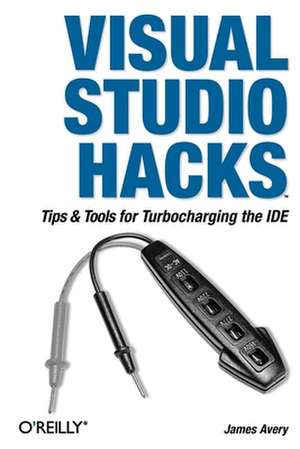
Visual Studio Hacks
Autor James Averyen Limba Engleză Paperback – 26 apr 2005
Preț: 192.10 lei
Preț vechi: 240.12 lei
-20%
Puncte Express: 288
Carte tipărită la comandă
Livrare economică 01-15 decembrie
Livrare prin curier în România Termenul estimat este afișat lângă disponibilitate.
Transport gratuit de la 400.00 lei Plată online sau ramburs, în funcție de opțiunile comenzii.
Retur gratuit în 14 zile Comandă securizată și suport în română.
Specificații
ISBN-13: 9780596008475
ISBN-10: 0596008473
Pagini: 478
Dimensiuni: 154 x 230 x 32 mm
Greutate: 0.69 kg
Ediția:Twenty-Sixth and Revised edition
Editura: O'Reilly
ISBN-10: 0596008473
Pagini: 478
Dimensiuni: 154 x 230 x 32 mm
Greutate: 0.69 kg
Ediția:Twenty-Sixth and Revised edition
Editura: O'Reilly
V-ar putea interesa
-
 C# EssentialsBen Albahari-20%Preț: 206.57 lei258.21 lei
 -
 C# & VB.NET Conversion Pocket ReferenceJose Mojica-20%Preț: 47.29 lei59.11 lei
 -
 Learning C# 2005 2eJesse Liberty-20%Preț: 196.49 lei245.61 lei
 -
 C# 3.0 Design PatternsJudith Bishop-20%Preț: 249.18 lei311.48 lei
 -
 Programming Entity FrameworkLerman-20%Preț: 333.98 lei417.47 lei
 -
 C# Database BasicsMichael Schmalz-20%Preț: 118.97 lei148.72 lei
 -
 Building Web, Cloud, and Mobile Solutions with FDaniel Mohl-20%Preț: 150.46 lei188.08 lei
 -
 Essential C# 7.0Mark Michaelis-20%Preț: 226.38 lei282.98 lei
 -
 The Art of Unit TestingRoy Osherove-20%Preț: 370.50 lei463.11 lei
Notă biografică
James Avery is the founder and owner of Infozerk Inc. which runs The Lounge advertising network and provides .NET and Ruby consulting. James has been working with .NET since 2001 and has been a web developer since 1996. He has written books for Microsoft Press, Wrox, and O'Reilly Press. James has written articles for MSDN Magazine and Dr. Dobbs, most recently doing a three month stint writing the Toolbox column in MSDN Magazine. James is a Microsoft MVP, ASPInsider and has spoken at a number of user groups and conferences.
Cuprins
Credits;
About the Author;
Contributors;
Acknowledgments;
Preface;
Preface;
Why Visual Studio Hacks?;
How to Use This Book;
An Important Note About Keyboard Shortcuts;
How This Book Is Organized;
Conventions;
Using Code Examples;
Safari Enabled;
How to Contact Us;
Got a Hack?;
Chapter 1: Master Projects and Solutions;
1.1 Hacks 1-5;
1 Manage Projects and Solutions;
2 Master Assembly and Project References;
3 Organize Projects and Solutions;
4 Hack the Project and Solution Files;
5 Remove SourceSafe Bindings;
Chapter 2: Master the Editor;
2.1 Hacks 6-15;
6 Master the Clipboard;
7 Make Pasting into Visual Studio Easier;
8 Master IntelliSense;
9 Master Regions;
10 Add Guidelines to the Text Editor;
11 Select the Best Editor;
12 Customize Syntax Coloring;
13 Edit the Most Recent File and Project Lists;
14 Refactor Your Code;
15 Use and Share Code Snippets;
Chapter 3: Navigating Visual Studio;
3.1 Hacks 16-23;
16 Take Control of Your Workspace;
17 Find Files Quickly;
18 Search Files Quickly;
19 Search for Patterns in Your Files;
20 Navigate Your Source Code;
21 Never Forget a TODO Again;
22 Hack the Mouse;
23 Enhance the Tabs in Visual Studio;
Chapter 4: Customizing Visual Studio;
4.1 Hacks 24-35;
24 Create Your Own Shortcuts;
25 Customize Menus and Toolbars;
26 Create Custom Window Layouts;
27 Customize the Toolbox;
28 Package Your Toolbox Settings;
29 Add Support for Nonstandard File Extensions;
30 Hack the Registry;
31 Save and Move Your IDE Settings;
32 Enable IntelliSense for HTML and XML Documents;
33 Add an External Tool;
34 Customize Your Project Build Process;
35 Modify the Build Output and Navigate the Results;
Chapter 5: Debugging;
5.1 Hacks 36-43;
36 Set Breakpoints;
37 Troubleshoot Breakpoints;
38 Customize Visual Studio's Reaction to Exceptions;
39 Debug Scripting Code;
40 Debug SQL Server;
41 Debug a Running Process;
42 Debug a Failing Application;
43 Write a Custom Visualizer;
Chapter 6: Speed Hacks;
6.1 Hacks 44-58;
44 Speed Up Visual Studio;
45 Load Files from the Command Prompt;
46 Master the Command Window;
47 Build a Custom Tool;
48 Extend the Application Configuration File;
49 Generate Strongly Typed DataSets;
50 Define Templates for Generating Code;
51 Create a Macro;
52 Generate Code with Macros;
53 Create Connection Strings Quickly;
54 Quickly Sign Assemblies;
55 Update Project References Quickly;
56 Automatically Add using and Imports Statements;
57 Insert Commonly Used Code Automatically;
58 Move Quickly Between Source Control Providers;
Chapter 7: Help and Research;
7.1 Hacks 59-67;
59 Get Help;
60 Search the Internet from Visual Studio;
61 Redirect Help to Google;
62 Use P/Invoke with Ease;
63 Examine the IL Generated by Your Code;
64 Examine the Innards of Assemblies;
65 Follow the Rules with FxCop;
66 Generate Statistics on Your C# Code;
67 Profile Heap Allocations;
Chapter 8: Comments and Documentation;
8.1 Hacks 68-72;
68 Master C# XML Comments;
69 Create Comments Faster;
70 Create XML Comments with VB.NET;
71 Create Documentation from XML Comments;
72 Integrate Your Own Documentation into Visual Studio;
Chapter 9: Server Explorer Hacks;
9.1 Hacks 73-76;
73 Access Performance Counters;
74 Diagram and Modify a Database;
75 Script Your Database;
76 Enumerate Processes, Drives, Shares, and More;
Chapter 10: Work with Visual Studio Tools;
10.1 Hacks 77-82;
77 Master the Visual Studio Command Prompt;
78 Launch Visual Studio from the Command Prompt;
79 Stress Test Web Applications;
80 Obfuscate Your Code;
81 Generate Code from UML;
82 Generate UML Design Documents from Code;
Chapter 11: Visual Studio Tools for Office;
11.1 Hacks 83-85;
83 Install Visual Studio Tools for Office 2003;
84 Create a Command Bar in Word 2003;
85 Display a Windows Form from Excel 2003;
Chapter 12: Extending Visual Studio;
12.1 Hacks 86-91;
86 Automate Visual Studio;
87 Access Visual Studio from Standalone Applications;
88 Create a File Template;
89 Writing a Visual Studio Add-in;
90 Find the Name of That Command Bar;
91 Change the Icon for Your Add-in;
Chapter 13: Enhancing Visual Studio;
13.1 Hacks 92-100;
92 Manage Add-ins;
93 Run Unit Tests Inside Visual Studio;
94 Spellcheck Your Code and Comments;
95 View an Outline of Your Controls;
96 Blog Code from Visual Studio;
97 Collapse and Expand Your Code;
98 Combine the Visual Studio Command Prompt and the Command Window;
99 Generate Web Services Code;
100 Test Regular Expressions in Visual Studio;
Colophon;
About the Author;
Contributors;
Acknowledgments;
Preface;
Preface;
Why Visual Studio Hacks?;
How to Use This Book;
An Important Note About Keyboard Shortcuts;
How This Book Is Organized;
Conventions;
Using Code Examples;
Safari Enabled;
How to Contact Us;
Got a Hack?;
Chapter 1: Master Projects and Solutions;
1.1 Hacks 1-5;
1 Manage Projects and Solutions;
2 Master Assembly and Project References;
3 Organize Projects and Solutions;
4 Hack the Project and Solution Files;
5 Remove SourceSafe Bindings;
Chapter 2: Master the Editor;
2.1 Hacks 6-15;
6 Master the Clipboard;
7 Make Pasting into Visual Studio Easier;
8 Master IntelliSense;
9 Master Regions;
10 Add Guidelines to the Text Editor;
11 Select the Best Editor;
12 Customize Syntax Coloring;
13 Edit the Most Recent File and Project Lists;
14 Refactor Your Code;
15 Use and Share Code Snippets;
Chapter 3: Navigating Visual Studio;
3.1 Hacks 16-23;
16 Take Control of Your Workspace;
17 Find Files Quickly;
18 Search Files Quickly;
19 Search for Patterns in Your Files;
20 Navigate Your Source Code;
21 Never Forget a TODO Again;
22 Hack the Mouse;
23 Enhance the Tabs in Visual Studio;
Chapter 4: Customizing Visual Studio;
4.1 Hacks 24-35;
24 Create Your Own Shortcuts;
25 Customize Menus and Toolbars;
26 Create Custom Window Layouts;
27 Customize the Toolbox;
28 Package Your Toolbox Settings;
29 Add Support for Nonstandard File Extensions;
30 Hack the Registry;
31 Save and Move Your IDE Settings;
32 Enable IntelliSense for HTML and XML Documents;
33 Add an External Tool;
34 Customize Your Project Build Process;
35 Modify the Build Output and Navigate the Results;
Chapter 5: Debugging;
5.1 Hacks 36-43;
36 Set Breakpoints;
37 Troubleshoot Breakpoints;
38 Customize Visual Studio's Reaction to Exceptions;
39 Debug Scripting Code;
40 Debug SQL Server;
41 Debug a Running Process;
42 Debug a Failing Application;
43 Write a Custom Visualizer;
Chapter 6: Speed Hacks;
6.1 Hacks 44-58;
44 Speed Up Visual Studio;
45 Load Files from the Command Prompt;
46 Master the Command Window;
47 Build a Custom Tool;
48 Extend the Application Configuration File;
49 Generate Strongly Typed DataSets;
50 Define Templates for Generating Code;
51 Create a Macro;
52 Generate Code with Macros;
53 Create Connection Strings Quickly;
54 Quickly Sign Assemblies;
55 Update Project References Quickly;
56 Automatically Add using and Imports Statements;
57 Insert Commonly Used Code Automatically;
58 Move Quickly Between Source Control Providers;
Chapter 7: Help and Research;
7.1 Hacks 59-67;
59 Get Help;
60 Search the Internet from Visual Studio;
61 Redirect Help to Google;
62 Use P/Invoke with Ease;
63 Examine the IL Generated by Your Code;
64 Examine the Innards of Assemblies;
65 Follow the Rules with FxCop;
66 Generate Statistics on Your C# Code;
67 Profile Heap Allocations;
Chapter 8: Comments and Documentation;
8.1 Hacks 68-72;
68 Master C# XML Comments;
69 Create Comments Faster;
70 Create XML Comments with VB.NET;
71 Create Documentation from XML Comments;
72 Integrate Your Own Documentation into Visual Studio;
Chapter 9: Server Explorer Hacks;
9.1 Hacks 73-76;
73 Access Performance Counters;
74 Diagram and Modify a Database;
75 Script Your Database;
76 Enumerate Processes, Drives, Shares, and More;
Chapter 10: Work with Visual Studio Tools;
10.1 Hacks 77-82;
77 Master the Visual Studio Command Prompt;
78 Launch Visual Studio from the Command Prompt;
79 Stress Test Web Applications;
80 Obfuscate Your Code;
81 Generate Code from UML;
82 Generate UML Design Documents from Code;
Chapter 11: Visual Studio Tools for Office;
11.1 Hacks 83-85;
83 Install Visual Studio Tools for Office 2003;
84 Create a Command Bar in Word 2003;
85 Display a Windows Form from Excel 2003;
Chapter 12: Extending Visual Studio;
12.1 Hacks 86-91;
86 Automate Visual Studio;
87 Access Visual Studio from Standalone Applications;
88 Create a File Template;
89 Writing a Visual Studio Add-in;
90 Find the Name of That Command Bar;
91 Change the Icon for Your Add-in;
Chapter 13: Enhancing Visual Studio;
13.1 Hacks 92-100;
92 Manage Add-ins;
93 Run Unit Tests Inside Visual Studio;
94 Spellcheck Your Code and Comments;
95 View an Outline of Your Controls;
96 Blog Code from Visual Studio;
97 Collapse and Expand Your Code;
98 Combine the Visual Studio Command Prompt and the Command Window;
99 Generate Web Services Code;
100 Test Regular Expressions in Visual Studio;
Colophon;