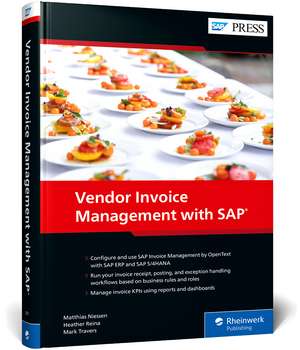
Vendor Invoice Management with SAP
Autor Matthias Niessen, Heather Reina, Mark Traversen Limba Engleză Hardback – 17 ian 2023
Gestionarea manuală a facturilor de la furnizori generează adesea blocaje în fluxul de numerar și erori operaționale greu de remediat. Descoperim în această lucrare tehnică soluția pentru automatizarea completă a acestor procese prin SAP Invoice Management by OpenText. Remarcăm modul în care autorii abordează tranziția de la SAP ERP la SAP S/4HANA, oferind configurații specifice pentru ambele medii, de la crearea regulilor de business până la definirea rolurilor personalizate. Subliniem integrarea tehnologiilor de machine learning, care permit sistemului să învețe din datele istorice pentru a optimiza recepția și verificarea documentelor, reducând intervenția umană la gestionarea excepțiilor și aprobări finale. Ca și Brijesh Singh în Reporting with SAP S/4HANA: Business User Guide, autorii distilează experiență reală în principii acționabile, punând un accent deosebit pe vizibilitatea datelor. În timp ce Singh se concentrează pe raportarea generală prin SAP Fiori, Matthias Niessen, Heather Reina și Mark Travers aplică această rigoare analitică strict asupra fluxului de conturi creditoare (Accounts Payable). Structura cărții ghidează cititorul prin fazele de implementare, de la îmbogățirea datelor până la utilizarea instrumentelor de raportare pentru conformitate, transformând un proces administrativ greoi într-un flux digitalizat eficient.
Preț: 454.77 lei
Preț vechi: 568.45 lei
-20%
Carte indisponibilă temporar
Specificații
ISBN-10: 1493223518
Pagini: 446
Dimensiuni: 183 x 262 x 32 mm
Greutate: 1.09 kg
Ediția:Nouă
Editura: Rheinwerk Publishing Inc.
De ce să citești această carte
Recomandăm această resursă consultanților funcționali și managerilor financiari care doresc să elimine procesarea manuală a facturilor. Veți câștiga expertiză în configurarea VIM și implementarea machine learning pentru automatizarea verificărilor, asigurând astfel o mai bună conformitate și o vizibilitate sporită asupra resurselor operaționale prin instrumente de raportare avansate.
Despre autor
Matthias Niessen, Heather Reina și Mark Travers sunt experți recunoscuți în ecosistemul SAP, specializați în soluții de gestionare a conținutului și automatizarea proceselor financiare. Matthias Niessen are o vastă experiență în implementarea soluțiilor OpenText integrate cu SAP, în timp ce Heather Reina și Mark Travers aduc perspective practice din proiecte complexe de transformare digitală. Colaborarea lor sub egida SAP Press Englisch asigură un nivel ridicat de acuratețe tehnică, adaptat cerințelor actuale de migrare către SAP S/4HANA.
Notă biografică
Descriere
Cuprins
... The Synergies of Digital Transformation ... 15
... The Modernization of Accounts Payable ... 18
... The Bigger Picture ... 21
1 ... Getting Started with SAP Invoice Management ... 25
1.1 ... Basic Concepts ... 26
1.2 ... Packaging and Installation ... 36
1.3 ... Deployment Options ... 41
1.4 ... Summary ... 45
2 ... Automating Invoice Receipt ... 47
2.1 ... Basic Concepts ... 48
2.2 ... Configuring Archiving ... 53
2.3 ... Configuring Invoice Receipt ... 70
2.4 ... Converting Invoices ... 87
2.5 ... Connecting Inbound Channels to Invoice Processing ... 122
2.6 ... Summary ... 124
3 ... Enriching Invoice Data with Machine Learning ... 127
3.1 ... Basic Concepts ... 128
3.2 ... Configuring a Determination Logic ... 134
3.3 ... Generic Enrichments ... 136
3.4 ... Purchase Order Invoice Enrichments ... 140
3.5 ... Non-Purchase Order Invoice Enrichments ... 151
3.6 ... Summary ... 159
4 ... Checking Invoices with Business Rules ... 161
4.1 ... Aspects of Business Rules ... 162
4.2 ... Determining Process Types ... 164
4.3 ... Assigning Business Rules to Process Types ... 167
4.4 ... Creating Custom Rules ... 169
4.5 ... Auditing Invoices ... 174
4.6 ... Duplicate Checking ... 176
4.7 ... Leveraging the Business Rules Framework ... 179
4.8 ... Summary ... 186
5 ... Assigning Tasks through Business Roles ... 187
5.1 ... SAP Invoice Management Role-Based Framework ... 187
5.2 ... Baseline Roles in SAP Invoice Management ... 190
5.3 ... Configuring Roles ... 197
5.4 ... Creating Custom Roles ... 205
5.5 ... Testing Business Roles ... 207
5.6 ... Best Practices for Role Design and Implementation ... 208
5.7 ... Summary ... 209
6 ... Resolving Exceptions ... 211
6.1 ... Anatomy of an Action ... 211
6.2 ... Creating Custom Actions ... 215
6.3 ... Assigning Actions to Business Rules ... 224
6.4 ... Summary ... 227
7 ... Posting and Parking Invoices ... 229
7.1 ... Finalizing an Auto-Posting Invoice ... 230
7.2 ... Managing Blocking Workflows ... 235
7.3 ... Working with Parked Invoices ... 240
7.4 ... Summary ... 245
8 ... Approving Invoices without Purchase Orders ... 247
8.1 ... Defining Approval Strategies ... 247
8.2 ... Level-Based Approvals ... 249
8.3 ... Approval Flow Settings ... 250
8.4 ... Configuring Responsibilities via the Chart of Authority ... 257
8.5 ... Document Processing: Parked and Posted Approvals ... 268
8.6 ... Summary ... 275
9 ... Designing Your Invoice Management System ... 277
9.1 ... Configuring the Basic Settings for a Document Type ... 277
9.2 ... Considering Regional Variants ... 282
9.3 ... Determining the Document Type ... 286
9.4 ... Setting Up Users, Roles, Priorities, and Authorizations ... 289
9.5 ... Setting Up Notifications ... 291
9.6 ... Setting Up the Return to Vendor Function ... 293
9.7 ... Implementing Test Strategies ... 295
9.8 ... Summary ... 297
10 ... Reporting and Compliance ... 299
10.1 ... Basic Data Collection ... 300
10.2 ... Central Reports ... 305
10.3 ... Reports for Real-Time Invoice Status ... 313
10.4 ... Reports for Invoice Lifecycle ... 325
10.5 ... Visualizing Report Data ... 328
10.6 ... Meeting Compliance Requirements ... 331
10.7 ... Summary ... 335
11 ... Maximizing the User Experience ... 337
11.1 ... User Interfaces ... 338
11.2 ... Document Processing Dashboard ... 339
11.3 ... Approval Dashboard ... 346
11.4 ... Invoice Exception Dashboard ... 354
11.5 ... SAP Fiori Applications ... 358
11.6 ... Configuring and Maintaining SAP Fiori Task App Perspectives ... 369
11.7 ... Summary ... 375
12 ... Managing Complex Infrastructures ... 377
12.1 ... Considering Your Integration Architecture ... 377
12.2 ... Configuring the System Landscape Directory ... 379
12.3 ... Working across Multiple Systems ... 384
12.4 ... Centralizing Reporting ... 386
12.5 ... Integration with Central Finance ... 389
12.6 ... Working with External Procurement Solutions ... 390
12.7 ... Summary ... 397
13 ... Preparing for an SAP Invoice Management Project ... 399
13.1 ... Selecting the Project Methodology for an SAP Invoice Management Deployment ... 400
13.2 ... Designing a Training Strategy ... 422
13.3 ... Accessing Product Documentation ... 428
13.4 ... Summary ... 432
... Conclusion ... 433
... The Authors ... 437
... Index ... 439