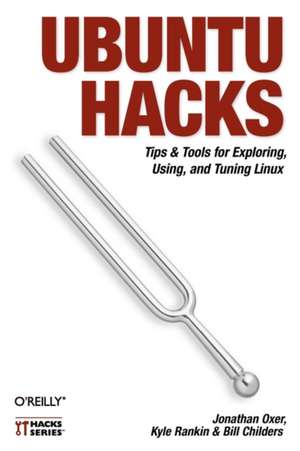
Ubuntu Hacks
Autor Jonathan Oxer, Kyle Rankin, Bill Childersen Limba Engleză Paperback – 18 iul 2006
Ubuntu Hacks is your one-stop source for all of the community knowledge you need to get the most out of Ubuntu: a collection of 100 tips and tools to help new and experienced Linux users install, configure, and customize Ubuntu. With this set of hacks, you can get Ubuntu Linux working exactly the way you need it to. Learn how to:
- Install and test-drive Ubuntu Linux.
- Keep your system running smoothly
- Turn Ubuntu into a multimedia powerhouse: rip and burn discs, watch videos, listen to music, and more
- Take Ubuntu on the road with Wi-Fi wireless networking, Bluetooth, etc.
- Hook up multiple displays and enable your video card's 3-D acceleration
- Run Ubuntu with virtualization technology such as Xen and VMware
- Tighten your system's security
- Set up an Ubuntu-powered server
"Put in a nutshell, this book is a collection of around 100 tips and tricks which the authors choose to call hacks, which explain how to accomplish various tasks in Ubuntu Linux. The so called hacks range from down right ordinary to the other end of the spectrum of doing specialised things...More over, each and every tip in this book has been tested by the authors on the latest version of Ubuntu (Dapper Drake) and is guaranteed to work. In writing this book, it is clear that the authors have put in a lot of hard work in covering all facets of configuring this popular Linux distribution which makes this book a worth while buy."
-- Ravi Kumar, Slashdot.org
Preț: 150.54 lei
Preț vechi: 188.17 lei
-20%
Puncte Express: 226
Carte disponibilă
Livrare economică 18 noiembrie-02 decembrie
Livrare prin curier în România Termenul estimat este afișat lângă disponibilitate.
Transport gratuit de la 400.00 lei Plată online sau ramburs, în funcție de opțiunile comenzii.
Retur gratuit în 14 zile Comandă securizată și suport în română.
Specificații
ISBN-13: 9780596527204
ISBN-10: 0596527209
Pagini: 447
Dimensiuni: 156 x 228 x 29 mm
Greutate: 0.61 kg
Editura: O'Reilly
Locul publicării:United States
ISBN-10: 0596527209
Pagini: 447
Dimensiuni: 156 x 228 x 29 mm
Greutate: 0.61 kg
Editura: O'Reilly
Locul publicării:United States
V-ar putea interesa
-
 Minecraft Tips, Tricks and HacksMojang ABPreț: 42.81 lei
 -
 Hack Your HomeTanya MukendiPreț: 108.32 lei
 -
 -20%Preț: 340.35 lei425.43 lei
 -
 PHP HacksJack D. Herrington-20%Preț: 135.33 lei169.16 lei
 -
 Linux Bible, Tenth EditionC Negus-20%Preț: 351.39 lei439.24 lei
 -
 Ubuntu Linux BibleD Clinton-20%Preț: 259.62 lei324.52 lei
 -
 Linux All-in-One For Dummies, 7th EditionRichard Blum-20%Preț: 188.41 lei235.52 lei
 -
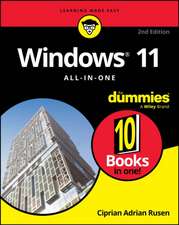 Windows 11 All-in-One For Dummies, 2nd EditionCiprian Adrian Rusen-20%Preț: 214.39 lei267.99 lei
 -
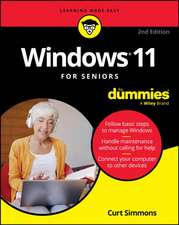 Windows 11 for Seniors for Dummies, 2nd EditionCurt Simmons-20%Preț: 118.48 lei148.10 lei
 -
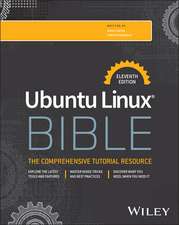 Ubuntu Linux Bible 11eChristopher Negus-20%Preț: 371.41 lei464.26 lei
 -
 Linux Command Line and Shell Scripting BibleRichard Blum-20%Preț: 410.86 lei513.56 lei
 -
 macOS Tahoe For DummiesHart-Davis-20%Preț: 147.87 lei184.84 lei
 -
 Pro Ubuntu Server AdministrationSander Van Vugt-20%Preț: 222.33 lei277.92 lei
 -
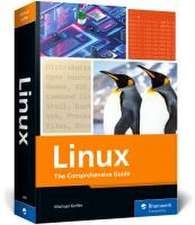 Linux: The Comprehensive Guide (1ST ed.)Michael Kofler-20%Preț: 358.34 lei447.93 lei
 -
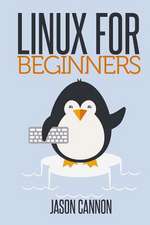 Linux for BeginnersJason Cannon-20%Preț: 131.95 lei164.93 lei
 -
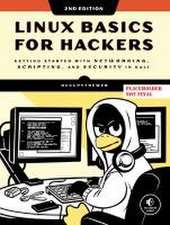 -36%Preț: 188.73 lei295.98 lei
 -
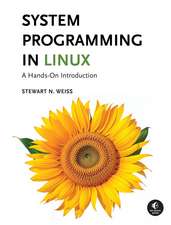 System Programming in Linux: A Hands-On IntroductionStewart Weiss-35%Preț: 481.65 lei739.15 lei
 -
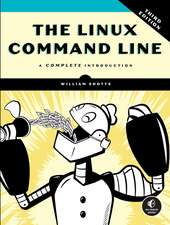 The Linux Command Line, 3rd Edition: A Complete IntroductionWilliam Shotts-34%Preț: 247.82 lei374.07 lei
 -
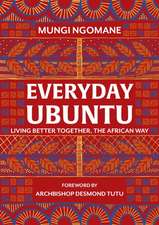 Everyday UbuntuNompumelelo Mungi Ngomane-17%Preț: 91.70 lei110.17 lei
Cuprins
Credits;
About the Authors;
Contributors;
Acknowledgments;
Preface;
Why Ubuntu Hacks?;
How to Use This Book;
How This Book Is Organized;
Conventions Used in This Book;
Using Code Examples;
Safari Enabled;
How to Contact Us;
Got a Hack?;
Chapter 1: Getting Started;
1 Test-Drive Ubuntu;
2 Get Help;
3 Make Live CD Data Persistent;
4 Customize the Ubuntu Live CD;
5 Install Ubuntu;
6 Dual-Boot Ubuntu and Windows;
7 Move Your Windows Data to Ubuntu;
8 Install Ubuntu on a Mac;
9 Set Up Your Printer;
10 Install Ubuntu on an External Drive;
11 Install from a Network Boot Server;
12 Submit a Bug Report;
13 Use the Command Line;
14 Get Productive with Applications;
Chapter 2: The Linux Desktop;
15 Get Under the Hood of the GNOME Desktop;
16 Tweak the KDE Desktop;
17 Switch to a Lighter Window Manager;
18 Install Java;
19 Search Your Computer;
20 Access Remote Filesystems;
21 Tweak Your Desktop Like a Pro;
22 Sync Your Palm PDA;
23 Sync Your Pocket PC;
24 Customize the Right-Click Contextual Menu;
25 Download and Share Files with the Best P2P Software;
26 Make Your Own PDFs;
27 Blog with Ubuntu;
Chapter 3: Multimedia;
28 Install Multimedia Plug-ins;
29 Watch Videos;
30 Play DVDs;
31 Buy Songs at the iTunes Music Store;
32 Get a Grip on CD Ripping;
33 Burn CDs and DVDs;
34 Automate Audio CD Burning;
35 Rip and Encode DVDs;
36 Create a Video DVD;
37 Connect to a Digital Camera;
Chapter 4: Mobile Ubuntu;
38 Put Your Laptop to Sleep;
39 Hibernate Your Laptop;
40 Prolong Your Battery Life;
41 Get Proprietary Wireless Cards Working;
42 Roam Wirelessly;
43 Make Laptop Settings Roam with Your Network;
44 Make Bluetooth Connections;
45 Expand Your Laptop;
46 Hotswap Your Laptop's Optical Drive;
Chapter 5: X11;
47 Configure Multibutton Mice;
48 Enable Your Multimedia Keyboard;
49 Configure a Touchpad;
50 Connect Multiple Displays;
51 Change the Ubuntu Splash Screen;
52 Enable 3-D Video Acceleration;
53 Make Your Fonts Pretty;
Chapter 6: Package Management;
54 Manage Packages from the Command Line;
55 Manage Packages with Synaptic;
56 Manage Packages with Adept;
57 Install and Remove Standalone .deb Files;
58 Search for Packages from the Command Line;
59 Install Software from Source;
60 Modify the List of Package Repositories;
61 Cache Packages Locally with Apt-cacher;
62 Create an Ubuntu Package;
63 Compile a Source Package;
64 Convert Non-Ubuntu Packages;
65 Create Your Own Package Repository;
66 Convert Debian to Ubuntu;
Chapter 7: Security;
67 Limit Permissions with sudo;
68 Manage Security Updates;
69 Protect Your Network with a Firewall;
70 Use an Encrypted Filesystem to Protect Your Data;
71 Encrypt Your Email and Important Files;
72 Surf the Web Anonymously;
73 Keep Windows Malware off Your System;
Chapter 8: Administration;
74 Edit Configuration Files;
75 Manage Users and Groups;
76 Mount Any Filesystem;
77 Control Startup Services;
78 Build Kernels the Ubuntu Way;
79 Back Up Your System;
80 Clone an Installation;
81 Rescue an Unbootable System;
82 Check the Captain's Log;
83 Mount Removable Devices with Persistent Names;
84 Mount Remote Directories Securely and Easily;
85 Make Videos of Your Tech-Support Questions;
86 Synchronize Files Across Machines;
Chapter 9: Virtualization and Emulation;
87 Run Windows Applications;
88 Play Windows Games;
89 Run Ubuntu Inside Windows;
90 Use Xen to Host Virtual Machines;
91 Create an Ubuntu/Xen Virtual Machine;
92 Split Your Machine's Personality;
Chapter 10: Small Office/Home Office Server;
93 Install and Configure an Ubuntu Server;
94 Build a File Server;
95 Administer Your Server Remotely;
96 Build a Web Server;
97 Build an Email Server;
98 Build a Caching Proxy Server;
99 Build a DHCP Server;
100 Build a Domain Name Server;
Colophon;
About the Authors;
Contributors;
Acknowledgments;
Preface;
Why Ubuntu Hacks?;
How to Use This Book;
How This Book Is Organized;
Conventions Used in This Book;
Using Code Examples;
Safari Enabled;
How to Contact Us;
Got a Hack?;
Chapter 1: Getting Started;
1 Test-Drive Ubuntu;
2 Get Help;
3 Make Live CD Data Persistent;
4 Customize the Ubuntu Live CD;
5 Install Ubuntu;
6 Dual-Boot Ubuntu and Windows;
7 Move Your Windows Data to Ubuntu;
8 Install Ubuntu on a Mac;
9 Set Up Your Printer;
10 Install Ubuntu on an External Drive;
11 Install from a Network Boot Server;
12 Submit a Bug Report;
13 Use the Command Line;
14 Get Productive with Applications;
Chapter 2: The Linux Desktop;
15 Get Under the Hood of the GNOME Desktop;
16 Tweak the KDE Desktop;
17 Switch to a Lighter Window Manager;
18 Install Java;
19 Search Your Computer;
20 Access Remote Filesystems;
21 Tweak Your Desktop Like a Pro;
22 Sync Your Palm PDA;
23 Sync Your Pocket PC;
24 Customize the Right-Click Contextual Menu;
25 Download and Share Files with the Best P2P Software;
26 Make Your Own PDFs;
27 Blog with Ubuntu;
Chapter 3: Multimedia;
28 Install Multimedia Plug-ins;
29 Watch Videos;
30 Play DVDs;
31 Buy Songs at the iTunes Music Store;
32 Get a Grip on CD Ripping;
33 Burn CDs and DVDs;
34 Automate Audio CD Burning;
35 Rip and Encode DVDs;
36 Create a Video DVD;
37 Connect to a Digital Camera;
Chapter 4: Mobile Ubuntu;
38 Put Your Laptop to Sleep;
39 Hibernate Your Laptop;
40 Prolong Your Battery Life;
41 Get Proprietary Wireless Cards Working;
42 Roam Wirelessly;
43 Make Laptop Settings Roam with Your Network;
44 Make Bluetooth Connections;
45 Expand Your Laptop;
46 Hotswap Your Laptop's Optical Drive;
Chapter 5: X11;
47 Configure Multibutton Mice;
48 Enable Your Multimedia Keyboard;
49 Configure a Touchpad;
50 Connect Multiple Displays;
51 Change the Ubuntu Splash Screen;
52 Enable 3-D Video Acceleration;
53 Make Your Fonts Pretty;
Chapter 6: Package Management;
54 Manage Packages from the Command Line;
55 Manage Packages with Synaptic;
56 Manage Packages with Adept;
57 Install and Remove Standalone .deb Files;
58 Search for Packages from the Command Line;
59 Install Software from Source;
60 Modify the List of Package Repositories;
61 Cache Packages Locally with Apt-cacher;
62 Create an Ubuntu Package;
63 Compile a Source Package;
64 Convert Non-Ubuntu Packages;
65 Create Your Own Package Repository;
66 Convert Debian to Ubuntu;
Chapter 7: Security;
67 Limit Permissions with sudo;
68 Manage Security Updates;
69 Protect Your Network with a Firewall;
70 Use an Encrypted Filesystem to Protect Your Data;
71 Encrypt Your Email and Important Files;
72 Surf the Web Anonymously;
73 Keep Windows Malware off Your System;
Chapter 8: Administration;
74 Edit Configuration Files;
75 Manage Users and Groups;
76 Mount Any Filesystem;
77 Control Startup Services;
78 Build Kernels the Ubuntu Way;
79 Back Up Your System;
80 Clone an Installation;
81 Rescue an Unbootable System;
82 Check the Captain's Log;
83 Mount Removable Devices with Persistent Names;
84 Mount Remote Directories Securely and Easily;
85 Make Videos of Your Tech-Support Questions;
86 Synchronize Files Across Machines;
Chapter 9: Virtualization and Emulation;
87 Run Windows Applications;
88 Play Windows Games;
89 Run Ubuntu Inside Windows;
90 Use Xen to Host Virtual Machines;
91 Create an Ubuntu/Xen Virtual Machine;
92 Split Your Machine's Personality;
Chapter 10: Small Office/Home Office Server;
93 Install and Configure an Ubuntu Server;
94 Build a File Server;
95 Administer Your Server Remotely;
96 Build a Web Server;
97 Build an Email Server;
98 Build a Caching Proxy Server;
99 Build a DHCP Server;
100 Build a Domain Name Server;
Colophon;