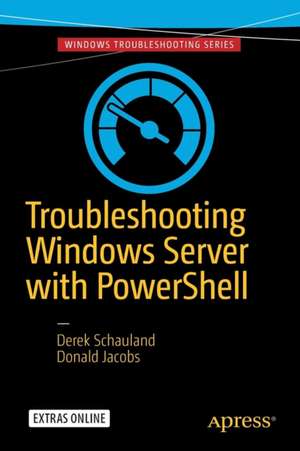
Troubleshooting Windows Server with PowerShell
Autor Derek Schauland, Donald Jacobsen Limba Engleză Paperback – 30 apr 2016
Adresat administratorilor de sistem, profesioniștilor IT și personalului de suport care doresc să își optimizeze fluxul de lucru, Troubleshooting Windows Server with PowerShell propune o tranziție pragmatică de la utilizarea interfeței grafice la precizia liniei de comandă. În loc să navigăm prin meniuri complexe, remarcăm cum autorii Derek Schauland și Donald Jacobs prioritizează utilizarea cmdlet-urilor native pentru a identifica și rezolva problemele de infrastructură într-un timp record. Structura volumului este una progresivă și axată pe scenarii reale de mentenanță. Primele capitole stabilesc fundamentul teoretic al depanării prin PowerShell, trecând rapid la aplicații critice: analiza Windows Event Log, interogarea configurațiilor hardware și gestionarea spațiului pe disc. Merită menționat că autorii alocă spațiu generos unor sarcini cotidiene, precum verificarea actualizărilor de sistem instalate, monitorizarea proceselor active și controlul serviciilor, toate realizabile fără a accesa desktop-ul serverului. Dacă Windows Powershell for Administration de William Stanek v-a oferit cadrul teoretic și procedurile de bază pentru administrarea generală, această carte oferă instrumentele practice specifice fazei de diagnosticare. Spre deosebire de lucrările mai vaste ale autorului, cum este Exam Ref AZ-300 Microsoft Azure Architect Technologies, care vizează arhitectura de cloud și certificarea profesională, acest titlu publicat de Apress se concentrează strict pe eficiența operațională în mediile on-premise. Ritmul este alert, axat pe soluții imediate care transformă PowerShell dintr-o opțiune într-un instrument indispensabil în trusa oricărui administrator.
Preț: 330.46 lei
Preț vechi: 413.08 lei
-20%
Carte tipărită la comandă
Livrare economică 02-16 decembrie
Specificații
ISBN-10: 1484218507
Pagini: 144
Ilustrații: XXIV, 121 p. 57 illus. in color.
Dimensiuni: 155 x 235 x 9 mm
Greutate: 0.21 kg
Ediția:1st edition
Editura: Apress
Locul publicării:Berkeley, CA, United States
V-ar putea interesa
-
 -20%Preț: 236.79 lei295.98 lei
 -
 Hyper-V for VMware AdministratorsBrien Posey-20%Preț: 301.86 lei377.33 lei
 -
 -20%Preț: 84.34 lei105.42 lei
 -
 Windows 10 Development RecipesSenthil Kumar-20%Preț: 333.14 lei416.43 lei
 -
 Develop on YammerPathik Rawal-20%Preț: 274.16 lei342.70 lei
 -
 File Management Made Simple, Windows EditionJoseph Moran-20%Preț: 211.36 lei264.19 lei
 -
 Continuous Delivery with Visual Studio ALM 2015Mathias Olausson-20%Preț: 299.70 lei374.63 lei
 -
 Beginning F# 4.0Robert Pickering-20%Preț: 319.97 lei399.97 lei
 -
 DevOps on the Microsoft StackWouter De Kort-20%Preț: 409.39 lei511.74 lei
 -
 Unlocking Blockchain on AzureShilpa Karkeraa-20%Preț: 211.14 lei263.92 lei
 -
 Beginning Microsoft Power BIDan Clark-20%Preț: 274.66 lei343.32 lei
 -
 The Modern Data Warehouse in AzureMatt How-20%Preț: 296.93 lei371.15 lei
 -
 The SQL Server DBA's Guide to Docker ContainersEdwin M Sarmiento-20%Preț: 322.55 lei403.20 lei
 -
 -20%Preț: 275.57 lei344.46 lei
 -
 Immersive Office 365Alexander Meijers-20%Preț: 139.27 lei174.09 lei
 -
 Microsoft AzureJulian Soh-20%Preț: 335.86 lei419.82 lei
 -
 Design Patterns in CVaskaran Sarcar-20%Preț: 303.19 lei378.98 lei
 -
 Essential Excel 2019David Slager-20%Preț: 420.82 lei526.03 lei
 -
 SQL Server Data Automation Through FrameworksAndy Leonard-20%Preț: 230.33 lei287.91 lei
 -
 Self-Service AI with Power BI DesktopMarkus Ehrenmueller-Jensen-20%Preț: 334.89 lei418.61 lei
 -
 The Complete ASP.NET Core 3 API TutorialLes Jackson-20%Preț: 278.87 lei348.58 lei
 -
 Building Better PowerShell CodeAdam Bertram-20%Preț: 255.23 lei319.04 lei
 -
 Pro Microsoft Power BI AdministrationÁsgeir Gunnarsson-20%Preț: 266.31 lei332.89 lei
De ce să citești această carte
Recomandăm această carte administratorilor Windows care vor să reducă dependența de instrumente externe și de interfața grafică. Veți câștiga abilitatea de a diagnostica rapid problemele de hardware, procese și servicii direct din linia de comandă. Este un ghid esențial pentru cei care doresc să automatizeze depanarea și să răspundă mai rapid incidentelor tehnice, folosind resursele incluse nativ în sistemul de operare.
Despre autor
Derek Schauland este Microsoft MVP (Most Valuable Professional) cu o experiență de peste 15 ani în suport tehnic și administrarea sistemelor Microsoft. În ultimul deceniu, a contribuit constant la numeroase publicații tehnice, ajutând comunitatea IT să înțeleagă și să adopte noile tehnologii. Este co-fondator al Tech On Tap Training Series, o organizație non-profit dedicată dezvoltării profesionale și networking-ului în industria tehnologiei informației. Expertiza sa practică în ecosistemul Windows se reflectă în abordarea aplicată a acestui volum.
Descriere scurtă
Authors Derek Schauland and Donald Jacobs take you through a range of examples, showing you how to gather information from different computer sources. Whether you are logged into the server locally or just wanting to check the status of a server from your local computer, the right PowerShell cmdlets can give you a lot of information quickly, and allow you to troubleshoot your servers from the command line with little interaction with the server's desktop.
In this book, you'll learn how PowerShell can help you:
- Understand PowerShell versus the GUI
- Gather information from Windows event logs
- Gather information from your server,including memory, hardware configurations, and disk space available
- Find out what applications are installed on a server
- Find out which Windows updates have been installed on your computer
- Check the processes running on your computer and gather information about them, or start and stop them from the command line
- Quickly check if services are running, and stop or start them as needed