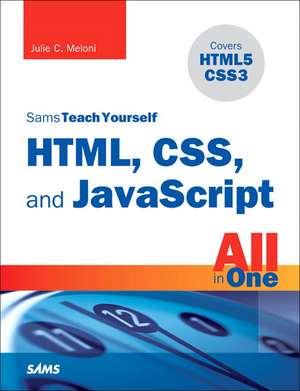
Sams Teach Yourself HTML, CSS, and JavaScript All in One
en Paperback – 31 oct 2011
Preț: 167.90 lei
Puncte Express: 252
Carte nepublicată încă
Doresc să fiu notificat când acest titlu va fi disponibil:
Se trimite...
Specificații
ISBN-13: 9780672333323
ISBN-10: 0672333325
Pagini: 598
Dimensiuni: 191 x 226 x 33 mm
Greutate: 1 kg
Ediția:New.
Editura: Sams Publishing
Locul publicării:Indianapolis, United States
ISBN-10: 0672333325
Pagini: 598
Dimensiuni: 191 x 226 x 33 mm
Greutate: 1 kg
Ediția:New.
Editura: Sams Publishing
Locul publicării:Indianapolis, United States
Descriere
The all-in-one HTML, CSS and JavaScript beginner's guide: covering the three most important languages for web development!
Mastering HTML, CSS, and JavaScript is vital for any beginning web developer - and the importance of these technologies is growing as web development moves away from proprietary alternatives such as Flash. Sams Teach Yourself HTML, CSS, and JavaScript All in One brings together everything beginners need to build powerful web applications with the new HTML5 and CSS3 standards and the latest JavaScript and Ajax libraries. With this book, beginners can get all the modern web development knowledge you need from one expert source. Bestselling author Julie Meloni (Sams Teach Yourself PHP, MySQL and Apache All in One) teaches simply and clearly, through brief, hands-on lessons focused on knowledge you can apply immediately. Meloni covers all the building blocks of practical web design and development, integrating new techniques and features into every chapter. Each lesson builds on what's come before, showing you exactly how to use HTML5, CSS3, and JavaScript together to create great web sites. Coverage includes all this, and much more: " Working with HTML5 text, fonts, tables, links, graphics, and multimedia " Advanced web page design with CSS3, including lists, fixed and liquid layouts, and designing for devices " Web Scripting with JavaScript, including DOM, syntax, functions, and libraries " Extending JavaScript with Ajax " Advanced site functionality and management, from site organization through search engine optimization
- Covers everything beginners need to know about the new HTML5 and CSS3 standards and today's JavaScript and Ajax libraries - all in one book, for the first time
- Integrated, well-organized coverage expertly shows how to use all these key technologies together
- Short, simple lessons teach hands-on skills readers can apply immediately
- By best-selling author Julie Meloni
Mastering HTML, CSS, and JavaScript is vital for any beginning web developer - and the importance of these technologies is growing as web development moves away from proprietary alternatives such as Flash. Sams Teach Yourself HTML, CSS, and JavaScript All in One brings together everything beginners need to build powerful web applications with the new HTML5 and CSS3 standards and the latest JavaScript and Ajax libraries. With this book, beginners can get all the modern web development knowledge you need from one expert source. Bestselling author Julie Meloni (Sams Teach Yourself PHP, MySQL and Apache All in One) teaches simply and clearly, through brief, hands-on lessons focused on knowledge you can apply immediately. Meloni covers all the building blocks of practical web design and development, integrating new techniques and features into every chapter. Each lesson builds on what's come before, showing you exactly how to use HTML5, CSS3, and JavaScript together to create great web sites. Coverage includes all this, and much more: " Working with HTML5 text, fonts, tables, links, graphics, and multimedia " Advanced web page design with CSS3, including lists, fixed and liquid layouts, and designing for devices " Web Scripting with JavaScript, including DOM, syntax, functions, and libraries " Extending JavaScript with Ajax " Advanced site functionality and management, from site organization through search engine optimization
Cuprins
Part I. Getting Started on the Web
1. Understanding Web Servers and Web Browsers
2. Publishing Pages on the Web
3. Understanding HTML and XHTML
4. Understanding CSS
5. Understanding JavaScript
Part II. Building Blocks of HTML
6. Working with Text and Fonts
7. Using Tables to Display Information
8. Using Internal and External Links
9. Working with Colors
10. Creating Graphics for Use on the Web
11. Using Graphics in Your Web Site
12. Using Multimedia in Your Web Site
13. Working with Frames
Part III. Advanced Web Page Design with CSS
14. Understanding the CSS Box Model
15. Working with Margins, Padding, and Alignment
16. Using CSS to Do More With Lists
17. Using CSS for Navigation Elements
18. Implementing Content Pop-Ups with CSS
19. Creating Fixed versus Liquid Layouts
20. Creating Print-Friendly Designs
21. Designing for Devices
Part IV. Introducing Web Scripting and JavaScript
22. Understanding JavaScript
23. Creating Simple Scripts
24. Getting Started with JavaScript Programming
25. Working with the Document Object Model
Part V. Learning JavaScript Basics
26. Using Variables, Strings and Arrays
27. Using Functions and Objects
28. Controlling Flow with Conditions and Loops
29. Using Built-In Functions and Libraries
Part VI. Extending JavaScript with Ajax
30. Anatomy of an Ajax Application
31. The XMLHTTPRequest Object
32. Talking with the Server
33. Using the Returned Data
34. A First Ajax Application
Part VII. Advanced Web Site Functionality and Management
35. Accessibility, Standards and Testing
36. Organizing and Managing a Web Site
37. Search Engine Optimization Helping People Find Your Web Pages
Part V. Appendixes
Appendix A. HTML, CSS and JavaScript Resources on the Internet
Appendix B. HTML, CSS and JavaScript Quick Reference Glossary
1. Understanding Web Servers and Web Browsers
2. Publishing Pages on the Web
3. Understanding HTML and XHTML
4. Understanding CSS
5. Understanding JavaScript
Part II. Building Blocks of HTML
6. Working with Text and Fonts
7. Using Tables to Display Information
8. Using Internal and External Links
9. Working with Colors
10. Creating Graphics for Use on the Web
11. Using Graphics in Your Web Site
12. Using Multimedia in Your Web Site
13. Working with Frames
Part III. Advanced Web Page Design with CSS
14. Understanding the CSS Box Model
15. Working with Margins, Padding, and Alignment
16. Using CSS to Do More With Lists
17. Using CSS for Navigation Elements
18. Implementing Content Pop-Ups with CSS
19. Creating Fixed versus Liquid Layouts
20. Creating Print-Friendly Designs
21. Designing for Devices
Part IV. Introducing Web Scripting and JavaScript
22. Understanding JavaScript
23. Creating Simple Scripts
24. Getting Started with JavaScript Programming
25. Working with the Document Object Model
Part V. Learning JavaScript Basics
26. Using Variables, Strings and Arrays
27. Using Functions and Objects
28. Controlling Flow with Conditions and Loops
29. Using Built-In Functions and Libraries
Part VI. Extending JavaScript with Ajax
30. Anatomy of an Ajax Application
31. The XMLHTTPRequest Object
32. Talking with the Server
33. Using the Returned Data
34. A First Ajax Application
Part VII. Advanced Web Site Functionality and Management
35. Accessibility, Standards and Testing
36. Organizing and Managing a Web Site
37. Search Engine Optimization Helping People Find Your Web Pages
Part V. Appendixes
Appendix A. HTML, CSS and JavaScript Resources on the Internet
Appendix B. HTML, CSS and JavaScript Quick Reference Glossary
Notă biografică
Julie C. Meloni is Lead Technologist and Architect in the Online Library Environment at the University of Virginia. Before coming to the library she worked for more than 15 years in web application development for various corporations large and small in Silicon Valley. She has written several books and articles on Web-based programming languages and database topics, including the bestselling Sams Teach Yourself PHP, MySQL, and Apache All in One.