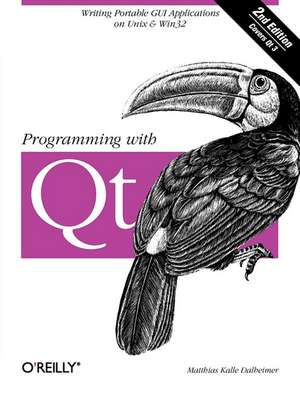
Programming with Qt
Autor Matthias Kalle Dalheimeren Limba Engleză Paperback – 26 feb 2002
Preț: 283.47 lei
Preț vechi: 354.35 lei
-20%
Puncte Express: 425
Carte tipărită la comandă
Livrare economică 07-21 decembrie
Livrare prin curier în România Termenul estimat este afișat lângă disponibilitate.
Transport gratuit de la 400.00 lei Plată online sau ramburs, în funcție de opțiunile comenzii.
Retur gratuit în 14 zile Comandă securizată și suport în română.
Specificații
ISBN-13: 9780596000646
ISBN-10: 0596000642
Pagini: 520
Dimensiuni: 179 x 236 x 30 mm
Greutate: 0.75 kg
Ediția:2nd edition
Editura: O'Reilly
ISBN-10: 0596000642
Pagini: 520
Dimensiuni: 179 x 236 x 30 mm
Greutate: 0.75 kg
Ediția:2nd edition
Editura: O'Reilly
V-ar putea interesa
-
 Ado: ActiveX Data ObjectsJason T Roff-20%Preț: 243.36 lei304.20 lei
 -
 Building Internet FirewallsElizabeth D Zwicky-20%Preț: 381.37 lei476.72 lei
Cuprins
Preface; A Productive Weekend; What You Should Know; Organization of This Book; Conventions Used in This Book; Comments and Questions; Acknowledgments; Chapter 1: Introduction; 1.1 Why GUI Toolkits?; 1.2 Why Portability?; 1.3 Why Qt?; 1.4 Implementing Cross-Platform GUI Libraries; 1.5 Acquiring Qt; 1.6 Compiling and Installing Qt; 1.7 C++ as Used by Qt; 1.8 Getting Help; Chapter 2: First Steps in Qt Programming; 2.1 Hello, world!; 2.2 Using the Qt Reference Documentation; 2.3 Adding an Exit Button; 2.4 Introduction to Signals and Slots; 2.5 Event Handling and Simple Drawings with QPainter; Chapter 3: Learning More About Qt; 3.1 Adding Menus; 3.2 Adding a Scrolled View; 3.3 Adding a Context Menu; 3.4 File I/O; Chapter 4: A Guided Tour Through the Simple Widgets; 4.1 General Widget Parameters; 4.2 Widget Styles; 4.3 Buttons; 4.4 Selection Widgets; 4.5 Widgets for Bounded-Range Input; 4.6 Scrollbars; 4.7 Menu-Related Widgets; 4.8 Arrangers; 4.9 Tab-Related Widgets; 4.10 Text-Entry Fields; 4.11 Labels; 4.12 Widgets for the Office; 4.13 Progress Bars; 4.14 Scrolled Views; 4.15 List Views; 4.16 Icon Views; 4.17 Widgets for Tabular Material; 4.18 Widgets for Displaying Rich Text; Chapter 5: A Guided Tour Through the Qt Dialog Boxes; 5.1 Predefined Dialog Boxes; 5.2 Building Blocks for Your Own Dialog Boxes; Chapter 6: Using Layout Managers; 6.1 Layout Manager Basics; 6.2 Laying Out Widgets in Rows and Columns; 6.3 Nested Layout Managers; 6.4 Grid Layout; 6.5 Implicit Geometry Management; Chapter 7: Some Thoughts on GUI Design; Chapter 8: Container Classes; 8.1 Available Container Classes; 8.2 Choosing a Container Class; 8.3 Working with Reference-Based Container Classes; 8.4 Working with Value-Based Container Classes; Chapter 9: Graphics; 9.1 Animations; 9.2 Printing; 9.3 Managing Colors; 9.4 Basic QPainter: Drawing Figures; 9.5 Advanced QPainter; 9.6 Double-Buffering and Other Nifty Techniques; 9.7 Independently Movable Objects with QCanvas; 9.8 Working with Styles; 9.9 Loading and Saving Custom Image Formats; 9.10 Setting a Cursor; Chapter 10: Text Processing; 10.1 Internationalization and Localization of On-Screen Text; 10.2 Validating User Input; 10.3 Working with Regular Expressions; 10.4 Reading and Writing XML Files; 10.5 Rich Text; Chapter 11: Working with Files and Directories; 11.1 Reading a Text File; 11.2 Traversing a Directory; 11.3 File Information; 11.4 Reading and Writing Configuration Data; Chapter 12: Interapplication Communication; 12.1 Using the Clipboard; 12.2 Drag-and-Drop; Chapter 13: Interfacing with the Operating System; 13.1 Working with Date and Time Values; 13.2 Loading Code Libraries Dynamically; 13.3 Spawning Child Processes; 13.4 Playing Sounds; Chapter 14: Writing Your Own Widgets; 14.1 Implementing a Coordinate Selector; 14.2 Implementing a Browse Box; Chapter 15: Focus Handling; Chapter 16: Advanced Event Handling; 16.1 Event Filters; 16.2 Sending Synthetic Events; Chapter 17: Advanced Signals and Slots; 17.1 Signals and Slots Revisited; 17.2 Connecting Several Buttons to One Slot; 17.3 Actions; Chapter 18: Providing Help; Chapter 19: Accessing Databases; 19.1 Installation of the SQL Module; 19.2 Connecting to a Database; 19.3 Simple Data Retrieval; 19.4 Data Retrieval with Cursors; 19.5 Data Display; 19.6 Data Manipulation; 19.7 Anything Else?; Chapter 20: Multithreading; 20.1 Configuring Qt for Multithreading; 20.2 Using Qt's Multithreading Classes; 20.3 Multithreading Pitfalls; 20.4 Alternatives to Multithreading; Chapter 21: Debugging; Chapter 22: Portability; 22.1 Why Portability Is Desirable; 22.2 How to Write Portable Programs; 22.3 Danger Ahead: When Even Qt Is Not Portable; 22.4 Building Projects Portably with qmake; Chapter 23: Qt Network Programming; 23.1 Low-Level Socket Access; 23.2 Higher-Level Network Access; Chapter 24: Interfacing Qt with Other Languages and Libraries; 24.1 OpenGL Programming with Qt; 24.2 Writing Netscape Plug-ins; 24.3 Integrating Xt Widgets; 24.4 Interfacing Qt with Perl; Chapter 25: Using the Visual C++ IDE for Qt Programs; 25.1 Importing an Existing Makefile; 25.2 Creating Your Own Project from Scratch; 25.3 Using qmake to Create a Project File; 25.4 Using the MS Visual Studio Integration; Chapter 26: Visual Design with Qt Designer; 26.1 Why Do You Need A GUI Designer?; 26.2 Creating a Simple Application with the Help of Qt Designer; 26.3 Adding Functionality to a Dialog Box by Subclassing; 26.4 Using Layout Management; 26.5 Useful Techniques; Answers to Exercises; Answers to Exercises in Chapter 2; Answers to Exercises in Chapter 3; Colophon;