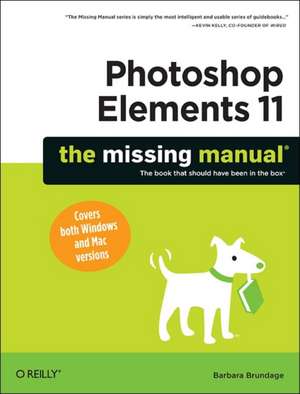
Photoshop Elements 11: The Missing Manual
Autor Barbara Brundageen Limba Engleză Paperback – 30 oct 2012
Pe linia practică a volumului Adobe Photoshop Elements 9 for Photographers de Philip Andrews, dar cu un focus extins pe fluxul de lucru complet și proiectele creative, Photoshop Elements 11: The Missing Manual se impune ca o resursă tehnică exhaustivă de 656 de pagini. Apreciem în mod deosebit modul în care Barbara Brundage reușește să demistifice interfața Adobe, transformând un software complex într-un instrument accesibil pentru fotografi și designeri aspiranți. Ne-a atras atenția rigoarea cu care sunt tratate procesele de restaurare: cititorul învață nu doar să elimine imperfecțiunile, ci să repare activ fotografii vechi, afectate de trecerea timpului. Spre deosebire de alte ghiduri care se limitează la ajustări de bază, acest manual de la O'Reilly explorează funcții avansate, cum ar fi manipularea textului pe forme curbe sau utilizarea straturilor (layers) și a stilurilor de strat pentru a adăuga profunzime compozițiilor. Structura este una progresivă, axată pe rezultate palpabile. Recomandăm atenția acordată organizării bibliotecii de imagini, un aspect tehnic critic deseori ignorat, dar esențial pentru un flux de lucru eficient. Tonul este direct, lipsit de jargon inutil, oferind soluții concrete pentru exportul fișierelor optimizate pentru web, social media sau tipar. Este o resursă care acoperă golul dintre utilizarea intuitivă și stăpânirea tehnică a instrumentelor de desen și pictură digitală integrate în versiunea 11.
Preț: 248.72 lei
Preț vechi: 310.90 lei
-20%
Carte disponibilă
Livrare economică 18 noiembrie-02 decembrie
Specificații
ISBN-10: 1449316131
Pagini: 656
Ilustrații: Illustrations
Dimensiuni: 182 x 239 x 30 mm
Greutate: 1.22 kg
Ediția:1
Editura: O'Reilly
V-ar putea interesa
-
 Adobe Photoshop Classroom in a Book 2025 ReleaseConrad Chavez-20%Preț: 431.28 lei539.10 lei
 -
 Adobe Photoshop Classroom in a Book 2026 ReleaseConrad ChavezPreț: 462.81 lei
 -
 Preț: 351.15 lei
 -
 Adobe Photoshop Visual QuickStart GuideNigel French-20%Preț: 239.37 lei299.21 lei
 -
 Adobe Photoshop Classroom in a Book (2023 release)Conrad Chavez-20%Preț: 391.11 lei488.89 lei
 -
 Digital Photography for the Over 50s In Simple StepsMarc CampbellPreț: 82.21 lei
 -
 Brilliant Photoshop CS6Steve Johnson-20%Preț: 97.84 lei122.29 lei
 -
 Photoshop Elements 2020 For DummiesB ObermeierPreț: 174.31 lei
 -
 Adobe Photoshop CC For Dummies, 3rd EditionPeter Bauer-20%Preț: 197.14 lei246.42 lei
 -
 -20%Preț: 214.95 lei268.69 lei
 -
 Preț: 200.09 lei
 -
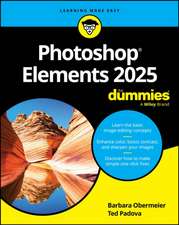 Photoshop Elements 2025 For DummiesBarbara Obermeier-20%Preț: 147.72 lei184.65 lei
 -
 Photoshop Elements For DummiesBarbara ObermeierPreț: 175.44 lei
 -
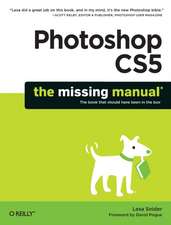 Photoshop Cs5: The Missing ManualLesa Snider-20%Preț: 282.72 lei353.40 lei
 -
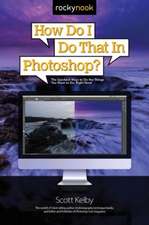 -25%Preț: 136.89 lei183.17 lei
 -
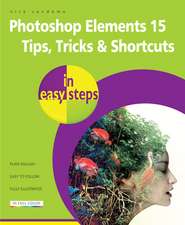 Preț: 92.42 lei
 -
 -20%Preț: 73.82 lei92.26 lei
De ce să citești această carte
Recomandăm această carte utilizatorilor care doresc să treacă de la simple retușuri la editare foto avansată și proiecte grafice complexe. Veți câștiga control total asupra straturilor, filtrelor și tehnicilor de restaurare, transformând arhiva personală în produse profesionale precum calendare sau albume digitale. Este ghidul tehnic definitiv pentru a exploata la maximum potențialul versiunii 11 a software-ului.
Descriere
Cuprins
- The Missing Credits
- Introduction
- Part 1: Introduction to Elements
- Chapter 1: Finding Your Way Around Elements
- Chapter 2: Importing, Managing, and Saving Photos
- Chapter 3: Rotating and Resizing Photos
- Part 2: Elemental Elements
- Chapter 4: The Quick Fix
- Chapter 5: Making Selections
- Chapter 6: Layers: The Heart of Elements
- Part 3: Retouching
- Chapter 7: Basic Image Retouching
- Chapter 8: Elements for Digital Photographers
- Chapter 9: Retouching: Fine-Tuning Images
- Chapter 10: Removing and Adding Color
- Chapter 11: Photomerge: Creating Panoramas, Group Shots, and More
- Part 4: Artistic Elements
- Chapter 12: Drawing with Brushes, Shapes, and Other Tools
- Chapter 13: Filters, Actions, Layer Styles, and Gradients
- Chapter 14: Text in Elements
- Part 5: Sharing Images
- Chapter 15: Creating Projects
- Chapter 16: Printing Photos
- Chapter 17: Email and the Web
- Chapter 18: Online Albums and Slideshows
- Part 6: Additional Elements
- Chapter 19: Beyond the Basics
- Part 7: Appendixes
- Installation and Troubleshooting