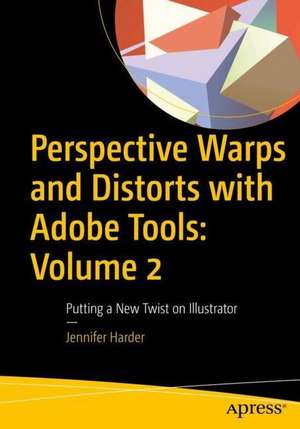
Perspective Warps and Distorts with Adobe Tools: Volume 2
Autor Jennifer Harderen Limba Engleză Paperback – 30 dec 2022
Destinată utilizatorilor de nivel începător și intermediar, această lucrare tehnică publicată de Apress demonstrează cum complexitatea instrumentelor de manipulare a formelor în Adobe Illustrator poate fi transformată într-un avantaj creativ major. Descoperim aici un ghid aplicat care elimină confuzia legată de multitudinea de filtre și efecte de distorsionare, oferind criterii clare pentru alegerea uneltei potrivite în funcție de proiectul grafic vizat, fie că este vorba de design de logo sau ilustrație complexă. Pe linia practică a volumului Learning Vector Illustration with Adobe Illustrator, dar cu focus pe tehnicile avansate de deformare și perspectivă, Perspective Warps and Distorts with Adobe Tools: Volume 2 ghidează cititorul prin 14 capitole structurate progresiv. Reținem accentul pus pe metodele de lucru non-distructive; utilizarea panoului Appearance și a stilurilor grafice permite modificarea vectorilor fără a compromite integritatea formelor originale. Găsim în această carte nu doar o trecere în revistă a instrumentelor clasice precum Scale sau Sheer, ci și explorări detaliate ale uneltelor moderne precum Puppet Warp, Envelope Distort și Symbol Warping. Jennifer Harder își continuă aici demersul pedagogic început în seria A Beginner's Guide to Digital Image Repair in Photoshop, menținând aceeași rigoare în explicarea fluxului de lucru între aplicațiile Adobe. Spre deosebire de volumele sale anterioare dedicate restaurării de fotografii, aici accentul se mută pe generarea de volum și profunzime, învățând utilizatorul cum să aplice corect perspectiva și efectele 3D pentru a adăuga o nouă dimensiune designului vectorial.
Preț: 387.42 lei
Preț vechi: 484.28 lei
-20%
Carte disponibilă
Livrare economică 14-28 mai
Specificații
ISBN-10: 1484288289
Pagini: 1113
Ilustrații: XVIII, 1113 p. 1790 illus., 1572 illus. in color.
Dimensiuni: 178 x 254 x 44 mm
Greutate: 2.33 kg
Ediția:1st ed.
Editura: Apress
Locul publicării:Berkeley, CA, United States
V-ar putea interesa
-
 Xara Xtreme 5: The Official GuideGary David Bouton-20%Preț: 196.91 lei246.14 lei
 -
 Preț: 409.37 lei
 -
 -20%Preț: 404.32 lei505.39 lei
 -
 Adobe Illustrator WOW! Book for CS6 and CC, TheSharon Steuer-20%Preț: 348.30 lei435.36 lei
 -
 Preț: 383.98 lei
 -
 -20%Preț: 349.23 lei436.53 lei
 -
 Adobe Illustrator Visual QuickStart GuideLisa Fridsma-20%Preț: 235.55 lei294.44 lei
 -
 -20%Preț: 384.27 lei480.34 lei
 -
 Adobe Photoshop Classroom in a Book (2023 release)Conrad Chavez-20%Preț: 372.31 lei465.38 lei
 -
 -20%Preț: 379.42 lei474.27 lei
 -
 Preț: 143.09 lei
 -
 Adobe Photoshop CS5 Classroom in a BookAdobe Systems-18%Preț: 266.60 lei325.93 lei
 -
![Adobe Flash Professional CS5 Classroom in a Book: The Official Training Workbook from Adobe Systems [With DVD ROM]](https://i0.books-express.ro/bt/9780321701800/adobe-flash-professional-cs5-classroom-in-a-book.jpg) -20%Preț: 263.23 lei329.03 lei
-20%Preț: 263.23 lei329.03 lei -
 -37%Preț: 180.11 lei287.81 lei
 -
 -13%Preț: 330.55 lei378.34 lei
 -
 Adobe IllustratorJason Hoppe-35%Preț: 231.72 lei358.24 lei
 -
 -36%Preț: 244.09 lei379.62 lei
 -
 Digital Textile Design Second EditionCeri Isaac-26%Preț: 164.67 lei222.83 lei
 -
 Adobe Indesign, 2nd EditionStephen LaskevitchPreț: 331.69 lei
 -
 Adobe Illustrator, 2nd EditionJason Hoppe-20%Preț: 283.49 lei354.37 lei
De ce să citești această carte
Recomandăm această carte graficienilor și animatorilor care doresc să stăpânească distorsionarea controlată a vectorilor. Cititorul câștigă precizie în utilizarea uneltelor complexe precum Puppet Warp sau Mesh Tool, învățând să creeze efecte de perspectivă și volum într-un mod eficient și non-distructiv, esențial pentru un portofoliu profesional.
Despre autor
Jennifer Harder este un autor cu experiență în ecosistemul Adobe, specializată în crearea de resurse educaționale pentru grafică digitală. În portofoliul său de lucrări regăsim serii dedicate reparațiilor de imagine în Photoshop și ghiduri pentru Adobe Fresco, fapt ce îi conferă o perspectivă amplă asupra integrării între diferite aplicații. Expertiza sa se concentrează pe simplificarea proceselor tehnice complexe pentru utilizatorii aflați la început de drum, transformând funcțiile software-ului în instrumente de expresie artistică.
Descriere scurtă
- Become proficient in using the warping and distorting tools and effects in Illustrator
- Discover how to add perspective to your design or make them look three dimensional
- Work with the Appearance panel, Graphic Styles, and Symbols
- Combine older tools and newer, enhanced ones