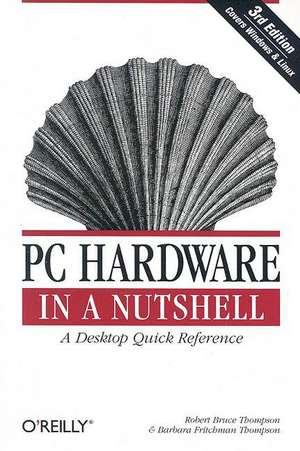
PC Hardware in a Nutshell
Autor Robert Bruce Thompson, Barbara Fritchman Thompsonen Limba Engleză Paperback – 2 sep 2003
Preț: 250.83 lei
Preț vechi: 313.53 lei
-20%
Puncte Express: 376
Carte disponibilă
Livrare economică 16-30 noiembrie
Livrare prin curier în România Termenul estimat este afișat lângă disponibilitate.
Transport gratuit de la 400.00 lei Plată online sau ramburs, în funcție de opțiunile comenzii.
Retur gratuit în 14 zile Comandă securizată și suport în română.
Specificații
ISBN-13: 9780596005139
ISBN-10: 059600513X
Pagini: 850
Dimensiuni: 154 x 232 x 45 mm
Greutate: 1.07 kg
Ediția:3rd edition
Editura: O'Reilly
Locul publicării:United States
ISBN-10: 059600513X
Pagini: 850
Dimensiuni: 154 x 232 x 45 mm
Greutate: 1.07 kg
Ediția:3rd edition
Editura: O'Reilly
Locul publicării:United States
V-ar putea interesa
-
 -20%Preț: 374.94 lei468.68 lei
 -
 Build Your Own PC Do-It-Yourself For Dummies(r)Mark L. Chambers-20%Preț: 129.49 lei161.87 lei
 -
 Teach Yourself VISUALLY PCsElaine Marmel-20%Preț: 30.09 lei37.62 lei
 -
 PCs for DummiesDan Gookin-20%Preț: 135.46 lei169.33 lei
 -
 CompTIA A+ Certification All-in-One For DummiesEdward TetzPreț: 306.75 lei
 -
 -20%Preț: 215.45 lei269.32 lei
 -
 A+ Guide to HardwareJean Andrews-24%Preț: 612.71 lei810.36 lei
 -
 Laptops for Seniors for DummiesFaithe Wempen-20%Preț: 118.74 lei148.42 lei
 -
 Windows 11 All-in-One For Dummies, 2nd EditionCiprian Adrian Rusen-20%Preț: 214.39 lei267.99 lei
 -
 Windows 11 for Seniors for Dummies, 2nd EditionCurt Simmons-20%Preț: 118.48 lei148.10 lei
 -
 Computers for Seniors for DummiesFaithe Wempen-20%Preț: 98.90 lei123.63 lei
 -
 Networking All-In-One for DummiesDoug Lowe-20%Preț: 258.11 lei322.63 lei
 -
 Windows 11 For DummiesAlan Simpson-20%Preț: 99.21 lei124.01 lei
 -
 Macs For Seniors For Dummies, 5th EditionMark L. Chambers-20%Preț: 141.17 lei176.47 lei
 -
 CompTIA A+ Complete Study Guide, 2-Volume SetQuentin Docter-20%Preț: 441.18 lei551.47 lei
 -
 Building the Perfect PCRobert Bruce Thompson-20%Preț: 214.21 lei267.75 lei
 -
 Build Your Own Gaming PCAdam BarnesPreț: 195.70 lei
 -
 Laptops for Seniors in Easy Steps, 9th EditionNick Vandome-20%Preț: 99.66 lei124.56 lei
 -
 The PlayStation 2 Collector's GuideMathieu Manent-20%Preț: 130.23 lei162.78 lei
Notă biografică
Robert Bruce Thompson is a coauthor of Building the Perfect PC, Astronomy Hacks, and the Illustrated Guide to Astronomical Wonders. Thompson built his first computer in 1976 from discrete chips. It had 256 bytes of memory, used toggle switches and LEDs for I/O, ran at less than 1MHz, and had no operating system. Since then, he has bought, built, upgraded, and repaired hundreds of PCs for himself, employers, customers, friends, and clients. Robert spends most clear, moonless nights outdoors with his 10-inch Dobsonian reflector telescope, and is currently designing a larger, computerized, truss-tube Dobsonian that he plans to build.
Cuprins
Dedication; Foreword; Preface; Audience; Organization; Conventions; We'd Like to Hear from You; Acknowledgments; Chapter 1: Fundamentals; 1.1 PCs Defined; 1.2 PC Components and Technologies; 1.3 System Resources; 1.4 Building or Buying a PC; 1.5 Upgrading a PC; 1.6 Smart Buying Practices; 1.7 Things to Do with Old PCs; Chapter 2: Working on PCs; 2.1 Rules to Upgrade By; 2.2 Tools; 2.3 General Procedures; Chapter 3: Motherboards; 3.1 Motherboard Characteristics; 3.2 Choosing a Motherboard; 3.3 Installing a Motherboard; 3.4 Upgrading the System BIOS; 3.5 Our Picks; Chapter 4: Processors; 4.1 Processor Design; 4.2 Intel Processors; 4.3 AMD Processors; 4.4 Choosing a Processor; 4.5 Forthcoming AMD and Intel Processors; 4.6 Installing a Processor; 4.7 Our Picks; Chapter 5: Memory; 5.1 Understanding Memory; 5.2 Memory Access Methods; 5.3 CAS Latency; 5.4 Memory Packaging; 5.5 How Much Memory Is Enough?; 5.6 Memory Selection Guidelines; 5.7 Installing Memory; 5.8 Troubleshooting Memory Installation and Operation; 5.9 Our Picks; Chapter 6: Floppy Disk Drives; 6.1 Diskette Types and Formats; 6.2 Drive Types; 6.3 FDD Interface and Cabling; 6.4 Installing an FDD; 6.5 Working with FDDs; 6.6 Working with Obsolete Diskette Formats; 6.7 Salvaging Diskette Data; 6.8 Our Picks; Chapter 7: High-Capacity Floppy Disk Drives; 7.1 High-Capacity FDD Types; 7.2 Choosing a High-Capacity FDD; 7.3 Using an ATAPI Zip or SuperDisk Drive as the Boot Device; 7.4 Drive Letter Assignment Problems; 7.5 Our Picks; Chapter 8: Removable Hard Disk Drives; 8.1 Uses for Removable and External Hard Disk Drives; 8.2 Cartridge-Based Removable Hard Disk Drives; 8.3 Frame/Carrier-Based Removable Hard Disk Drives; 8.4 Our Picks; Chapter 9: Tape Drives; 9.1 Tape Technologies; 9.2 Choosing a Tape Drive; 9.3 Installing and Configuring a Tape Drive; 9.4 Care and Feeding of a Tape Drive; 9.5 Troubleshooting Tape Drive Problems; 9.6 The Dirty Little Secret of Long Filenames; 9.7 Developing a Backup Strategy; 9.8 Our Picks; Chapter 10: CD-ROM Drives; 10.1 Compact Disc Fundamentals; 10.2 CD-ROM Drive Performance; 10.3 Choosing a CD-ROM Drive; 10.4 Installing and Configuring a CD-ROM Drive; 10.5 Cleaning a CD-ROM Drive; 10.6 Our Picks; Chapter 11: CD Writers; 11.1 CD Writers and Media; 11.2 Writable CD Formats; 11.3 CD Recording Methods; 11.4 Buffer Underrun Protection; 11.5 Choosing a CD Writer; 11.6 CD Writer Software; 11.7 Installing and Configuring a CD Writer; 11.8 Updating CD Writer Firmware; 11.9 Media Issues; 11.10 Burning CDs; 11.11 Special Problems and Applications; 11.12 Writable CD Troubleshooting; 11.13 Additional CD-R(W) Source Material; 11.14 Our Picks; Chapter 12: DVD Drives; 12.1 DVD-ROM; 12.2 DVD Writable and Rewritable; 12.3 Installing and Configuring a DVD Drive; 12.4 Troubleshooting DVD Problems; 12.5 Our Picks; Chapter 13: Hard Disk Interfaces; 13.1 IDE; 13.2 Serial ATA; 13.3 SCSI; 13.4 ATA Versus SCSI; 13.5 Our Picks; Chapter 14: Hard Disk Drives; 14.1 How Hard Disks Work; 14.2 Choosing a Hard Disk; 14.3 Installing a PATA (Standard ATA) Hard Disk; 14.4 Installing an SATA Hard Disk; 14.5 Installing a SCSI Hard Disk; 14.6 Preparing a Hard Disk for Use; 14.7 Our Picks; Chapter 15: Video Adapters; 15.1 Video Adapter Characteristics; 15.2 Choosing a Video Adapter; 15.3 Installing a Video Adapter; 15.4 Configuring Video Under Windows 98/Me/2000/XP; 15.5 Configuring Video under Linux; 15.6 Troubleshooting Video Adapter Problems; 15.7 Our Picks; Chapter 16: Displays; 16.1 CRT Monitors; 16.2 Flat-Panel Displays; 16.3 Installing and Configuring a Display; 16.4 Troubleshooting Display Problems; 16.5 Our Picks; Chapter 17: Sound Adapters; 17.1 PC Audio Types; 17.2 MIDI Synthesis Methods; 17.3 Downloadable Sounds; 17.4 Sound Card Components; 17.5 Sound Card Characteristics; 17.6 Choosing a Sound Card; 17.7 Installing a Sound Card; 17.8 Configuring a Sound Card Under Windows 95/98/2000/XP; 17.9 Configuring a Sound Card Under Linux; 17.10 Troubleshooting Sound Card Problems; 17.11 Our Picks; Chapter 18: Speakers and Headphones; 18.1 Speaker and Headphone Characteristics; 18.2 Choosing Speakers and Headphones; 18.3 Our Picks; Chapter 19: Keyboards; 19.1 Keyboard Switch Types; 19.2 Keyboard Styles; 19.3 Keyboard Interfaces; 19.4 Choosing a Keyboard; 19.5 Configuring a Keyboard; 19.6 Cleaning a Keyboard; 19.7 Troubleshooting and Repairing Keyboards; 19.8 Our Picks; Chapter 20: Mice and Trackballs; 20.1 Mice Versus Trackballs; 20.2 Mouse Characteristics; 20.3 Choosing a Mouse; 20.4 Configuring a Mouse or Trackball; 20.5 Cleaning a Mouse; 20.6 Troubleshooting a Mouse; 20.7 Our Picks; Chapter 21: Game Controllers; 21.1 Game Controller Characteristics; 21.2 Gameport Interface; 21.3 Choosing a Game Controller; 21.4 Installing a Game Controller; 21.5 Troubleshooting Game Controllers; 21.6 Our Picks; Chapter 22: Serial Communications; 22.1 Serial Communications Overview; 22.2 Serial Ports; 22.3 Serial Cables; 22.4 Installing and Configuring Serial Port Hardware; 22.5 Troubleshooting Serial Port Problems; 22.6 Our Picks; Chapter 23: Parallel Communications; 23.1 Mapping Parallel Ports to LPTs; 23.2 Our Picks; Chapter 24: USB Communications; 24.1 USB Characteristics; 24.2 USB Host Controller Interfaces; 24.3 Configuring USB; 24.4 Troubleshooting USB; 24.5 Our Picks; Chapter 25: Cases; 25.1 Case Characteristics; 25.2 Choosing a Case; 25.3 Our Picks; Chapter 26: Power Supplies; 26.1 Power Supply Characteristics; 26.2 Volts, Amps, Watts, and Regulation; 26.3 Power Connectors; 26.4 Choosing a Power Supply; 26.5 Installing a Power Supply; 26.6 Troubleshooting Power Supplies; 26.7 Our Picks; Chapter 27: Backup Power Supplies; 27.1 What BPSs Protect Against; 27.2 BPS Types; 27.3 BPS Characteristics; 27.4 Choosing a BPS; 27.5 Our Picks; Chapter 28: Building a PC; 28.1 Purchasing Components; 28.2 Building the System; Colophon;