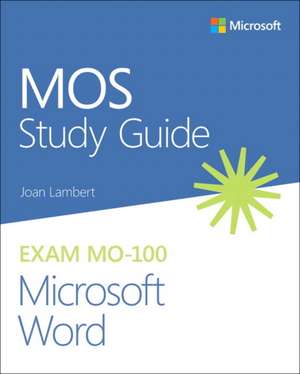
MOS Study Guide for Microsoft Word Exam MO-100
Autor Joan Lamberten Limba Engleză Paperback – 28 sep 2024
Demonstrate your expertise with Microsoft Word Designed to help you practice and prepare for Microsoft Office Specialist: Word Associate (Word and Word 2019) certification, this official Study Guide delivers: - In-depth preparation for each MOS objective- Detailed procedures to help build the skills measured by the exam- Hands-on tasks to practice what you've learned- Ready-made practice filesSharpen the skills measured by these objectives: - Manage Documents- Insert and Format Text, Paragraphs, and Sections- Manage Tables and Lists- Create and Manage References- Insert and Format Graphic ElementsEXAM MO-100About the MOS: Associate Certification A Microsoft Office Specialist (MOS): Associate certification validates your hands-on competency in the correct application of the principal features of an Office product. It demonstrates that you can apply these features to complete associate-level tasks independently and are ready to enter the job market.See full details at: microsoft.com/learnPractice FilesAvailable at: MicrosoftPressStore.com/MOSWord100/Downloads
Preț: 116.04 lei
Preț vechi: 145.05 lei
-20%
Puncte Express: 174
Carte disponibilă
Livrare economică 11-25 noiembrie
Livrare express 27-31 octombrie pentru 26.26 lei
Livrare prin curier în România Termenul estimat este afișat lângă disponibilitate.
Transport gratuit de la 400.00 lei Plată online sau ramburs, în funcție de opțiunile comenzii.
Retur gratuit în 14 zile Comandă securizată și suport în română.
Specificații
ISBN-13: 9780136628040
ISBN-10: 0136628044
Pagini: 208
Dimensiuni: 195 x 235 x 12 mm
Greutate: 0.41 kg
Ediția:1. Auflage
Editura: Microsoft Press
ISBN-10: 0136628044
Pagini: 208
Dimensiuni: 195 x 235 x 12 mm
Greutate: 0.41 kg
Ediția:1. Auflage
Editura: Microsoft Press
V-ar putea interesa
-
 Microsoft Azure Storage: The Definitive GuideAvinash Valiramani-20%Preț: 237.38 lei296.74 lei
 -
 Upgrading to Microsoft Windows 2000 ProfessionalJerry Lee Jr. Ford-20%Preț: 74.13 lei92.66 lei
 -
 -20%Preț: 198.80 lei248.50 lei
 -
 Essential Microsoft Windows 2000 ProfessionalJerry Lee Ford-20%Preț: 87.05 lei108.81 lei
 -
 -20%Preț: 117.99 lei147.49 lei
 -
 Preț: 383.49 lei
 -
 Issues and Applications of Case-Based Reasoning to DesignMary Lou Maher-15%Preț: 430.77 lei506.79 lei
 -
 -13%Preț: 588.91 lei676.91 lei
 -
 Speed Up Your Computer's Speed by 300%William Hill-20%Preț: 36.37 lei45.47 lei
 -
 Windows 10 in UseWilliam Rowley-20%Preț: 50.33 lei62.91 lei
 -
 Linux and the Unix PhilosophyMike Gancarz-20%Preț: 425.98 lei532.48 lei
 -
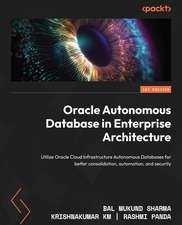 Oracle Autonomous Database in Enterprise ArchitectureBal Mukund Sharma-20%Preț: 253.19 lei316.49 lei
 -
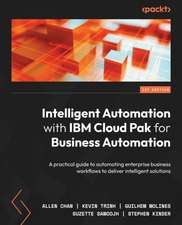 -20%Preț: 238.61 lei298.26 lei
 -
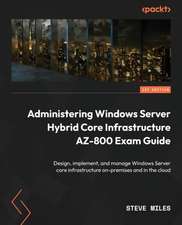 -20%Preț: 320.00 lei400.00 lei
 -
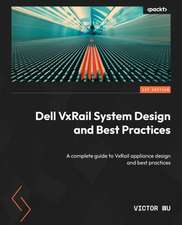 -20%Preț: 245.55 lei306.95 lei
 -
 Free Live OS ZooMattia Gentilini-20%Preț: 370.50 lei463.11 lei
 -
 Evaluierung eines innovativen TeleradiologiesystemsMarkus Schwab-20%Preț: 786.39 lei982.99 lei
 -
 -20%Preț: 707.37 lei884.21 lei
 -
 -20%Preț: 720.56 lei900.70 lei
 -
 -20%Preț: 482.42 lei603.02 lei
 -
 -20%Preț: 863.25 lei1079.05 lei
 -
 -20%Preț: 575.67 lei719.59 lei
 -
 -20%Preț: 665.70 lei832.12 lei
 -
 Dynamisches Load Balancing für replizierte CORBA-ObjekteMichael Semrau-20%Preț: 627.26 lei784.07 lei
 -
 -20%Preț: 679.96 lei849.95 lei
 -
 -20%Preț: 245.88 lei307.35 lei
 -
 -20%Preț: 539.89 lei674.87 lei
 -
 -20%Preț: 377.31 lei471.64 lei
Notă biografică
Joan Lambert is a training and certification specialist who has worked closely with Microsoft technologies since 1986, authored over 50 books about Windows and Office, and holds multiple Microsoft certifications.
Cuprins
- 1 Manage documents
- Objective 1.1: Navigate within documents
- Objective 1.2: Format documents
- Objective 1.3: Save and share documents
- Objective 1.4: Inspect documents for issues
- 2 Insert and format text, paragraphs, and sections
- Objective 2.1: Insert text and paragraphs
- Objective 2.2: Format text and paragraphs
- Objective 2.3: Create and configure document sections
- 3 Create and modify tables
- Objective 3.1: Create tables
- Objective 3.2: Modify tables
- Objective 3.3: Create and modify lists
- 4 Create and manage references
- Objective 4.1: Create and manage reference elements
- Objective 4.2: Create and manage reference tables
- 5 Insert and format graphic elements
- Objective 5.1: Insert illustrations and text boxes
- Objective 5.2: Format illustrations and text boxes
- Objective 5.3: Add text to graphic elements
- Objective 5.4: Modify graphic elements
- 6 Manage document collaboration
- Objective 6.1: Add and manage comments
- Objective 6.2: Manage change tracking