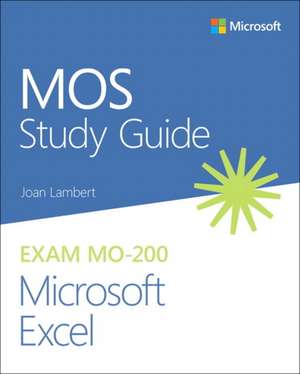
MOS Study Guide for Microsoft Excel Exam MO-200
Autor Joan Lamberten Limba Engleză Paperback – 28 sep 2024
- In-depth preparation for each MOS objective
- Detailed procedures to help build the skills measured by the exam
- Hands-on tasks to practice what you've learned
- Ready-made practice files
- Manage Worksheets and Workbooks
- Manage Data Cells and Ranges
- Manage Tables and Table Data
- Perform Operations by Using Formulas and Functions
- Manage Charts
A Microsoft Office Specialist (MOS) certification validates your proficiency with Microsoft Office programs, demonstrating that you can meet globally recognized performance standards. Hands-on experience with the technology is required to successfully pass Microsoft Certification exams.
Preț: 124.70 lei
Preț vechi: 155.88 lei
-20%
Puncte Express: 187
Carte disponibilă
Livrare economică 28 noiembrie-12 decembrie
Livrare express 14-20 noiembrie pentru 23.88 lei
Livrare prin curier în România Termenul estimat este afișat lângă disponibilitate.
Transport gratuit de la 400.00 lei Plată online sau ramburs, în funcție de opțiunile comenzii.
Retur gratuit în 14 zile Comandă securizată și suport în română.
Specificații
ISBN-13: 9780136627159
ISBN-10: 0136627153
Pagini: 176
Dimensiuni: 195 x 235 x 10 mm
Greutate: 0.3 kg
Ediția:1. Auflage
Editura: Microsoft Press
ISBN-10: 0136627153
Pagini: 176
Dimensiuni: 195 x 235 x 10 mm
Greutate: 0.3 kg
Ediția:1. Auflage
Editura: Microsoft Press
V-ar putea interesa
-
 The Essential Guide to User Interface DesignWilbert O Galitz-20%Preț: 506.98 lei633.72 lei
 -
 Beginning UNIXPaul Love-20%Preț: 235.21 lei294.01 lei
 -
 Microsoft Access 2003 Database by ExamplesSheila AbabioPreț: 196.36 lei
 -
 Windows (R) XP for EveryoneJaime A. Restrepo-20%Preț: 136.29 lei170.36 lei
 -
 Microsoft Windows VistaTahir M. Khan-20%Preț: 119.65 lei149.56 lei
 -
 Basic Guide for Enterprise Linux ServersMihail Buzarin-20%Preț: 117.92 lei147.40 lei
 -
 -20%Preț: 526.32 lei657.90 lei
 -
 Windows Media 9 Series by ExampleNels Johnson-15%Preț: 490.03 lei576.51 lei
 -
 -20%Preț: 166.17 lei207.71 lei
 -
 -20%Preț: 158.76 lei198.46 lei
 -
 -20%Preț: 152.57 lei190.71 lei
 -
 Requirements Engineering in der SoftwareentwicklungMichael Russ-20%Preț: 124.54 lei155.68 lei
 -
 DNA Computing - Informatik im SchulunterrichtDaniel Brücher-20%Preț: 62.81 lei78.52 lei
 -
 -20%Preț: 103.90 lei129.87 lei
 -
 Visualisierungen für ProgrammcodeDaniel Tertilt-20%Preț: 156.69 lei195.86 lei
 -
 -20%Preț: 156.35 lei195.45 lei
 -
 Eye-Tracking. Grundlagen, Technologien und AnwendungsgebieteVolker Gollücke-20%Preț: 78.08 lei97.60 lei
 -
 Social CommercePascal Tuppi-20%Preț: 74.84 lei93.54 lei
 -
 Software on DemandAndreas Friedel-20%Preț: 54.77 lei68.45 lei
 -
 -20%Preț: 136.02 lei170.02 lei
 -
 -20%Preț: 91.12 lei113.90 lei
 -
 InDesign: Das kleine 1x1Stephen Collier-20%Preț: 79.65 lei99.57 lei
 -
 Realisierung einer PHP-Anwendung mit der Template-Engine SmartyThomas Frietsch-20%Preț: 138.56 lei173.20 lei
 -
 An Evaluation of EyePassShapesMartin Denzel-20%Preț: 156.69 lei195.86 lei
 -
 -20%Preț: 142.47 lei178.09 lei
 -
 Hacia la producción racionalizada de bancos de ítems calibradosRosa Arruabarrena-20%Preț: 441.52 lei551.90 lei
Notă biografică
Joan Lambert has worked closely with Microsoft technologies since 1986, and in the training and certification industry since 1997. As President and CEO of Online Training Solutions, Inc. (OTSI), Joan guides the translation of technical information and requirements into useful, relevant, and measurable resources for people who are seeking certification of their computer skills or who simply want to know how to get things done efficiently.Joan is the author or coauthor of more than four dozen books about Windows and Office (for Windows, Mac, and iPad), five generations of Microsoft Office Specialist certification study guides, video-based training courses for SharePoint and OneNote, QuickStudy guides for Windows and Office, and the GO! series book for Outlook 2016.Blissfully based in America’s Finest City, Joan is a Microsoft Certified Professional, Microsoft Office Specialist Master (for all versions of Office since Office 2003), Microsoft Certified Technology Specialist (for Windows and Windows Server), Microsoft Certified Technology Associate (for Windows), Microsoft Dynamics Specialist, and Microsoft Certified Trainer.
Cuprins
- 1 Manage worksheets and workbooks
- Objective 1.1: Import data into workbooks
- Objective 1.2: Navigate within workbooks
- Objective 1.3: Format worksheets and workbooks
- Objective 1.4: Customize options and views
- Objective 1.5: Configure content for collaboration
- 2 Manage data cells and ranges
- Objective 2.1: Manipulate data in worksheets
- Objective 2.2: Format cells and ranges
- Objective 2.3: Define and reference named ranges
- Objective 2.4: Summarize data visually
- 3 Manage tables and table data
- Objective 3.1: Create and format tables
- Objective 3.2: Modify tables
- Objective 3.3: Filter and sort table data
- 4 Perform operations by using formulas and functions
- Objective 4.1: Insert references in formulas
- Objective 4.2: Calculate and transform data by using functions
- Objective 4.3: Format and modify text by using functions
- 5 Manage charts
- Objective 5.1: Create charts
- Objective 5.2: Modify charts
- Objective 5.3: Format charts