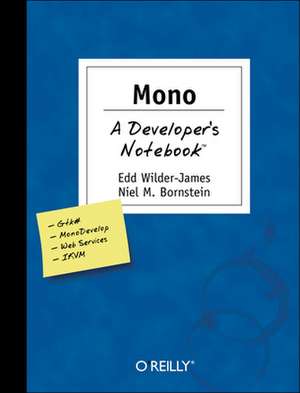
Mono
Autor Edd Wilder-James, Niel M. Bornsteinen Limba Engleză Paperback – 24 aug 2004
Preț: 146.55 lei
Preț vechi: 183.19 lei
-20%
Puncte Express: 220
Carte disponibilă
Livrare economică 28 noiembrie-12 decembrie
Livrare prin curier în România Termenul estimat este afișat lângă disponibilitate.
Transport gratuit de la 400.00 lei Plată online sau ramburs, în funcție de opțiunile comenzii.
Retur gratuit în 14 zile Comandă securizată și suport în română.
Specificații
ISBN-13: 9780596007928
ISBN-10: 0596007922
Pagini: 278
Dimensiuni: 180 x 235 x 19 mm
Greutate: 0.51 kg
Editura: O'Reilly
Locul publicării:United States
ISBN-10: 0596007922
Pagini: 278
Dimensiuni: 180 x 235 x 19 mm
Greutate: 0.51 kg
Editura: O'Reilly
Locul publicării:United States
V-ar putea interesa
-
 .Net and XMLNiel M. Bornstein-20%Preț: 211.81 lei264.77 lei
 -
 Linux UnwiredRoger Weeks-20%Preț: 122.18 lei152.72 lei
 -
 Windows XP in a NutshellDavid A Karp-20%Preț: 239.37 lei299.21 lei
 -
 SEO WarriorJohn I. Jerkovic-20%Preț: 239.21 lei299.00 lei
 -
 Mac OS X Leopard: The Missing ManualDavid Pogue-20%Preț: 217.25 lei271.56 lei
 -
 -20%Preț: 663.58 lei829.47 lei
 -
 -20%Preț: 664.90 lei831.12 lei
 -
 Learning Rails 3Simon St Laurent-20%Preț: 184.50 lei230.62 lei
 -
 Essential IOS Build and ReleaseRon Roche-20%Preț: 97.13 lei121.41 lei
 -
 VMware CookbookRyan Troy-20%Preț: 230.40 lei288.00 lei
 -
 Web WorkersIdo Green-20%Preț: 116.79 lei146.00 lei
 -
 Node.js for PHP DevelopersDaniel Howard-20%Preț: 145.52 lei181.91 lei
 -
 Monitoring with GraphiteJason Dixon-20%Preț: 274.47 lei343.09 lei
 -
 Remaking History, Volume 3William GurstellePreț: 102.71 lei
 -
 Computing FundamentalsJ. Stanley Warford-20%Preț: 300.39 lei375.49 lei
 -
 -20%Preț: 341.01 lei426.27 lei
 -
 Dependable Computing EDCC-4Fabrizio Grandoni-20%Preț: 322.37 lei402.96 lei
 -
 -20%Preț: 657.45 lei821.81 lei
 -
 Directions in Mathematical Systems Theory and OptimizationAnders Rantzer-20%Preț: 957.91 lei1197.39 lei
 -
 SOFSEM 2002: Theory and Practice of InformaticsWilliam I. Grosky-20%Preț: 322.37 lei402.96 lei
 -
 Relational Methods in Computer ScienceHarrie C. M. De Swart-20%Preț: 323.81 lei404.76 lei
 -
 The Essence of ComputationTorben Mogensen-20%Preț: 332.01 lei415.02 lei
 -
 Graph-Theoretic Concepts in Computer ScienceLudek Kucera-20%Preț: 329.35 lei411.69 lei
 -
 Experimental AlgorithmicsRudolf Fleischer-20%Preț: 335.24 lei419.05 lei
 -
 Distributed ComputingSajal K. Das-20%Preț: 338.85 lei423.56 lei
 -
 Automata, Logics, and Infinite GamesErich Grädel-20%Preț: 483.05 lei603.81 lei
 -
 -20%Preț: 323.55 lei404.44 lei
 -
 Unconventional Models of ComputationCristian Calude-20%Preț: 324.41 lei405.51 lei
Cuprins
Foreword; The Developer's Notebook Series; Notebooks Are...; Notebooks Aren't...; Organization; Preface; What This Book Covers; Why Mono?; Conventions Used in This Book; Using Code Examples; Comments and Questions; Acknowledgments; Chapter 1: Getting Mono Running; 1.1 Install Mono; 1.2 Explore Mono; 1.3 Run the MonoDevelop IDE; 1.4 Fit Mono into Your World; 1.5 Join the Mono Community; Chapter 2: Getting Started with C#; 2.1 Say "Hello" to the World; 2.2 Model the Behavior of Real-World Things; 2.3 Avoid Overhead While Passing Data; 2.4 Handle Unexpected Errors; 2.5 Define Function Pointers; 2.6 Add Metadata to Your Types; 2.7 Call External Libraries; 2.8 Package Related Classes with Assemblies; Chapter 3: Core .NET; 3.1 Work with Files; 3.2 Manage String Data; 3.3 Search Text with Regular Expressions; 3.4 Manage Collections of Data; 3.5 Work with Assemblies; 3.6 Start and Examine Processes; 3.7 Multitask with Threads; 3.8 Test Your C# Code; Chapter 4: Gtk#; 4.1 Write a Basic Gtk# Program and Handle Events; 4.2 Arrange Widgets Using Boxes; 4.3 Make Widgets Interact; 4.4 Make Dialogs by Subclassing; 4.5 Draw Graphics; 4.6 Create Menus; 4.7 Organize Data with TreeView; 4.8 Exchange Data with Drag and Drop; Chapter 5: Advanced Gtk#; 5.1 Write a Gnome Application; 5.2 Design Interfaces with Glade; 5.3 Store Configuration with GConf; 5.4 Guide the User with Druids; 5.5 Perform Asynchronous Operations; 5.6 Render HTML; 5.7 Provide Help Files; 5.8 Translate Your Programs; Chapter 6: Processing XML; 6.1 Read and Write XML; 6.2 Manipulate XML in Memory; 6.3 Navigate XML Documents; 6.4 Transform XML; 6.5 Constrain XML Documents; 6.6 Constrain XML Another Way; 6.7 Serialize Objects to XML; Chapter 7: Networking, Remoting, and Web Services; 7.1 Set Up ASP.NET; 7.2 Run Web Applications; 7.3 Deploy Web Services; 7.4 Communicate with Other Networked Systems; 7.5 Access Remote Objects; 7.6 Invoke Remote Procedures with XML; 7.7 Secure Data from Prying Eyes; 7.8 Talk to Databases; Chapter 8: Cutting Edge Mono; 8.1 Maintain Your Sources with the Autotools; 8.2 Write Cross-Platform Compatible Programs; 8.3 Run Java in Mono; 8.4 Run a Development Version of Mono; 8.5 Use Generics; 8.6 Write Mono Programs in Basic; Colophon;