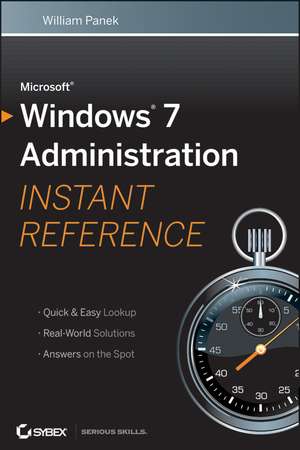
Microsoft Windows 7 Administration Instant Reference
Autor William Paneken Limba Engleză Paperback – 14 oct 2010
- Windows 7 administrative and support personnel need quick answers to situations they confront each day; this Instant Reference is designed to provide information, solutions, and best practices on the spot
- Designed for quick navigation, with thumb tabs, chapter outlines, tables, lists, and concise answers in a conveniently sized, portable volume
- Covers disk configuration, desktop management, remote assistance, security, and much more, with step–by–step instruction
Preț: 98.91 lei
Preț vechi: 123.64 lei
-20%
Puncte Express: 148
Carte tipărită la comandă
Livrare economică 14-25 august
Livrare prin curier în România Termenul estimat este afișat lângă disponibilitate.
Transport gratuit de la 400.00 lei Plată online sau ramburs, în funcție de opțiunile comenzii.
Retur gratuit în 14 zile Comandă securizată și suport în română.
Specificații
ISBN-13: 9780470650479
ISBN-10: 0470650478
Pagini: 624
Dimensiuni: 157 x 229 x 35 mm
Greutate: 0.75 kg
Colecția Sybex
Locul publicării:Hoboken, United States
ISBN-10: 0470650478
Pagini: 624
Dimensiuni: 157 x 229 x 35 mm
Greutate: 0.75 kg
Colecția Sybex
Locul publicării:Hoboken, United States
Public țintă
Primary: IT administrators, network administrators, IT consultants, desktop support. Secondary: Windows application developers, owners of small businesses, and power users.Descriere
All your Windows 7 questions answered on the spot! If you need quick answers as you install, configure, and administer Windows 7, keep this indispensable guide on hand. Designed for busy IT professionals, it′s the perfect go–to reference. Find easy–to–read lists, quick–reference tables, helpful thumb tabs, and much more in a handy, compact format that puts the information you need at your fingertips.
Topics include:
Topics include:
- Performing a clean install of Windows 7 or upgrading from Windows Vista
- Automating installation across hundreds of machines with the Microsoft Deployment Toolkit 2010
- Configuring file systems, disks, users, and groups
- Setting up network connectivity and security
- Accessing and configuring Internet Explorer and other applications
- Maintaining and optimizing Windows 7
Cuprins
Part I: Installation. Chapter 1: Installing Windows 7.
Chapter 2: Automating a Windows 7 Installation.
Chapter3: Configuring Disks.
Part II: Configuration.
Chapter 4: Managing the Desktop.
Chapter 5: Managing the Interface.
Chapter 6: Remote Desktop and Remote Assistance.
Part III: Users and Security.
Chapter 7: Configuring Users and Groups.
Chapter 8: Managing Security.
Part IV: Hardware and Networking.
Chapter 9: Configuring Hardware and Printing.
Chapter 10: Configuring Network Connectivity.
Part V: Applications.
Chapter 11: Configuring Internet Explorer 8.
Chapter 12: Installing and Configuring Applications.
Part VI: Recovery.
Chapter 13: Maintaining and Optimizing Windows 7.
Chapter 2: Automating a Windows 7 Installation.
Chapter3: Configuring Disks.
Part II: Configuration.
Chapter 4: Managing the Desktop.
Chapter 5: Managing the Interface.
Chapter 6: Remote Desktop and Remote Assistance.
Part III: Users and Security.
Chapter 7: Configuring Users and Groups.
Chapter 8: Managing Security.
Part IV: Hardware and Networking.
Chapter 9: Configuring Hardware and Printing.
Chapter 10: Configuring Network Connectivity.
Part V: Applications.
Chapter 11: Configuring Internet Explorer 8.
Chapter 12: Installing and Configuring Applications.
Part VI: Recovery.
Chapter 13: Maintaining and Optimizing Windows 7.
Notă biografică
William Panek, MCTS, MCITP, MCT, CCNA, CHFI, is founder of Stellacon Corporation, a Microsoft Certified Gold Partner and Certified Learning Solutions Provider and a leading training provider on the East Coast. He is the coauthor of Mastering Windows 7 Administration.