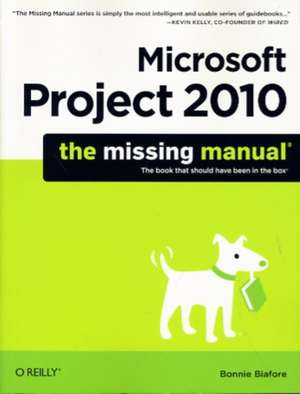
Microsoft Project 2010: The Missing Manual
Autor Bonnie Biaforeen Limba Engleză Paperback – 27 iul 2010
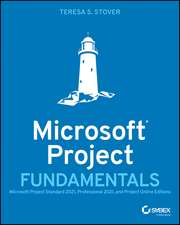
Ceea ce diferențiază Microsoft Project 2010: The Missing Manual de documentația tehnică oficială este accentul pus pe metodologia de lucru, nu doar pe interfața programului. Notăm cu interes faptul că Bonnie Biafore nu se limitează la a explica butoanele software-ului, ci oferă o perspectivă pragmatică asupra modului în care trebuie pregătit un proiect înainte de a atinge tastatura. Remarcăm o structură logică ce ghidează utilizatorul de la principiile fundamentale de management de proiect până la stăpânirea funcțiilor complexe de automatizare. Apreciem în mod deosebit capitolele dedicate rafinării planului de lucru, unde sunt detaliate metodele de construire a unor programe de execuție realiste și controlul riguros al costurilor. Ca și Teresa S. Stover în Microsoft Project Fundamentals, autorul distilează experiență reală în principii acționabile, oferind soluții pentru gestionarea resurselor și monitorizarea performanței. Totuși, volumul de față merge mai departe, explorând instrumentele de putere ale aplicației, precum personalizarea vizualizărilor și integrarea fluxurilor de date cu alte programe din suita Office. Deși este un manual tehnic dens, de peste 700 de pagini, ritmul este susținut de exemple concrete și instrucțiuni pas cu pas aplicabile atât pentru versiunea Standard, cât și pentru Professional. Față de abordările mai succinte, precum cea din Project 2010 in Easy Steps de John Carroll, lucrarea de față funcționează ca o enciclopedie de bune practici, fiind esențială pentru cei care doresc să facă tranziția de la simpla utilizare a unui instrument la managementul strategic al proiectelor.
Preț: 230.10 lei
Preț vechi: 287.62 lei
-20%
Carte disponibilă
Livrare economică 17 noiembrie-01 decembrie
Specificații
ISBN-10: 1449381952
Pagini: 766
Ilustrații: 1, black & white illustrations
Dimensiuni: 181 x 229 x 43 mm
Greutate: 1.21 kg
Ediția:1
Editura: O'Reilly
V-ar putea interesa
-
 -20%Preț: 200.51 lei250.64 lei
 -
 Project Management Absolute Beginner's GuideGreg HorinePreț: 201.85 lei
 -
 -25%Preț: 676.20 lei900.61 lei
 -
 Scheduling for Home Builders with Microsoft ProjectDavid MarchmanPreț: 162.36 lei
 -
 Project Management for Dummies 2e UKN GrahamPreț: 174.40 lei
 -
 -20%Preț: 198.09 lei247.61 lei
 -
 World History For Dummies, 3rd EditionPeter HaugenPreț: 154.82 lei
 -
 Microsoft Project For DummiesCynthia Snyder Dionisio-20%Preț: 163.30 lei204.13 lei
 -
 Project Management for Dummies - UKNick GrahamPreț: 167.98 lei
 -
 How to Measure Anything in Project ManagementDouglas W. HubbardPreț: 357.24 lei
 -
 Project ManagementHarold R. Kerzner-23%Preț: 694.25 lei901.62 lei
 -
 Microsoft Copilot For DummiesChris Minnick-20%Preț: 97.10 lei121.38 lei
 -
 Project Management with AI For DummiesDaniel Stanton-20%Preț: 140.32 lei175.39 lei
 -
 Agile Project Management For DummiesMark C LaytonPreț: 171.30 lei
 -
 Manage Projects SuccessfullyBloomsbury Publishing PLC-42%Preț: 45.20 lei78.16 lei
 -
 HBR Guide to Project Management (HBR Guide Series)Harvard Business ReviewPreț: 118.26 lei
 -
 Managing Projects (HBR 20-Minute Manager Series)Harvard Business ReviewPreț: 64.59 lei
 -
 Project 2010 in Easy StepsJohn Carroll-20%Preț: 77.29 lei96.61 lei
 -
 Planning and Control Using Microsoft Project 365 and 2021Paul E. Harris-20%Preț: 271.32 lei339.15 lei
De ce să citești această carte
Recomandăm această carte managerilor de proiect care doresc să stăpânească Microsoft Project 2010 dincolo de funcțiile de bază. Veți câștiga o metodologie clară de lucru, învățând să construiți bugete solide și grafice de execuție care rezistă presiunii realității. Este un ghid tehnic complet pentru transformarea unui software complex într-un aliat pentru eficiența organizațională.