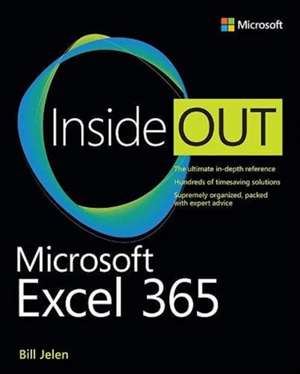
Microsoft Excel Inside Out (Office 2021 and Microsoft 365)
Autor Bill Jelenen Limba Engleză Paperback – 18 feb 2022
În domeniul analizei de date și al managementului informațiilor de afaceri, eficiența fluxurilor de lucru depinde direct de stăpânirea instrumentelor de calcul tabelar. Notăm cu interes că Microsoft Excel Inside Out (Office 2021 and Microsoft 365) nu se limitează la o simplă prezentare a interfeței, ci oferă o incursiune tehnică în ecosistemul Microsoft 365, punând accent pe noile funcții de tip 'dynamic array' și integrarea cu mediul cloud. Abordarea diferă de Microsoft Excel Step by Step (Office 2021 and Microsoft 365) prin nivelul de profunzime — dacă volumul menționat anterior este orientat spre lecții rapide și pași vizuali pentru începători, lucrarea de față este mai mult aplicabilă în scenarii complexe de business, explorând arhitectura formulelor și transformarea datelor prin Power Query. Merită menționat că structura cărții urmărește o progresie logică: de la personalizarea spațiului de lucru în prima parte, la controlul absolut al funcțiilor matematice și logice în partea a doua, culminând cu tehnici de modelare în Power Pivot și automatizarea sarcinilor repetitive. În contextul operei lui Bill Jelen, această ediție 'Inside Out' reprezintă o sinteză actualizată a conceptelor explorate în lucrări precum Excel 2016 in Depth, integrând însă noile capacități de colaborare online și funcțiile moderne LET și LAMBDA. Spre deosebire de Microsoft Excel VBA and Macros (Office 2021 and Microsoft 365), care se concentrează exclusiv pe programare, acest volum echilibrează funcționalitățile native ale Excel-ului cu bazele automatizării, oferind o viziune de ansamblu asupra a ceea ce autorul numește 'Modern Excel'. Ne-a atras atenția în mod deosebit capitolul despre 'mashing up data', esențial pentru profesioniștii care gestionează baze de date hibride.
Preț: 299.63 lei
Preț vechi: 374.54 lei
-20%
Carte disponibilă
Livrare economică 07-21 noiembrie
Livrare express 24-30 octombrie pentru 81.49 lei
Specificații
ISBN-10: 0137559534
Pagini: 848
Dimensiuni: 195 x 235 x 46 mm
Greutate: 1.58 kg
Ediția:1. Auflage
Editura: Microsoft Press
V-ar putea interesa
-
 -20%Preț: 224.59 lei280.73 lei
 -
 -20%Preț: 224.84 lei281.05 lei
 -
 -20%Preț: 300.65 lei375.82 lei
 -
 -20%Preț: 225.89 lei282.35 lei
 -
 -20%Preț: 300.98 lei376.22 lei
 -
 Excel 2016 in DepthBill Jelen-20%Preț: 207.50 lei259.37 lei
 -
 Excel 2019 All-In-One for DummiesGreg Harvey-20%Preț: 226.42 lei283.02 lei
 -
 Excel All-In-One for DummiesPaul McFedries-20%Preț: 242.48 lei303.10 lei
 -
 Excel Data Analysis For Dummies, 5th EditionPaul McFedries-20%Preț: 210.98 lei263.72 lei
 -
 -20%Preț: 176.97 lei221.21 lei
 -
 -20%Preț: 175.98 lei219.97 lei
 -
 Microsoft Excel 365 BibleDick Kusleika-20%Preț: 289.14 lei361.43 lei
 -
 Microsoft 365 Excel For DummiesDavid H. Ringstrom-20%Preț: 143.21 lei179.02 lei
 -
 Microsoft 365 Excel All-in-One For DummiesDavid H Ringstrom-20%Preț: 241.78 lei302.23 lei
 -
 Microsoft Excel 2019 Formulas and FunctionsPaul McFedries-20%Preț: 211.11 lei263.89 lei
 -
 Microsoft Excel 2019 Step by StepCurtis Frye-20%Preț: 212.31 lei265.39 lei
 -
 Microsoft Excel 2019 Inside OutBill Jelen-20%Preț: 272.73 lei340.90 lei
 -
 -20%Preț: 303.05 lei378.81 lei
 -
 Excel 2016Michael Price-20%Preț: 57.03 lei71.28 lei
De ce să citești această carte
Recomandăm această carte analiștilor de date și utilizatorilor avansați care doresc să treacă dincolo de funcțiile de bază. Cititorul câștigă o înțelegere profundă a noilor motoare de calcul din Excel (Dynamic Arrays) și învață să utilizeze Power Query pentru curățarea eficientă a datelor. Este resursa definitivă pentru transformarea Excel-ului dintr-un simplu tabel într-un instrument puternic de raportare și dashboarding.
Despre autor
Bill Jelen este figura centrală din spatele MrExcel.com și o autoritate recunoscută la nivel mondial în domeniul software-ului de calcul tabelar. Cu o experiență vastă ce include publicarea a 18 cărți de specialitate și producerea a peste 600 de episoade de podcast video, Jelen este cunoscut pentru capacitatea sa de a explica tehnici complexe de analiză prin metode accesibile. Printre lucrările sale de referință se numără Microsoft Excel Pivot Table Data Crunching și Excel Gurus Gone Wild. Expertiza sa este validată de numeroase apariții media în emisiuni tehnice, fiind un promotor activ al automatizării și al eficienței în procesarea datelor.
Descriere scurtă
Cuprins
Chapter 1 What's new in Microsoft 365 Excel
Chapter 2 Using the Excel interface
Chapter 3 Customizing Excel
Chapter 4 Keyboard shortcuts
Part II Calculating with Excel
Chapter 5 Understanding formulas
Chapter 6 Controlling formulas
Chapter 7 Understanding functions
Chapter 8 Using everyday functions: math, date and time, and text functions
Chapter 9 Using powerful functions: logical, lookup, and database functions
Chapter 10 Using names, LET, LAMBDA, and Data Types in Excel
Chapter 11 Connecting worksheets and workbooks
Chapter 12 Dynamic array formulas and names in Excel
Part III Data analysis with Excel
Chapter 13 Transforming data with Power Query
Chapter 14 Summarizing data using subtotals or filter
Chapter 15 Using pivot tables to analyze data
Chapter 16 Using slicers and filtering a pivot table
Chapter 17 Mashing up data with Power Pivot
Chapter 18 Using What-If, Scenario Manager, Goal Seek, and Solver
Chapter 19 Automating repetitive functions using VBA macros
Chapter 20 More tips and tricks for Excel
Part IV Excel visuals
Chapter 21 Formatting worksheets
Chapter 22 Using data visualizations and conditional formatting
Chapter 23 Graphing data using Excel charts
Chapter 24 Using 3D Maps
Chapter 25 Using sparklines
Chapter 26 Formatting spreadsheets for presentation
Chapter 27 Printing
Chapter 28 Collaborating in Excel
Part V Appendixes
Appendix A Excel functions
Appendix B Excel functions with DAX or Power Query equivalents
Appendix C Adding functionality to Excel with add-ins
Index