
Microsoft 365 For Dummies
Autor Jennifer Reeden Limba Engleză Paperback – 5 mai 2022
Apreciem modul în care Jennifer Reed utilizează experiența sa vastă în comunicare și scriere tehnică pentru a demistifica ecosistemul complex al cloud-ului. În Microsoft 365 for Dummies, autoarea face tranziția de la simpla utilizare a aplicațiilor de birou la o strategie integrată de productivitate. Această ediție extinde viziunea prezentată în lucrarea sa anterioară, Office 365 for Dummies, punând un accent major pe Microsoft Teams ca nucleu al spațiului de lucru modern, reflectând evoluția platformei de la o suită de programe statice la un serviciu dinamic bazat pe colaborare în timp real. Observăm o structură progresivă, organizată în cinci părți tehnice. Primele capitole ancorează utilizatorul în conceptul de cloud, urmate de o analiză detaliată a comunicării prin Teams, inclusiv gestionarea webinarilor și a sesiunilor de tip breakout. Partea a treia modernizează utilizarea clasicelor Word, Excel și PowerPoint prin infuzia de inteligență artificială, în timp ce ultimele secțiuni se concentrează pe arhitectura datelor în SharePoint și automatizarea proceselor prin Power Platform. Cititorul care a aplicat ideile din Beginning Microsoft 365 Collaboration Apps va găsi aici o completare necesară, axată mai mult pe fluxurile de lucru zilnice și pe integrarea practică a noilor funcții AI, spre deosebire de abordarea pur orientată spre unelte a lui Mercurio. Credem că punctul forte al cărții rezidă în echilibrul dintre specificațiile tehnice și aplicabilitatea lor imediată. Spre deosebire de Office 2021 All-In-One for Dummies, care se concentrează pe versiunile statice, acest ghid explorează beneficiile actualizărilor continue din Microsoft 365, oferind soluții pentru securizarea fișierelor și optimizarea timpului prin Power Automate. Tonul este pragmatic, axat pe eficiență, fiind o resursă esențială pentru navigarea în mediul de lucru hibrid contemporan.
Preț: 135.86 lei
Preț vechi: 169.83 lei
-20%
Carte disponibilă
Livrare economică 01-15 iunie
Livrare express 15-21 mai pentru 54.48 lei
Specificații
ISBN-10: 1119828899
Pagini: 352
Dimensiuni: 190 x 234 x 22 mm
Greutate: 0.48 kg
Ediția:4th Edition
Editura: John Wiley & Sons, Inc.
Locul publicării:Hoboken, United States
V-ar putea interesa
-
 Microsoft Teams Step by StepPaul McFedries-20%Preț: 174.56 lei218.20 lei
 -
 -20%Preț: 286.62 lei358.29 lei
 -
 Office 365 For DummiesJennifer Reed-20%Preț: 120.07 lei150.08 lei
 -
 Microsoft 365 Portable GeniusLisa A. Bucki-20%Preț: 70.21 lei87.76 lei
 -
 Office 2021 All-in-One For DummiesPeter Weverka-20%Preț: 204.06 lei255.08 lei
 -
 Microsoft Power Platform For DummiesJack A. Hyman-20%Preț: 191.91 lei239.88 lei
 -
 -20%Preț: 140.22 lei175.27 lei
 -
 Microsoft 365 Excel VBA Programming For DummiesDick Kusleika-20%Preț: 170.35 lei212.94 lei
 -
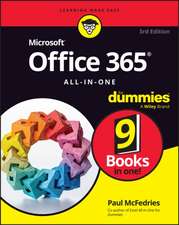 Microsoft 365 Office All-in-One For DummiesPaul McFedriesPreț: 242.62 lei
 -
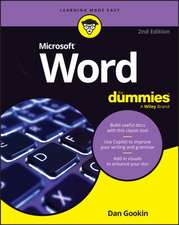 Microsoft 365 Word For DummiesDan Gookin-20%Preț: 138.46 lei173.07 lei
 -
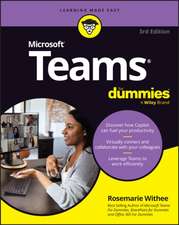 Microsoft Teams For DummiesRosemarie Withee-20%Preț: 134.24 lei167.80 lei
 -
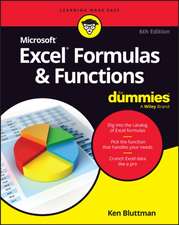 Microsoft 365 Excel Formulas & Functions For DummiesKen Bluttman-20%Preț: 167.28 lei209.09 lei
 -
 Microsoft 365 Access For DummiesKen Cook-20%Preț: 142.29 lei177.87 lei
 -
 Microsoft 365 Outlook For DummiesFaithe Wempen-20%Preț: 139.07 lei173.84 lei
 -
 Teach Yourself Visually Microsoft 365Paul McFedries-20%Preț: 167.22 lei209.02 lei
 -
 Microsoft Copilot For DummiesChris Minnick-20%Preț: 117.22 lei146.52 lei
 -
 Microsoft 365 Excel For DummiesDavid H. Ringstrom-20%Preț: 140.90 lei176.12 lei
 -
 -20%Preț: 142.34 lei177.92 lei
 -
 Microsoft 365 Excel All-in-One For DummiesDavid H Ringstrom-20%Preț: 238.06 lei297.58 lei
 -
 Microsoft 365 in Easy StepsMichael PricePreț: 91.70 lei
De ce să citești această carte
Recomandăm această carte profesioniștilor care doresc să stăpânească ecosistemul Microsoft 365 dincolo de funcțiile de bază. Veți câștiga competențe concrete în automatizarea sarcinilor repetitive cu Power Platform și în utilizarea Teams ca centru de comandă pentru proiecte. Este resursa ideală pentru a transforma tehnologia cloud dintr-o necesitate într-un avantaj competitiv în organizația dumneavoastră.
Despre autor
Jennifer Reed este o autoare cu o experiență de peste zece ani în scrierea de literatură non-ficțiune și ficțiune, deținând o diplomă în limba engleză. Expertiza sa pedagogică, în calitate de profesor la Institute of Children's Literature, se reflectă în claritatea și accesibilitatea textelor sale tehnice. Jennifer s-a specializat în ghiduri de productivitate pentru mediul digital, fiind cunoscută pentru capacitatea de a explica soluțiile cloud complexe. În paralel cu lucrările tehnice precum Office 365 for Dummies, ea explorează teme culturale și narative în lucrări de beletristică, demonstrând o versatilitate scriitoricească remarcabilă.