
Livemotion 2: A Beginner's Guide: Beginner's Guides (Osborne)
Compozitor Simon Dabkowskien Limba Engleză Paperback – 26 feb 2002




Preț: 199.38 lei
Preț vechi: 249.22 lei
-20%
Puncte Express: 299
Carte disponibilă
Livrare economică 06-20 noiembrie
Livrare prin curier în România Termenul estimat este afișat lângă disponibilitate.
Transport gratuit de la 400.00 lei Plată online sau ramburs, în funcție de opțiunile comenzii.
Retur gratuit în 14 zile Comandă securizată și suport în română.
Specificații
ISBN-13: 9780072195200
ISBN-10: 0072195207
Pagini: 446
Ilustrații: 1, black & white illustrations
Dimensiuni: 188 x 234 x 26 mm
Greutate: 0.8 kg
Ediția:annotated ed.
Editura: McGraw Hill LLC
Colecția Beginner's Guides (Osborne)
Seria Beginner's Guides (Osborne)
Locul publicării:United States
ISBN-10: 0072195207
Pagini: 446
Ilustrații: 1, black & white illustrations
Dimensiuni: 188 x 234 x 26 mm
Greutate: 0.8 kg
Ediția:annotated ed.
Editura: McGraw Hill LLC
Colecția Beginner's Guides (Osborne)
Seria Beginner's Guides (Osborne)
Locul publicării:United States
V-ar putea interesa
-
 Xara Xtreme 5: The Official GuideGary David Bouton-20%Preț: 206.88 lei258.60 lei
 -
 Learn Adobe Animate CC for Interactive MediaJoseph Labrecque-20%Preț: 48.11 lei60.14 lei
 -
 Adobe Animate CC Classroom in a Book (2017 release)Russell ChunPreț: 70.37 lei
 -
 Preț: 409.37 lei
 -
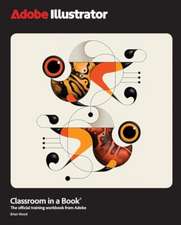 -20%Preț: 417.26 lei521.58 lei
 -
 Preț: 383.98 lei
 -
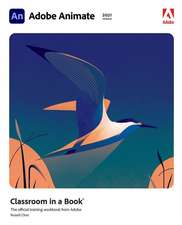 Adobe Animate Classroom in a Book (2021 release)Russell Chun-20%Preț: 347.27 lei434.10 lei
 -
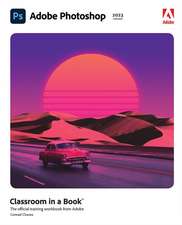 Adobe Photoshop Classroom in a Book (2023 release)Conrad Chavez-20%Preț: 391.11 lei488.89 lei
 -
 Preț: 147.42 lei
 -
![Adobe Flash Professional CS5 Classroom in a Book: The Official Training Workbook from Adobe Systems [With DVD ROM]](https://i0.books-express.ro/bt/9780321701800/adobe-flash-professional-cs5-classroom-in-a-book.jpg) -20%Preț: 263.23 lei329.03 lei
-20%Preț: 263.23 lei329.03 lei -
 -20%Preț: 127.10 lei158.87 lei
 -
 The Animator's Survival Kit: Dialogue, Directing, Acting and Animal ActionRichard E. Williams-20%Preț: 60.58 lei75.72 lei
 -
 Adobe Creative Suite 2 WorkflowJennifer Alspach-20%Preț: 213.13 lei266.41 lei
 -
 -8%Preț: 454.45 lei493.96 lei
 -
 -37%Preț: 191.16 lei301.69 lei
 -
 -23%Preț: 217.62 lei283.69 lei
 -
 -27%Preț: 223.58 lei308.15 lei
 -
 Adobe Indesign, 2nd EditionStephen LaskevitchPreț: 344.64 lei
 -
 Adobe Illustrator, 2nd EditionJason Hoppe-20%Preț: 294.57 lei368.22 lei
Textul de pe ultima copertă
Essential Skills for First-Time Developers Learn to use the animation and Web motion tool that dovetails perfectly with enormously popular Adobe applications such as Photoshop and Illustrator. Starting with a ground-up primer on the toolbar and palettes of the LiveMotion environment, utilize numerous drawing techniques, import or create shapes and images, work with text, and produce visually stunning buttons and rollovers. Easy-to-follow tutorials will help you understand LiveMotion's Object-based Timeline, Rollover Creation Tool, Library Palette, and more. Whether your goals are drafting simple motion, sound, and interactivity," LiveMotion 2: A Beginner's Guide will help you produce a more interesting, effective Web site.
This Beginner's Guide is Designed for Easy Learning: Modules--Each concept is divided into logical modules (chapters), ideal for individualized learning Goals--Each module opens with the specific skills you'll have by the end of the module Ask the Experts--Q&A sections throughout are filled with extra information and interesting commentary 1-Minute Drills--Quick self-assessment sections to check your progress Annotated Syntax--Example code annotated with commentary that points to the particular technique illustrated Projects--Exercises contained in each module show how to apply what you are learning Mastery Checks--End-of-module reviews that test your knowledge using short-answer, multiple-choice, fill-in-the-blank, and simple coding questions
This Beginner's Guide is Designed for Easy Learning: Modules--Each concept is divided into logical modules (chapters), ideal for individualized learning Goals--Each module opens with the specific skills you'll have by the end of the module Ask the Experts--Q&A sections throughout are filled with extra information and interesting commentary 1-Minute Drills--Quick self-assessment sections to check your progress Annotated Syntax--Example code annotated with commentary that points to the particular technique illustrated Projects--Exercises contained in each module show how to apply what you are learning Mastery Checks--End-of-module reviews that test your knowledge using short-answer, multiple-choice, fill-in-the-blank, and simple coding questions
Descriere
This title offers a comprehensive introduction to LiveMotion's enhanced feature set with modules, tutorials, one-minute drills, mastery checks and more.