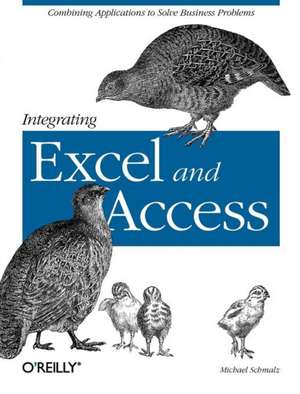
Integrating Excel and Access
Autor Michael Schmalzen Limba Engleză Paperback – 6 dec 2005
In a corporate setting, the Microsoft Office Suite is an invaluable set of applications. One of Offices' biggest advantages is that its applications can work together to share information, produce reports, and so on. The problem is, there isn't much documentation on their cross-usage. Until now.
Introducing Integrating Excel and Access, the unique reference that shows you how to combine the strengths of Microsoft Excel with those of Microsoft Access. In particular, the book explains how the powerful analysis tools of Excel can work in concert with the structured storage and more powerful querying of Access. The results that these two applications can produce together are virtually impossible to achieve with one program separately.
But the book isn't just limited to Excel and Access. There's also a chapter on SQL Server, as well as one dedicated to integrating with other Microsoft Office applications. In no time, you'll discover how to:
Introducing Integrating Excel and Access, the unique reference that shows you how to combine the strengths of Microsoft Excel with those of Microsoft Access. In particular, the book explains how the powerful analysis tools of Excel can work in concert with the structured storage and more powerful querying of Access. The results that these two applications can produce together are virtually impossible to achieve with one program separately.
But the book isn't just limited to Excel and Access. There's also a chapter on SQL Server, as well as one dedicated to integrating with other Microsoft Office applications. In no time, you'll discover how to:
- Utilize the built in features of Access and Excel to access data
- Use VBA within Access or Excel to access data
- Build connection strings using ADO and DAO
- Automate Excel reports including formatting, functions, and page setup
- Write complex functions and queries with VBA
- Write simple and advanced queries with the Access GUI
- Produce pivot tables and charts with your data
Preț: 196.20 lei
Preț vechi: 245.25 lei
-20%
Puncte Express: 294
Carte disponibilă
Livrare economică 16-30 noiembrie
Livrare prin curier în România Termenul estimat este afișat lângă disponibilitate.
Transport gratuit de la 400.00 lei Plată online sau ramburs, în funcție de opțiunile comenzii.
Retur gratuit în 14 zile Comandă securizată și suport în română.
Specificații
ISBN-13: 9780596009731
ISBN-10: 0596009739
Pagini: 232
Dimensiuni: 182 x 234 x 20 mm
Greutate: 0.42 kg
Editura: O'Reilly
Locul publicării:United States
ISBN-10: 0596009739
Pagini: 232
Dimensiuni: 182 x 234 x 20 mm
Greutate: 0.42 kg
Editura: O'Reilly
Locul publicării:United States
V-ar putea interesa
-
 -20%Preț: 228.50 lei285.63 lei
 -
 -20%Preț: 299.63 lei374.54 lei
 -
 -20%Preț: 225.89 lei282.35 lei
 -
 -20%Preț: 300.98 lei376.22 lei
 -
 -20%Preț: 219.05 lei273.81 lei
 -
 Data Analysis Using SQL and ExcelGordon S LinoffPreț: 408.25 lei
 -
 Excel Power Pivot & Power Query for DummiesMichael Alexander-20%Preț: 207.66 lei259.57 lei
 -
 -25%Preț: 416.84 lei556.14 lei
 -
 -20%Preț: 176.97 lei221.21 lei
 -
 -20%Preț: 175.98 lei219.97 lei
 -
 Microsoft Excel 365 BibleMichael Alexander-20%Preț: 290.19 lei362.74 lei
 -
 Microsoft 365 Excel For DummiesDavid H. Ringstrom-20%Preț: 143.21 lei179.02 lei
 -
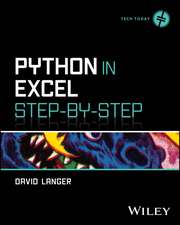 Python in Excel Step-by-StepDavid Langer-20%Preț: 295.33 lei369.16 lei
 -
 Microsoft 365 Excel All-in-One For DummiesDavid H Ringstrom-20%Preț: 241.78 lei302.23 lei
 -
 Excel Quick and EasyDick Kusleika-20%Preț: 81.87 lei102.34 lei
 -
 Microsoft Excel 2019 Step by StepCurtis Frye-20%Preț: 212.31 lei265.39 lei
 -
 Microsoft Excel 2019 Inside OutBill Jelen-20%Preț: 272.73 lei340.90 lei
 -
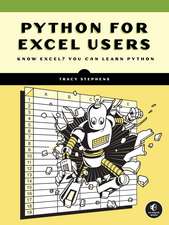 Python for Excel Users: Know Excel? You Can Learn PythonTracy Stephens-35%Preț: 238.55 lei369.12 lei
Notă biografică
Michael Schmalz works in financial services and performs business and technology consulting in a variety of industries. He has done technical editing for O'Reilly on several Microsoft Office books and authored Integrating Excel and Access and C# Database Basics. Michael has a degree in Finance from Penn State. He lives with his wife and children in Pennsylvania.
Cuprins
- Preface
- Chapter 1: Introduction to Access/Excel Integration
- Chapter 2: Using the Excel User Interface
- Chapter 3: Data Access from Excel VBA
- Chapter 4: Integration from the Access Interface
- Chapter 5: Using Access VBA to Automate Excel
- Chapter 6: Using Excel Charts and Pivot Tables with Access Data
- Chapter 7: Leveraging SQL Server Data with Microsoft Office
- Chapter 8: Advanced Excel Reporting Techniques
- Chapter 9: Using Access and Excel Data in Other Applications
- Chapter 10: Creating Form Functionality in Excel
- Chapter 11: Building Graphical User Interfaces
- Chapter 12: Tackling an Integration Project
- Appendix A: Excel Object Model
- Appendix B: VBA Basics
- Colophon
Descriere
Serves as a reference that shows you how to combine the powerful analysis tools of Excel, with the structured storage and more powerful querying of Access. This work covers everything you need to know, including interfaces, object models and code. Aimed at Microsoft Office users, it helps you learn how to crunch and visualize data.