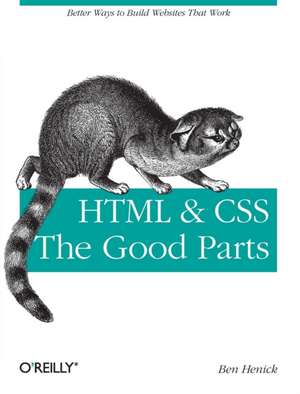
HTML & Css: The Good Parts
Autor Ben Henicken Limba Engleză Paperback – 30 mar 2010
Preț: 176.56 lei
Preț vechi: 220.69 lei
-20%
Puncte Express: 265
Carte disponibilă
Livrare economică 07-21 noiembrie
Livrare prin curier în România Termenul estimat este afișat lângă disponibilitate.
Transport gratuit de la 400.00 lei Plată online sau ramburs, în funcție de opțiunile comenzii.
Retur gratuit în 14 zile Comandă securizată și suport în română.
Specificații
ISBN-13: 9780596157609
ISBN-10: 0596157606
Pagini: 350
Ilustrații: Illustrations
Dimensiuni: 178 x 231 x 28 mm
Greutate: 0.48 kg
Editura: O'Reilly
ISBN-10: 0596157606
Pagini: 350
Ilustrații: Illustrations
Dimensiuni: 178 x 231 x 28 mm
Greutate: 0.48 kg
Editura: O'Reilly
V-ar putea interesa
-
 HTML and CSSJoe Casabona-20%Preț: 206.50 lei258.13 lei
 -
 -20%Preț: 244.87 lei306.08 lei
 -
 Head First HTML and CSSElisabeth Robson-20%Preț: 297.40 lei371.75 lei
 -
 HTML, CSS, and JavaScript All in OneJennifer Kyrnin-20%Preț: 191.60 lei239.49 lei
 -
 HTML and CSSJon Duckett-20%Preț: 149.27 lei186.59 lei
 -
 HTML5 and CSS3 All-in-One For Dummies 3eAndy Harris-20%Preț: 189.94 lei237.43 lei
 -
 -20%Preț: 211.52 lei264.40 lei
 -
 HTML & CSSJon Duckett-20%Preț: 259.57 lei324.46 lei
 -
 -20%Preț: 319.65 lei399.56 lei
 -
 Web and Digital for Graphic DesignersNeil Leonard-26%Preț: 194.83 lei264.88 lei
 -
 HTML, CSS, & JavaScript All-in-One For DummiesPaul McFedries-20%Preț: 212.89 lei266.11 lei
 -
 HTML & CSS Essentials For DummiesPaul McFedries-20%Preț: 79.54 lei99.42 lei
 -
 -20%Preț: 239.93 lei299.91 lei
 -
 Learning Web Design 5eJennifer Nieder Robbins-20%Preț: 393.45 lei491.82 lei
 -
 CSS in DepthKeith J Grant-20%Preț: 372.67 lei465.84 lei
 -
 CSS in Depth, Second EditionKeith Grant-20%Preț: 359.40 lei449.24 lei
 -
 -35%Preț: 118.15 lei182.95 lei
 -
 Web Design in Easy StepsSean McmanusPreț: 119.95 lei
 -
 Murachs HTML5 & CSS3Zak Ruvalcaba-19%Preț: 359.70 lei446.81 lei
 -
 Murach's HTML and CSSZak Ruvalcaba-20%Preț: 348.37 lei435.46 lei
Cuprins
Preface; The Who and What of This Book; Objectives of This Book; Conventions Used in This Book; Using Code Examples; Safari® Books Online; How to Contact O'Reilly; Acknowledgments; Chapter 1: Hypertext at the Core; 1.1 The Web Without Links; 1.2 URIs; Chapter 2: Working with HTML Markup; 2.1 HTML Syntax; 2.2 Rendering Modes, Flavors of HTML, and Document Type Declarations; 2.3 Beautiful Parts: Universal Attributes; 2.4 Separating Content, Structure, Presentation, and Behavior; 2.5 Browsers, Parsing, and Rendering; Chapter 3: CSS Overview; 3.1 Connecting Stylesheets to HTML Documents; 3.2 Choosing the Elements You Want to Style: Writing Selectors; 3.3 Rule Conflicts, Priority, and Precedence; 3.4 CSS Property and Value Survey; 3.5 CSS Units; 3.6 Key CSS Layout Properties; Chapter 4: Developing a Healthy Relationship with Standards; 4.1 The Broad Landscape of Web-Related Standards; 4.2 Why Web Standards?; 4.3 Taking the Middle Road: Standards-Friendliness; Chapter 5: Effective Style and Structure; 5.1 The Four Habits of Effective Stylists; 5.2 CSS Zen and the Stylist's Experience; 5.3 Information Architecture and Web Usability; Chapter 6: Solving the Puzzle of CSS Layout; 6.1 The CSS Box Model and Element Size Control; 6.2 Quirks Mode and Strict Mode; 6.3 auto Values; 6.4 Margins, Borders, and Padding; 6.5 Element Flow; 6.6 Using the display Property to Change an Element's Flow; 6.7 The float and clear Properties; 6.8 Implementing Multicolumn Layouts; 6.9 CSS Positioning Properties; 6.10 The visibility and z-index Properties; 6.11 Obtaining Precise Navigation Source Order and Layout; 6.12 Layout Types and Canvas Grids; Chapter 7: Working with Lists; 7.1 Ordered and Unordered Lists; 7.2 Other Uses for Lists; 7.3 Styling Navigation Elements; 7.4 Definition Lists; Chapter 8: Headings, Hyperlinks, Inline Elements, and Quotations; 8.1 Headings and Good Writing; 8.2 Styling Heading Elements; 8.3 Link Markup; 8.4 Styling Links; 8.5 Adding Semantic Value with Inline Elements; 8.6 Quotations; Chapter 9: Colors and Backgrounds; 9.1 Color Theory and Web Color Practice; 9.2 CSS Backgrounds; 9.3 Composing Background Images; 9.4 Bitmapped Copy and Fahrner Image Replacement; 9.5 Reducing Server Load with Sprites; Chapter 10: (Data) Tables; 10.1 The Disadvantages of Layout Tables; 10.2 The Parts of a Data Table; 10.3 Composing Cells; 10.4 Table Headers, Footers, and Heading Cells; Chapter 11: Images and Multimedia; 11.1 Replaced Elements; 11.2 Preparing Images for Production; 11.3 Image Production; 11.4 Working with Color Profiles; 11.5 Image Optimization; 11.6 Publishing Images; 11.7 Styling Images and Plug-in Content; 11.8 Adding Motion and Sound: Using SWFObject to Insert Flash Videos and Presentations; 11.9 Inserting Unwrapped Multimedia; Chapter 12: Web Typography; 12.1 A Brief History of Letterforms; 12.2 A Visual Glossary of Typography; 12.3 Aliasing and Anti-Aliasing; 12.4 Type Styles, Readability, and Legibility; 12.5 Sizing Type; 12.6 Working with Typefaces and Fonts; 12.7 Character Encoding in Brief; 12.8 Creating Balanced Type Treatments; 12.9 Typographical Miscellany in CSS; 12.10 The Practice of Good Web Typography; Chapter 13: Clean and Accessible Forms; 13.1 Building Effective Forms; 13.2 Assessment and Structure; 13.3 Basic Form Structure, Presentation, and Behavior; 13.4 Prototyping and Layout; 13.5 Required Fields and Other Submission Constraints; 13.6 Creating Accessible Forms; 13.7 Form Features in HTML5; Chapter 14: The Bad Parts; 14.1 The Numbing Nature of Internet Explorer (Especially IE 6); 14.2 Systemic Ugliness; 14.3 HTML's Bad Neighborhoods and Cul-de-Sacs; 14.4 CSS Travesties; 14.5 The Awful Parts; 14.6 Picking Up the Pieces; URIs, Client-Server Architecture, and HTTP; The Underlying Client-Server Architecture; What Every Web Developer Should Know About HTTP; MIME Types, in Brief; Controlling Request Volume; Glossary; Colophon;