Cuprins
; Praise for Head First Servlets and JSP(TM); Praise for the Head First approach; Perpetrators of the Head First series (and this book); How to Use this Book: Intro; Who is this book for?; We know what you're thinking.; And we know what your brain is thinking; Metacognition: thinking about thinking; Here's what WE did; Here's what YOU can do to bend your brain into submission; What you need for this book; Last-minute things you need to know; About the SCWCD (for Java EE 1.5) exam; Beta testers & technical reviewers; Other people to : credit; Even more peopleThe large number of acknowledgments is because we're testing the theory that everyone mentioned in a book acknowledgment will buy at least one copy, probably more, what with relatives and everything. If you'd like to be in the acknowledgments of our next book, and you have a large family, write to us.; Chapter 1: Intro and Overview: Why use Servlets & JSPs?; 1.1 Everybody wants a web site; 1.2 What does your web server do?; 1.3 What does a web client do?; 1.4 Clients and servers know HTML and HTTP; 1.5 Two-minute HTML guide; 1.6 What you write... (the HTML); 1.7 What the browser creates...; 1.8 What is the HTTP protocol?; 1.9 HTML is part of the HTTP response; 1.10 If that's the response, what's in the request?; 1.11 GET is a simple request, POST can send user data; 1.12 It's true... you can send a little data with HTTP GET; 1.13 Anatomy of an HTTP GET request; 1.14 Anatomy of an HTTP POST request; 1.15 Anatomy of an HTTP response, and what the heck is a "MIME type"?; 1.16 All the pieces. On one page.; 1.17 URL. Whatever you do, don't pronounce it "Earl".; 1.18 Directory structure for a simple Apache web site; 1.19 Web servers love serving static web pages; 1.20 But sometimes you need more than just the web server; 1.21 Two things the web server alone won't do; 1.22 The non-Java term for a web server helper app is "CGI" program; 1.23 Servlets Demystified (write, deploy, run); 1.24 JSP is what happened when somebody introduced Java to HTML; Chapter 2: High-Level Overview: Web App Architecture; 2.1 What is a Container?; 2.2 What if you had Java, but no servlets or Containers?; 2.3 What does the Container give you?; 2.4 How the Container handles a request; 2.5 How it looks in code (what makes a servlet a servlet); 2.6 You're wondering how the Container found the Servlet...; 2.7 A servlet can have THREE names; 2.8 Using the Deployment Descriptor to map URLs to servlets; 2.9 But wait! There's more you can do with the DD; 2.10 Story: Bob Builds a Matchmaking Site; 2.11 He starts to build a bunch of servlets... one for each page; 2.12 But then it gets ugly, so he adds JSPs; 2.13 But then his friend says, "You ARE using MVC, right?"; 2.14 The Model-View-Controller (MVC) Design Pattern fixes this; 2.15 Applying the MVC pattern to the matchmaking web app; 2.16 But then his friend Kim takes a look; 2.17 Is there an answer?; 2.18 A "working" Deployment Descriptor (DD); 2.19 How J2EE fits into all this; Chapter 3: Hands-on MVC: Mini MVC Tutorial; 3.1 Let's build a real (small) web application; 3.2 The User's View of the web application-a Beer Advisor; 3.3 Here's the architecture...; 3.4 Creating your development environment; 3.5 Creating the deployment environment; 3.6 Our roadmap for building the app; 3.7 The HTML for the initial form page; 3.8 Deploying and testing the opening page; 3.9 Mapping the logical name to a servlet class file; 3.10 The first version of the controller servlet; 3.11 Compiling, deploying, and testing the controller servlet; 3.12 Building and testing the model class; 3.13 Enhancing the servlet to call the model, so that we can get REAL advice...; 3.14 Servlet version two code; 3.15 Key steps for servlet version two; 3.16 Review the partially completed, MVC beer advice web application; 3.17 Create the JSP "view" that gives the advice; 3.18 Enhancing the servlet to "call" the JSP (version three); 3.19 Code for servlet version three; 3.20 Compile, deploy, and test the final app!; 3.21 There is still so much to learn.; Chapter 4: Request and Response: Being a Servlet; 4.1 Servlets are controlled by the Container; 4.2 But there's more to a servlet's life; 4.3 The Three Big Lifecycle Moments; 4.4 Each request runs in a separate thread!; 4.5 In the beginning: loading and initializing; 4.6 The HTTP request Method determines whether doGet() or doPost() runs; 4.7 Actually, one or more of the other HTTP Methods might make a (brief) appearance on the exam...; 4.8 The difference between GET and POST; 4.9 No, it's not just about the size; 4.10 The story of the non-idempotent request; 4.11 POST is not idempotent; 4.12 What determines whether the browser sends a GET or POST request?; 4.13 POST is NOT the default!; 4.14 Sending and using a single parameter; 4.15 Sending and using TWO parameters; 4.16 Besides parameters, what else can I get from a Request object?; 4.17 Review: servlet lifecycle and API; 4.18 Review: HTTP and HttpServletRequest; 4.19 So that's the Request... now let's see the Response; 4.20 Using the response for I/O; 4.21 Imagine you want to send a JAR to the client...; 4.22 Servlet code to download the JAR; 4.23 Whoa. What's the deal with content type?; 4.24 You've got two choices for output: characters or bytes; 4.25 You can set response headers, you can add response headers; 4.26 But sometimes you just don't want to deal with the response yourself...; 4.27 Servlet redirect makes the browser do the work; 4.28 A request dispatch does the work on the server side; 4.29 Redirect vs. Request Dispatch; 4.30 Review: HttpServletResponse; 4.31 Coffee Cram: Mock Exam Chapter 4; 4.32 Coffee Cram: Chapter 4 Answers; Chapter 5: Attributes and Listeners: Being a Web App; 5.1 Kim wants to configure his email address in the DD, not hard-code it inside the servlet class; 5.2 Init Parameters to the rescue; 5.3 You can't use servlet init parameters until the servlet is initialized; 5.4 The servlet init parameters are read only ONCE-when the Container initializes the servlet; 5.5 Testing your ServletConfig; 5.6 How can a JSP get servlet init parameters?; 5.7 Setting a request attribute works... but only for the JSP to which you forwarded the request; 5.8 Context init parameters to the rescue; 5.9 Remember the difference between servlet init parameters and context init parameters; 5.10 ServletConfig is one per servlet ServletContext is one per web app; 5.11 So what else can you do with your ServletContext?; 5.12 What if you want an app init parameter that's a database DataSource?; 5.13 What, exactly, is an attribute?; 5.14 Coffee Cram: Mock Exam Chapter 5; 5.15 Coffee Cram: Chapter 5 Answers; Chapter 6: Session Management: Conversational state; 6.1 Kim wants to keep client-specific state across multiple requests; 6.2 It's supposed to work like a REAL conversation...; 6.3 How can he track the client's answers?; 6.4 How sessions work; 6.5 One problem... how does the Container know who the client is?; 6.6 The client needs a unique session ID; 6.7 How do the Client and Container exchange Session ID info?; 6.8 The best part: the Container does virtually all the cookie work!; 6.9 What if I want to know whether the session already existed or was just created?; 6.10 What if I want ONLY a pre-existing session?; 6.11 You can do sessions even if the client doesn't accept cookies, but you have to do a little more work...; 6.12 Don't forget about HttpSessionBindingListener; 6.13 HttpSessionActivationListener lets attributes prepare for the big move...; 6.14 Session-related Listeners; 6.15 Coffee Cram: Mock Exam Chapter 6; 6.16 Coffee Cram: Chapter 6 Answers; Chapter 7: Using JSP: Being a JSP; 7.1 In the end, a JSP is just a servlet; 7.2 Making a JSP that displays how many times it's been accessed; 7.3 She deploys and tests it; 7.4 The JSP doesn't recognize the Counter class; 7.5 Use the page directive to import packages; 7.6 But then Kim mentions "expressions"; 7.7 Expressions become the argument to an out.print(); 7.8 Kim drops the final bombshell...; 7.9 Declaring a variable in a scriptlet; 7.10 What REALLY happens to your JSP code?; 7.11 We need another JSP element...; 7.12 JSP Declarations; 7.13 Time to see the REAL generated servlet; 7.14 The out variable isn't the only implicit object...; 7.15 A comment...; 7.16 API for the generated servlet; 7.17 Lifecycle of a JSP; 7.18 Translation and compilation happens only ONCE; 7.19 Initializing your JSP; 7.20 Attributes in a JSP; 7.21 Using PageContext for attributes; 7.22 Examples using pageContext to get and set attributes; 7.23 While we're on the subject... let's talk more about the three directives; 7.24 Scriptlets considered harmful?; 7.25 There didn't used to BE an alternative.; 7.26 EL: the answer to, well, everything.; 7.27 Sneak peek at EL; 7.28 Using ; 7.29 You can choose to ignore EL; 7.30 But wait... there's still another JSP element we haven't seen: actions; 7.31 Coffee Cram: Mock Exam Chapter 7; 7.32 Coffee Cram: Chapter 7 Answers; Chapter 8: Scriptless JSP: Script-free pages; 8.1 Our MVC app depends on attributes; 8.2 But what if the attribute is not a String, but an instance of Person?; 8.3 We need more code to get the Person's name; 8.4 Person is a JavaBean, so we'll use the bean-related standard actions; 8.5 Deconstructing and ; 8.6 can also CREATE a bean!; 8.7 You can use ; 8.8 can have a body!; 8.9 Generated servlet when has a body; 8.10 Can you make polymorphic bean references?; 8.11 Adding a type attribute to ; 8.12 Using type without class; 8.13 The scope attribute defaults to "page"; 8.14 Going straight from the request to the JSP without going through a servlet...; 8.15 The param attribute to the rescue; 8.16 But wait ! It gets even better...; 8.17 If you can stand it, it gets even BETTER...; 8.18 Bean tags convert primitive properties automatically; 8.19 But what if the property is something OTHER than a String or primitive?; 8.20 Trying to display the property of the property; 8.21 Expression Language (EL) saves the day!; 8.22 Deconstructing the JSP Expression Language (EL); 8.23 Using the dot (.) operator to access properties and map values; 8.24 The [] operator is like the dot only way better; 8.25 The [] gives you more options...; 8.26 Using the [] operator with an array; 8.27 A String index is coerced to an int for arrays and Lists; 8.28 For beans and Maps you can use either operator; 8.29 If it's NOT a String literal, it's evaluated; 8.30 You can use nested expressions inside the brackets; 8.31 You can't do ${foo.1}; 8.32 EL renders raw text, including HTML; 8.33 The EL implicit objects; 8.34 Request parameters in EL; 8.35 What if you want more information from the request?; 8.36 The requestScope is NOT the request object; 8.37 Scope implicit objects can save you; 8.38 Getting Cookies and init params; 8.39 Imagine you want your JSP to roll dice; 8.40 Deploying an app with static functions; 8.41 And a few other EL operators...; 8.42 EL handles null values gracefully; 8.43 JSP Expression Language (EL) review; 8.44 Reusable template pieces; 8.45 The include directive; 8.46 The standard action; 8.47 They're NOT the same underneath...; 8.48 The include directive happens at translation time happens at runtime; 8.49 The include directive at first request; 8.50 The standard action at first request; 8.51 Uh-oh. She's right...; 8.52 The way we SHOULD have done it; 8.53 Customizing the included content with ; 8.54 The standard action; 8.55 A conditional forward...; 8.56 How it runs...; 8.57 With , the buffer is cleared BEFORE the forward; 8.58 Bean-related standard action review; 8.59 The include review; 8.60 Coffee Cram: Mock Exam Chapter 8; 8.61 Coffee Cram: Chapter 8 Answers; Chapter 9: Using JSTL: Custom tags are powerful; 9.1 EL and standard actions are limited; 9.2 The case of the disappearing HTML (reprised); 9.3 There's a better way: use the tag; 9.4 Null values are rendered as blank text; 9.5 Set a default value with the default attribute; 9.6 Looping without scripting; 9.7 ; 9.8 Deconstructing ; 9.9 You can even nest tags; 9.10 Doing a conditional include with ; 9.11 But what if you need an else?; 9.12 The tag won't work for this; 9.13 The tag and its partners and ; 9.14 The tag... so much cooler than ; 9.15 Using with beans and Maps; 9.16 Key points and gotchas with ; 9.17 just makes sense; 9.18 With , there are now THREE ways to include content; 9.19 can reach OUTSIDE the web app; 9.20 Customizing the thing you include; 9.21 Doing the same thing with ; 9.22 for all your hyperlink needs; 9.23 What if the URL needs encoding?; 9.24 You do NOT want your clients to see this:; 9.25 Make your own error pages; 9.26 Configuring error pages in the DD; 9.27 Error pages get an extra object: exception; 9.28 The tag. Like try/catch...sort of; 9.29 You can make the exception an attribute; 9.30 What if you need a tag that's NOT in JSTL?; 9.31 Using a tag library that's NOT from the JSTL; 9.32 Making sense of the TLD; 9.33 Using the custom "advice" tag; 9.34 The custom tag handler; 9.35 Pay attention to ; 9.36 is NOT just for EL expressions; 9.37 What can be in a tag body; 9.38 The tag handler, the TLD, and the JSP; 9.39 The taglib is just a name, not a location; 9.40 The Container builds a map; 9.41 Four places the Container looks for TLDs; 9.42 When a JSP uses more than one tag library; 9.43 Coffee Cram: Mock Exam Chapter 9; 9.44 Coffee Cram: Chapter 9 Answers; Chapter 10: Custom Tag Development: When even JSTL is not enough...; 10.1 Includes and imports can be messy; 10.2 Tag Files: like include, only better; 10.3 But how do you send it parameters?; 10.4 To a Tag File, you don't send request parameters, you send tag attributes!; 10.5 Aren't tag attributes declared in the TLD?; 10.6 Tag Files use the attribute directive; 10.7 When an attribute value is really big; 10.8 Declaring body-content for a Tag File; 10.9 Where the Container looks for Tag Files; 10.10 When you need more than Tag Files... Sometimes you need Java; 10.11 Making a Simple tag handler; 10.12 A Simple tag with a body; 10.13 The Simple tag API; 10.14 The life of a Simple tag handler; 10.15 What if the tag body uses an expression?; 10.16 A tag with dynamic row data: iterating the body; 10.17 A Simple tag with an attribute; 10.18 What exactly IS a JspFragment?; 10.19 SkipPageException: stops processing the page...; 10.20 SkipPageException shows everything up to the point of the exception; 10.21 But what happens when the tag is invoked from an included page?; 10.22 SkipPageException stops only the page that directly invoked the tag; 10.23 You still have to know about Classic tag handlers; 10.24 Tag handler API; 10.25 A very small Classic tag handler; 10.26 A Classic tag handler with TWO methods; 10.27 When a tag has a body: comparing Simple vs. Classic; 10.28 Classic tags have a different lifecycle; 10.29 The Classic lifecycle depends on return values; 10.30 IterationTag lets you repeat the body; 10.31 Default return values from TagSupport; 10.32 OK, let's get real...; 10.33 Our dynamic
Descriere
Looking to study up for the new J2EE 1.5 Sun Certified Web Component Developer (SCWCD) exam? This book will get you way up to speed on the technology you'll know it so well, in fact, that you can pass the brand new J2EE 1.5 exam. If that's what you want to do, that is. Maybe you don't care about the exam, but need to use servlets and JSPs in your next project. You're working on a deadline. You're over the legal limit for caffeine. You can't waste your time with a book that makes sense only AFTER you're an expert (or worse, one that puts you to sleep).Learn how to write servlets and JSPs, what makes a web container tick (and what ticks it off), how to use JSP's Expression Language (EL for short), and how to write deployment descriptors for your web applications. Master the c:out tag, and get a handle on exactly what's changed since the older J2EE 1.4 exam. You don't just pass the new J2EE 1.5 SCWCD exam, you'll understand this stuff and put it to work immediately.Head First Servlets and JSP doesn't just give you a bunch of facts to memorize; it drives knowledge straight into your brain. You'll interact with servlets and JSPs in ways that help you learn quickly and deeply. And when you're through with the book, you can take a brand-new mock exam, created specifically to simulate the real test-taking experience.

 Thinking in JavaBruce Eckel-20%Preț: 406.17 lei507.71 lei
 -20%Preț: 370.60 lei463.25 lei
 Java Server and Servlets: Building portable web applicationsPeter Rossbach-20%Preț: 326.32 lei407.90 lei
 Internet & World Wide Web: How to ProgramHarvey Deitel-20%Preț: 605.11 lei756.38 lei
 Head First HTML and CSSElisabeth Robson-20%Preț: 297.40 lei371.75 lei
 -20%Preț: 202.63 lei253.29 lei
 Object-Oriented Design with UML and JavaKenneth BarclayPreț: 270.46 lei
 HTML and CSSJon Duckett-20%Preț: 149.27 lei186.59 lei
 -20%Preț: 211.52 lei264.40 lei
 HTML & CSSJon Duckett-20%Preț: 259.57 lei324.46 lei
 -20%Preț: 319.65 lei399.56 lei
 Html5, Javascript, and jQuery 24-Hour TrainerDane Cameron-20%Preț: 234.24 lei292.81 lei
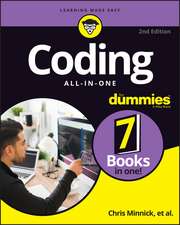 Coding All-in-One For DummiesChris Minnick-20%Preț: 226.43 lei283.04 lei
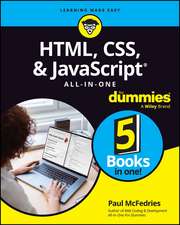 HTML, CSS, & JavaScript All-in-One For DummiesPaul McFedries-20%Preț: 212.89 lei266.11 lei
 HTML & CSS Essentials For DummiesPaul McFedries-20%Preț: 79.54 lei99.42 lei
 Spring Start HereLaurentiu Spilca-20%Preț: 356.38 lei445.48 lei
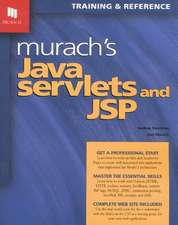 Murach's Java Servlets & JSPAndrea Steelman-28%Preț: 320.25 lei447.12 lei
 Murachs Java Servlets & JSPJoel Murach-20%Preț: 326.25 lei407.81 lei
 Murach's HTML and CSSZak Ruvalcaba-20%Preț: 348.37 lei435.46 lei
 Web Applications: technologies and modelsAndrea Nicchi-20%Preț: 371.14 lei463.92 lei