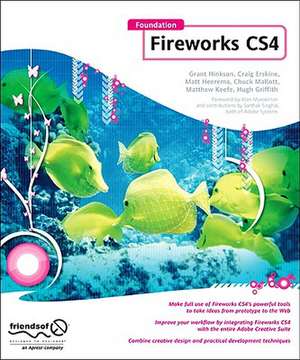
Foundation Fireworks CS4
Autor Hugh Griffith, Rogie King, Nathan Smith, Chuck Mallott, Matt Heerema, Craig Erskineen Limba Engleză Paperback – 26 mar 2009
- Coverage of all that's new and powerful for the Web designer and developer in Fireworks CS4
- Targets developers who want design tools that don't get in their way and designers who want development tools that don't constrain their creativity
- Do all your website and page prototypes and comps in one tool and learn how to take them straight to Dreamweaver to implement your designs
Preț: 188.90 lei
Preț vechi: 236.13 lei
-20%
Puncte Express: 283
Carte disponibilă
Livrare economică 09-23 noiembrie
Livrare prin curier în România Termenul estimat este afișat lângă disponibilitate.
Transport gratuit de la 400.00 lei Plată online sau ramburs, în funcție de opțiunile comenzii.
Retur gratuit în 14 zile Comandă securizată și suport în română.
Specificații
ISBN-13: 9781430216186
ISBN-10: 1430216182
Pagini: 308
Ilustrații: 304 p.
Dimensiuni: 191 x 235 x 17 mm
Greutate: 0.58 kg
Ediția:1st edition
Editura: Apress
Locul publicării:Berkeley, CA, United States
ISBN-10: 1430216182
Pagini: 308
Ilustrații: 304 p.
Dimensiuni: 191 x 235 x 17 mm
Greutate: 0.58 kg
Ediția:1st edition
Editura: Apress
Locul publicării:Berkeley, CA, United States
V-ar putea interesa
-
 Xara Xtreme 5: The Official GuideGary David Bouton-20%Preț: 211.42 lei264.28 lei
 -
 Fireworks MXKim CavanaughPreț: 241.40 lei
 -
 Preț: 318.79 lei
 -
 -20%Preț: 59.39 lei74.23 lei
 -
 Preț: 409.37 lei
 -
 -20%Preț: 417.26 lei521.58 lei
 -
 Adobe Illustrator WOW! Book for CS6 and CC, TheSharon Steuer-20%Preț: 359.06 lei448.83 lei
 -
 Adobe Photoshop Classroom in a Book 2026 ReleaseConrad ChavezPreț: 462.81 lei
 -
 Preț: 383.98 lei
 -
 Adobe Photoshop CS5 Classroom in a BookAdobe Systems-18%Preț: 266.60 lei325.93 lei
 -
![Adobe Flash Professional CS5 Classroom in a Book: The Official Training Workbook from Adobe Systems [With DVD ROM]](https://i0.books-express.ro/bt/9780321701800/adobe-flash-professional-cs5-classroom-in-a-book.jpg) -20%Preț: 263.23 lei329.03 lei
-20%Preț: 263.23 lei329.03 lei -
 -20%Preț: 127.10 lei158.87 lei
 -
 Adobe Creative Suite 2 WorkflowJennifer Alspach-20%Preț: 213.13 lei266.41 lei
 -
 HTML & CSSJon Duckett-20%Preț: 259.57 lei324.46 lei
 -
 -20%Preț: 319.65 lei399.56 lei
 -
 -20%Preț: 318.59 lei398.23 lei
 -
 Adobe Indesign, 2nd EditionStephen LaskevitchPreț: 344.64 lei
 -
 Adobe Illustrator, 2nd EditionJason Hoppe-20%Preț: 302.66 lei378.33 lei
Public țintă
Popular/generalCuprins
00. Book forward, possibly: --- Jon Hicks, prominent FW designer --- Alan Musselman, FW dev relations Part I: Learning Fireworks 01. Introduction --- History of Fireworks --- Adobe acquisition of Macromedia --- Fireworks vs. Photoshop 02. Integration --- with Dreamweaver --- with Flash --- with Photoshop --- with Illustrator (HG) 03. Working with rasters --- Marquee, lasso --- Pencil, brush --- Blur --- Sharpen --- Dodge --- Burn --- Smudge --- Rubber stamp --- Replace color --- Red-eye removal --- Eraser 04. Working with vectors --- Benefits vs. raster --- Integration with Flash --- Good at all resolutions --- Combining shapes, add/delete vertices --- Join --- Split --- Union --- Intersect --- Punch --- Crop --- Line tool --- Pen tool --- Masks (CM) --- Shapes --- Rectangle (most commonly used) --- Ellipse --- Polygon --- Special (all the rest) 05. Exporting --- Hotspot tool --- Slice tool --- Exporting code (not recommended) --- Optimizing quality vs. file size --- Using the side-by-side view Part II: Using Fireworks 06. Creating effects --- Adding depth --- Inner shadow --- Drop shadow --- Jewel button --- Chrome --- Water droplet --- Reflections --- Wicked worn --- Pixel bevel --- Simple mask 07. Creating logos --- (Firefox logo done in FW!) --- Convert text to vector --- Kerning letters --- Modifying typography --- Anti-aliasing, how much? 08. Animation --- Frames --- GIF --- Flash 09. Web design workflow --- Using multiple pages --- Using/Benefits of Symbols (CE) --- Using the 9-slice tool --- Enterprise environment --- Benefits of PNG --- Wireframing (HG) --- Designing on a grid --- Common grid templates --- Using the align tool --- Batch processing (Is this the right place for this? HG) 10. Extensibility --- Installing a plugin --- Must-have plugins --- Photoshop compatible --- for Fireworks only --- Creating your own Part III: Fireworks in Action 11. Website case study #1: Blog—Matt --- Gather requirements --- Choosing a color palette --- Building the interface --- Slicing and dicing --- Writing the code (by hand) 12. Website case study #2: Photo Site—Nathan Website case study #3: Comic Site—Hugh 14. Website case study #4: CSS Sprites—Craig 15. Website case study #5: Adobe AIR— Rogie 16. Website case study #6: e-Commerce—Chuck Appendix --- Keyboard shortcuts --- Fireworks resource sites
Caracteristici
First book to focus on getting Web things done with Adobe Fireworks as a key element in every designer’s Web workflow Takes Fireworks beginners quickly through the basics to getting real work accomplished Written by a team of Fireworks experts with experience in all aspects of Web design and development