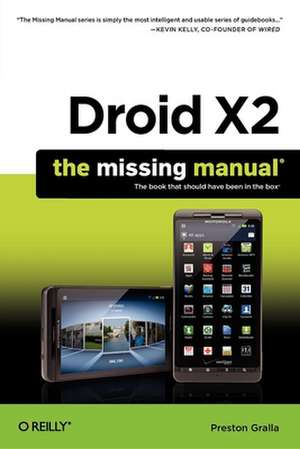
Droid X2
Autor Preston Grallaen Limba Engleză Paperback – noi 2011
Preț: 107.78 lei
Preț vechi: 134.72 lei
-20%
Puncte Express: 162
Carte disponibilă
Livrare economică 17-31 decembrie
Livrare prin curier în România Termenul estimat este afișat lângă disponibilitate.
Transport gratuit de la 400.00 lei Plată online sau ramburs, în funcție de opțiunile comenzii.
Retur gratuit în 14 zile Comandă securizată și suport în română.
Specificații
ISBN-13: 9781449396862
ISBN-10: 1449396860
Pagini: 420
Dimensiuni: 152 x 227 x 28 mm
Greutate: 0.56 kg
Ediția:2nd edition
Editura: O'Reilly
V-ar putea interesa
-
 Preț: 73.48 lei
-
 Google Nexus 7 TabletChris Fehily-20%Preț: 111.23 lei139.04 lei
-
 My iPadGary RosenzweigPreț: 34.13 lei
-
 Android Smartphones for DummiesJerome Dimarzio-20%Preț: 136.55 lei170.70 lei
-
 iPhone For Dummies, 2024 EditionG Hart–DavisPreț: 167.99 lei
-
 Windows 11 All-in-One For Dummies, 2nd EditionCiprian Adrian Rusen-20%Preț: 255.89 lei319.86 lei
-
 Windows 11 For Seniors For Dummies, 2nd EditionCurt Simmons-20%Preț: 118.48 lei148.10 lei
-
 Preț: 184.86 lei
-
 iPhone for Dummies, 2025 EditionGuy Hart-Davis-20%Preț: 199.96 lei249.95 lei
-
 SharePoint For DummiesKen Withee-20%Preț: 142.67 lei178.33 lei
-
 iPad For Seniors For Dummies, 2025-2026 EditionDwight Spivey-20%Preț: 146.12 lei182.65 lei
-
 Macs For Seniors For Dummies, 5th EditionMark L. Chambers-20%Preț: 141.17 lei176.47 lei
-
 X-Men For DummiesTroy BrownfieldPreț: 166.32 lei
-
 iPhone For Seniors For Dummies, 2026 EditionDwight SpiveyPreț: 178.93 lei
-
 iPhone For Dummies, 2026 EditionHart-DavisPreț: 166.07 lei
-
 -13%Preț: 85.99 lei98.66 leiRecomandat
-
 Android Tablets in easy stepsNick Vandome-20%Preț: 74.65 lei93.31 lei
-
 The PlayStation 2 Collector's GuideMathieu Manent-20%Preț: 130.23 lei162.78 lei
-
 The Nikon Z50 II: Pocket GuideRocky NookPreț: 79.79 lei
Cuprins
The Missing Credits; About the Author; About the Creative Team; Acknowledgements; The Missing Manual Series; Introduction; About the Droid X2; About This Book; About the Outline; About¿These¿Arrows; About the Online Resources; Safari® Books Online; Chapter 1: The Guided Tour; 1.1 Power/Lock Key; 1.2 Headset Jack; 1.3 About the Screen; 1.4 Status Bar Icons; 1.5 Notification Light; 1.6 The Four Keys; 1.7 Micro USB Port; 1.8 HDMI Port; 1.9 Ringer Volume; 1.10 Microphone; 1.11 SD Card and Battery; 1.12 Camera; 1.13 Charging Cable and AC Adapter; 1.14 Home Screen; 1.15 The Droid X Panes; 1.16 Customizing the Home Screen and Panes; 1.17 Controlling the Droid X2 with Your Fingers; Chapter 2: Typing and Texting; 2.1 The Keyboards; 2.2 Using the Multi-Touch Keyboard; 2.3 Using the Swype Keyboard; 2.4 Copying and Pasting Text; 2.5 Searching Your Droid X2; 2.6 Voice Search; 2.7 Text Messaging; 2.8 Google Talk; Chapter 3: Phone Calls; 3.1 Placing a Phone Call; 3.2 Dialing a Call; 3.3 Managing Contacts; 3.4 Designating Favorites; 3.5 Answering Calls; 3.6 Conference Calling; 3.7 Visual Voicemail; 3.8 Call Waiting; 3.9 Call Forwarding; 3.10 Caller ID; 3.11 Bluetooth Earpieces; Chapter 4: Music; 4.1 Where to Get Music; 4.2 Using the Music App; 4.3 Playing Your Music; 4.4 Creating Playlists; 4.5 More Music Options; 4.6 Using Your Droid X2 While Playing Music; 4.7 Playing Music and Media on Other Devices; 4.8 Google Music Cloud Player; Chapter 5: Camera, Photos, and Video; 5.1 Opening the Gallery; 5.2 Editing Photos, Slideshows, and More; 5.3 Working with Multiple Photos; 5.4 Videos in the Gallery; 5.5 How the Droid X Gallery Differs from the Droid X2's; 5.6 Taking Still Photos; 5.7 Customizing Your Photo Shooting; 5.8 Photo Settings; 5.9 Taking Video; 5.10 Using HDMI to View Photos and Videos on a TV or Monitor; 5.11 YouTube; Chapter 6: Maps, Navigation, and Other Droid X2 Apps; 6.1 Maps; 6.2 Weather; 6.3 Reading News; 6.4 Calculator; Chapter 7: Calendar; 7.1 Using the Calendar; 7.2 Calendar and Geolocation; 7.3 Google Calendar on the Web; 7.4 Synchronizing Your Calendar with Outlook; 7.5 Corporate Calendar and Microsoft Exchange; Chapter 8: Getting Online: Wi-Fi, 3G, and Mobile Hot Spots; 8.1 How the Droid X2 Gets Online; 8.2 Connecting via Wi-Fi; 8.3 Turning Your Droid X2 into a Wi-Fi Hot Spot; 8.4 Airplane Mode; Chapter 9: The Web; 9.1 The Droid X2's Browser; 9.2 Basic Navigation and Managing Windows; 9.3 Navigating a Web Page; 9.4 Multiple Windows; 9.5 Web Pages Designed for Mobile Phones; 9.6 The Address Bar; 9.7 Bookmarks; 9.8 Most Visited and History Lists; 9.9 Tapping Links; 9.10 Saving Online Images; 9.11 Finding Text, Copying Text, Getting Page Information, and More; 9.12 Getting the Facts with RSS; 9.13 Online Privacy and Security; 9.14 Using Other Browsers; Chapter 10: Email, Gmail, Twitter, Facebook, and the Universal Inbox; 10.1 Understanding Email on the Droid X2; 10.2 Setting Up Gmail; 10.3 Reading Mail in Gmail; 10.4 Replying and Forwarding in Gmail; 10.5 Understanding Gmail's Organization; 10.6 Managing Incoming Mail in Gmail; 10.7 Writing Messages in Gmail; 10.8 Working with Labels and Search; 10.9 Searching Gmail; 10.10 Setting Up Email Accounts; 10.11 Reading Mail; 10.12 Handling Attachments and Pictures in Email; 10.13 Managing Mail; 10.14 Creating and Sending Mail; 10.15 The Universal Inbox; 10.16 Using Web-Based Mail Programs; 10.17 Facebook and Twitter on the Droid X2; Chapter 11: Downloading and Using Apps; 11.1 The Droid X2's Free and Easy Approach to Apps; 11.2 Apps and Multitasking; 11.3 Where to Get Apps; 11.4 Using Market; 11.5 Downloading from the Web; 11.6 Downloading and Using a Bar Code Scanner; 11.7 Updating Apps; 11.8 Managing, Sharing, and Uninstalling Apps; 11.9 Putting an App on the Home Screen or Panes; 11.10 Troubleshooting Apps; 11.11 Six Great Apps; Chapter 12: Syncing and Transferring Music, Videos, Pictures, and Other Files; 12.1 Connecting Your Droid X2 to Your Computer; 12.2 Transferring Files Using Your PC; 12.3 Transferring Files Using Your Mac; 12.4 Transferring Music, Videos, and Pictures from a PC Using Windows Media Player; 12.5 Transferring Music, Videos, and Pictures to Your PC; 12.6 Transferring Pictures to Your PC in Bulk; 12.7 Using the Droid X2 Files Application; 12.8 Checking Space on Your SD Card; Chapter 13: Taking the Droid X2 to Work; 13.1 Setting Up Your Droid X2 with Your Company Account; 13.2 Virtual Private Networking (VPN); 13.3 Using Google Docs; 13.4 Microsoft Office; Chapter 14: Controlling the Droid X2 with Your Voice; 14.1 Two Ways to Control the Droid X2 by Voice; 14.2 Using the Magic of Voice Actions; 14.3 What You Can Do with Voice Actions; 14.4 Using Voice Commands; 14.5 What Can You Control with Your Voice?; 14.6 Training the Droid X2 to Obey; 14.7 Setting Voice Commands Options; Chapter 15: Settings; 15.1 Wireless & Networks; 15.2 Call Settings; 15.3 Sound; 15.4 Display; 15.5 Battery and Data Manager; 15.6 HDMI; 15.7 Backup Assistant; 15.8 Location & Security; 15.9 Accounts; 15.10 Applications; 15.11 Privacy; 15.12 Storage; 15.13 Language & Keyboard; 15.14 Voice Input & Output; 15.15 Accessibility; 15.16 Date & Time; 15.17 About Phone; Setup and Signup; Choosing a Plan; Making Account Changes on the Web; Upgrading to the Newest Software; Accessories; Useful Accessories; Places to Shop; Troubleshooting and Maintenance; Make Sure Your Software is Up-to-Date; Fixing a Frozen Phone; Correcting Email Settings; Troubleshooting the SD Card; Resetting the Droid X2; Warranty and Repair; Where to Go for Help;