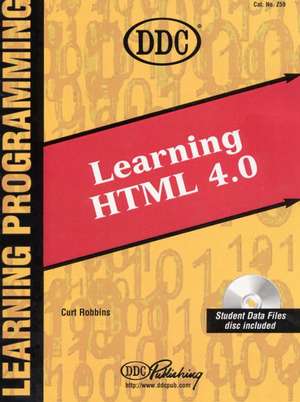
DDC Learning HTML 4.0: DDC Learning
Autor Curt Robbinsen Limba Engleză Spirală – 31 dec 1998
Preț: 421.86 lei
Puncte Express: 633
Carte indisponibilă temporar
Doresc să fiu notificat când acest titlu va fi disponibil:
Se trimite...
Specificații
ISBN-13: 9781562439613
ISBN-10: 1562439618
Pagini: 489
Ediția:1
Editura: Prentice Hall
Seria DDC Learning
Locul publicării:Upper Saddle River, United States
ISBN-10: 1562439618
Pagini: 489
Ediția:1
Editura: Prentice Hall
Seria DDC Learning
Locul publicării:Upper Saddle River, United States
Descriere
For courses in HTML and Web Design.
Designed for students at a variety of skill levels, Learning HTML 4.0 provides students with a total-immersion, hands-on tutorial that walks them step by step, mouse-click by mouse-click, keystroke by keystroke through basic to advanced features of HTML 4.0. The well-illustrated, spiral-bound manual contains easy-to-read, appealingly formatted procedural explanations and step-by-step exercises in a notes/exercises format.
Designed for students at a variety of skill levels, Learning HTML 4.0 provides students with a total-immersion, hands-on tutorial that walks them step by step, mouse-click by mouse-click, keystroke by keystroke through basic to advanced features of HTML 4.0. The well-illustrated, spiral-bound manual contains easy-to-read, appealingly formatted procedural explanations and step-by-step exercises in a notes/exercises format.
Cuprins
I. HTML 4.0 FUNDAMENTALS.
Lesson 1: What Is HTML?
Lesson 2: HTML Tags.
Lesson 3: Tag Attributes & Character References.
Lesson 4: Inline Images & Colors.
Lesson 5: Creating Hyperlinks.
Lesson 6: HTML 4.0 Tips & Tricks.
Lesson 7: Course Review.
II. HTML 4.0 INTERMEDIATE.
Lesson 8: Introduction to Frames.
Lesson 9: Advanced Frame Layout.
Lesson 10: Linking Frames.
Lesson 11: Introduction to Tables.
Lesson 12: Formatting Tables.
Lesson 13: Nesting & Embedding Tables.
III. HTML 4.0 ADVANCED.
Lesson 14: Introduction to HTML Forms.
Lesson 15: Advanced Form Functions.
Lesson 16: Image Maps.
Lesson 17: Introduction to Cascading Style Sheets.
Lesson 18: CSS Color & Background Properties.
Lesson 19: Reusing Styles.
Lesson 20: Advanced HTML Tips & Tricks.
APPENDICES.
A. HTML 4.0 Major Tags.
B. HTML 4.0 Character Entities.
C. ANSI Character Set.
D. RBG Color Codes.
E. Web Server Error Codes.
F. HTML Editors.
G. Glossary.
Index.
Lesson 1: What Is HTML?
Lesson 2: HTML Tags.
Lesson 3: Tag Attributes & Character References.
Lesson 4: Inline Images & Colors.
Lesson 5: Creating Hyperlinks.
Lesson 6: HTML 4.0 Tips & Tricks.
Lesson 7: Course Review.
II. HTML 4.0 INTERMEDIATE.
Lesson 8: Introduction to Frames.
Lesson 9: Advanced Frame Layout.
Lesson 10: Linking Frames.
Lesson 11: Introduction to Tables.
Lesson 12: Formatting Tables.
Lesson 13: Nesting & Embedding Tables.
III. HTML 4.0 ADVANCED.
Lesson 14: Introduction to HTML Forms.
Lesson 15: Advanced Form Functions.
Lesson 16: Image Maps.
Lesson 17: Introduction to Cascading Style Sheets.
Lesson 18: CSS Color & Background Properties.
Lesson 19: Reusing Styles.
Lesson 20: Advanced HTML Tips & Tricks.
APPENDICES.
A. HTML 4.0 Major Tags.
B. HTML 4.0 Character Entities.
C. ANSI Character Set.
D. RBG Color Codes.
E. Web Server Error Codes.
F. HTML Editors.
G. Glossary.
Index.
Notă biografică
Curt Robbins is an Internet instructor and courseware developer. He teaches Internet classes, conducts Internet train-the-trainer sessions, presents seminars, and contributes to panel discussions in the United States and Canada. He can be reached at curt@quessing.com.
Mr. Robbins was previously the Webmaster for Northrop Grumman Corporation and the Senior Internet Instructor at Gestalt Systems in Herndon, Virginia. He is a member of the Internet Society, the American Society of Training and Development, the Society for Applied Learning Technology, the International Webmasters Association, and the HTML Writers Guild.
Mr. Robbins co-authored the first series of Internet courses in the United States between 1993-1994. His students have included those from NASA, Microsoft, Oracle, IBM, America Online, AT&T, the FBI, the CIA, the White House and Senate staffs, and members of the Washington Redskins football team.
Mr. Robbins develops custom Internet courseware titles for Microsoft, CompUSA, Micro Center, the FDIC, and the Maryland Bar Association. He has also developed special vertical market Internet courses for the pharmaceutical and travel industries as well as the legal profession.
Mr. Robbins is a native of Ohio and currently resides in Purcellville, Virginia. He attended Ohio State University, where he studied journalism and organizational psychology. Mr. Robbins is an active member of Rotary International and enjoys landscape photography and distance running.
Mr. Robbins was previously the Webmaster for Northrop Grumman Corporation and the Senior Internet Instructor at Gestalt Systems in Herndon, Virginia. He is a member of the Internet Society, the American Society of Training and Development, the Society for Applied Learning Technology, the International Webmasters Association, and the HTML Writers Guild.
Mr. Robbins co-authored the first series of Internet courses in the United States between 1993-1994. His students have included those from NASA, Microsoft, Oracle, IBM, America Online, AT&T, the FBI, the CIA, the White House and Senate staffs, and members of the Washington Redskins football team.
Mr. Robbins develops custom Internet courseware titles for Microsoft, CompUSA, Micro Center, the FDIC, and the Maryland Bar Association. He has also developed special vertical market Internet courses for the pharmaceutical and travel industries as well as the legal profession.
Mr. Robbins is a native of Ohio and currently resides in Purcellville, Virginia. He attended Ohio State University, where he studied journalism and organizational psychology. Mr. Robbins is an active member of Rotary International and enjoys landscape photography and distance running.
Textul de pe ultima copertă
Learn by Doing—Not Reading
- Each lesson contains many hands-on exercises designed to teach HTML concepts.
- The book provides definitions, examples, tips, and practice exercises in clear, comprehensible language.
- The author uses simple steps to lead you through the creating of your own Web site.
- Students learn the basics of HTML quickly. The bulleted list format, analogies, and illustrations make the technical subject matter easier to understand and retain.
- Perfect for programmers who want to become Web masters.
- Basic Concepts & Definitions
- Tag Syntax
- Tag Attributes
- Inline Images & Colors
- Hyperlinks
- HTML Tips & Tricks
- Basic & Advanced Frame Layout
- Tables & Table Formatting
- HTML Forms & Advanced Form Functions
- Image Maps
- Cascading Style Sheets
- Color & Background Properties
- and more
Caracteristici
- Step-by-step, mouse-click by mouse-click, keystroke-by-keystroke procedures.
- Enables students to work directly from the text to the screen with confidence, as though the instructor were sitting beside them.
- Enables students to work directly from the text to the screen with confidence, as though the instructor were sitting beside them.
- Hands-on exercises.
- Students learn by doing, gaining practical experience not only with specific skills, but with combining skills into strategies.
- Students learn by doing, gaining practical experience not only with specific skills, but with combining skills into strategies.
- A variety of highlighted critical or supplemental materials—Examples, NetQuotes, NetResults, Notes, Scenarios, TechTips, TriviaTips, Warnings.
- Calls students' attention to the important “need to know” as well as the “nice to know” aspects of HTML.
- Calls students' attention to the important “need to know” as well as the “nice to know” aspects of HTML.
- Stay-flat spiral binding.
- Allows the manual to be used easily, right next to the keyboard.
- Allows the manual to be used easily, right next to the keyboard.
- Accompanying CD-ROM—With data, image, etc. files.
- Allows students to spend more time learning HTML rather than keying in data or tracking other files.
- Allows students to spend more time learning HTML rather than keying in data or tracking other files.