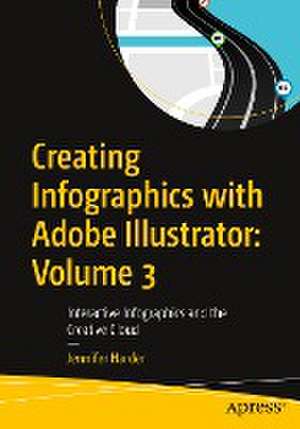
Creating Infographics with Adobe Illustrator: Volume 3
Autor Jennifer Harderen Limba Engleză Paperback – 8 dec 2023
How can an infographic be made more interactive for an audience? What additional Illustrator tools and Adobe applications can be used to enhance your infographic layout? In this final volume of Creating Infographics with Adobe Illustrator, you will learn the answers to all these questions. Author Jennifer Harder will walk you through creating basic infographics in Illustrator using Illustrator tools for creating SVG files, known as Scalable Vector Graphics, for basic Interactivity on a web page. Then you will review layouts in other Adobe Applications in relation to their connectivity with Illustrator.
Upon completing this volume, you will have a thorough understanding of how to design an infographic with basic interactivity for a web page, and how this can improve visualization and convey meaning to your audience. Moreover, youwill be able to use this knowledge to create your own infographics using Illustrator’s wide array of tools.
What You Will Learn
- Discover how to apply interactivity to an infographic
- Gain insight into different infographic layouts and how to finalize your project with your client
- Explore other Adobe Creative Cloud applications that may assist you in the future as you create your infographics
Who This Book Is For
Beginner-level designers and others who are interested in learning the process of creating infographics for their company, the classroom, for, an article in a magazine, or adding interactivity to webpage.
Preț: 249.95 lei
Preț vechi: 312.44 lei
-20%
Puncte Express: 375
Carte disponibilă
Livrare economică 30 octombrie-13 noiembrie
Livrare prin curier în România Termenul estimat este afișat lângă disponibilitate.
Transport gratuit de la 400.00 lei Plată online sau ramburs, în funcție de opțiunile comenzii.
Retur gratuit în 14 zile Comandă securizată și suport în română.
Specificații
ISBN-13: 9798868800375
Pagini: 228
Ilustrații: XX, 205 p. 237 illus., 213 illus. in color.
Dimensiuni: 178 x 254 x 13 mm
Greutate: 0.44 kg
Ediția:First Edition
Editura: Apress
Locul publicării:Berkeley, CA, United States
Pagini: 228
Ilustrații: XX, 205 p. 237 illus., 213 illus. in color.
Dimensiuni: 178 x 254 x 13 mm
Greutate: 0.44 kg
Ediția:First Edition
Editura: Apress
Locul publicării:Berkeley, CA, United States
V-ar putea interesa
-
 -20%Preț: 417.26 lei521.58 lei
 -
 Adobe Illustrator WOW! Book for CS6 and CC, TheSharon Steuer-20%Preț: 359.06 lei448.83 lei
 -
 -20%Preț: 384.27 lei480.34 lei
 -
![Adobe Flash Professional CS5 Classroom in a Book: The Official Training Workbook from Adobe Systems [With DVD ROM]](https://i0.books-express.ro/bt/9780321701800/adobe-flash-professional-cs5-classroom-in-a-book.jpg) -20%Preț: 263.23 lei329.03 lei
-20%Preț: 263.23 lei329.03 lei -
 -20%Preț: 211.52 lei264.40 lei
 -
 Preț: 261.02 lei
 -
 HTML & CSSJon Duckett-20%Preț: 256.07 lei320.08 lei
 -
 -20%Preț: 319.65 lei399.56 lei
 -
 -37%Preț: 191.16 lei301.69 lei
 -
 Visualize ThisNathan Yau-20%Preț: 233.34 lei291.67 lei
 -
 Hands-On Data VisualizationJack Dougherty-20%Preț: 330.78 lei413.48 lei
 -
 Editorial Design Third Edition: Digital and PrintCath Caldwell-30%Preț: 175.05 lei250.18 lei
 -
 D3.js in Action, 2EElijah Meeks-20%Preț: 296.75 lei370.94 lei
 -
 D3.Js in Action, Third EditionElijah Meeks-20%Preț: 424.60 lei530.75 lei
 -
 Adobe IllustratorJason Hoppe-34%Preț: 246.75 lei375.78 lei
 -
 -20%Preț: 318.59 lei398.23 lei
 -
 Indesign in Easy StepsRobert Shufflebotham-16%Preț: 74.14 lei88.10 lei
 -
 Information GraphicsSandra RendgenPreț: 206.17 lei
 -
 Adobe Indesign, 2nd EditionStephen LaskevitchPreț: 344.64 lei
 -
 Adobe Illustrator, 2nd EditionJason Hoppe-20%Preț: 294.57 lei368.22 lei
Cuprins
Chapter 1: Interactive Infographics with SVG.- Chapter 2: Ideas: Various 2D and 3D Graphic Layouts, Client Review.- Chapter 3: Next Steps with Infographics Using Adobe Creative Cloud.
Notă biografică
Jennifer Harder has worked in the graphic design industry for over fifteen years. She has a degree in graphic communications and is currently teaching Acrobat and Adobe Creative Cloud courses at Langara College. She is also author of several Apress books and related videos.
Textul de pe ultima copertă
This full-color book, the third of three volumes, focuses on Adobe Illustrator’s SVG interactivity tools.
How can an infographic be made more interactive for an audience? What additional Illustrator tools and Adobe applications can be used to enhance your infographic layout? In this final volume of Creating Infographics with Adobe Illustrator, you will learn the answers to all these questions. Author Jennifer Harder will walk you through creating basic infographics in Illustrator using Illustrator tools for creating SVG files, known as Scalable Vector Graphics, for basic Interactivity on a web page. Then you will review layouts in other Adobe Applications in relation to their connectivity with Illustrator.
Upon completing this volume, you will have a thorough understanding of how to design an infographic with basic interactivity for a web page, and how this can improve visualization and convey meaning to your audience. Moreover, you will be able to use this knowledge to create your own infographics using Illustrator’s wide array of tools.
You will:
How can an infographic be made more interactive for an audience? What additional Illustrator tools and Adobe applications can be used to enhance your infographic layout? In this final volume of Creating Infographics with Adobe Illustrator, you will learn the answers to all these questions. Author Jennifer Harder will walk you through creating basic infographics in Illustrator using Illustrator tools for creating SVG files, known as Scalable Vector Graphics, for basic Interactivity on a web page. Then you will review layouts in other Adobe Applications in relation to their connectivity with Illustrator.
Upon completing this volume, you will have a thorough understanding of how to design an infographic with basic interactivity for a web page, and how this can improve visualization and convey meaning to your audience. Moreover, you will be able to use this knowledge to create your own infographics using Illustrator’s wide array of tools.
You will:
- Discover how to apply interactivity to an infographic
- Gain insight into different infographic layouts and how to finalize your project with your client
- Explore other Adobe Creative Cloud applications that may assist you in the future as you create your infographics
Caracteristici
Reviews multiple infographic layouts for inspiration including interactive SVG layouts Uses easy to understand examples with gradual progression from basic to complex in designing infographics Explains how to enhance readability through shapes and colors for Photoshop users